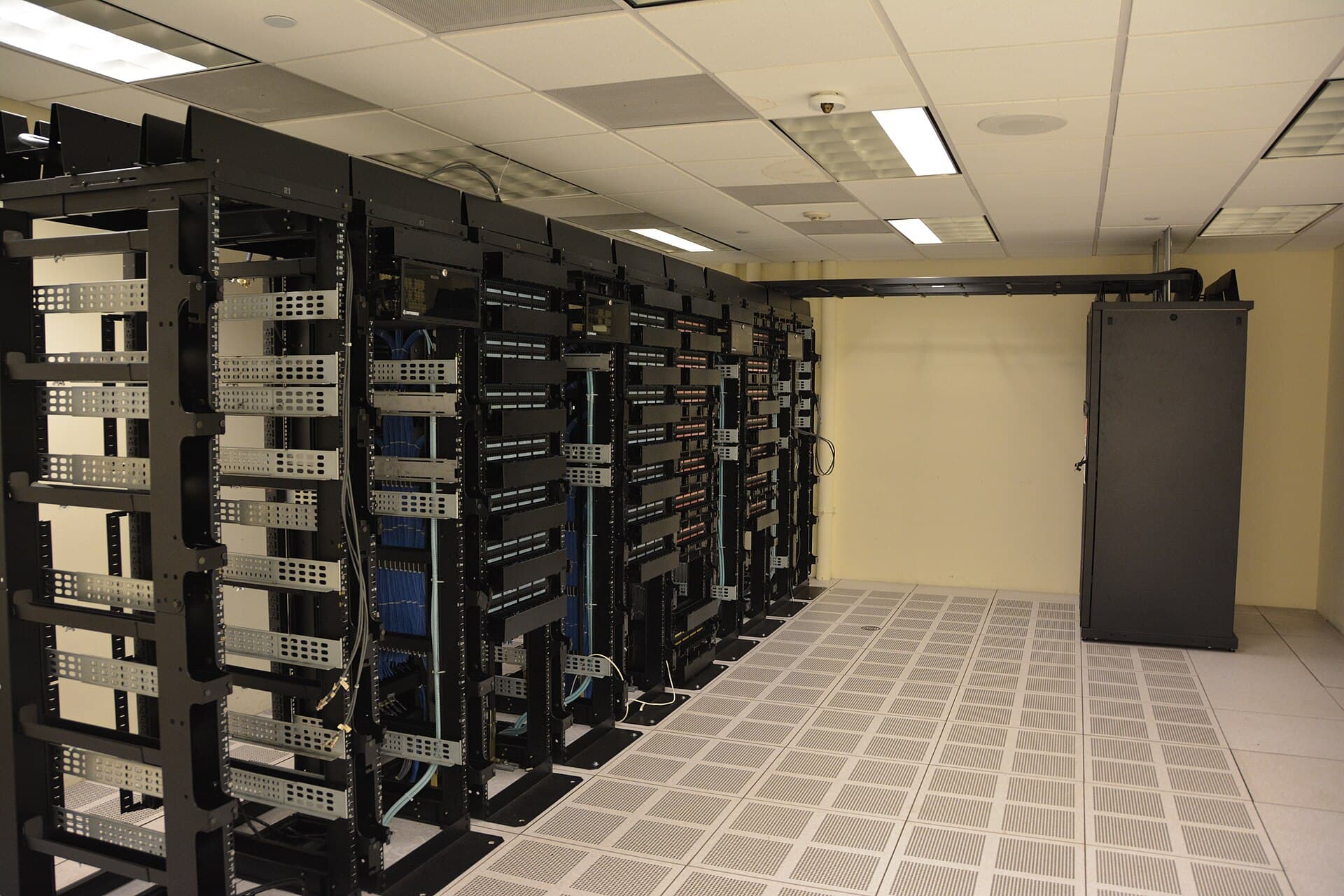
Running an Expert Advisor (EA) or scalping strategy on XM's MT4 or MT5 from a home internet connection means you are accepting 50–200ms of latency on every single order. A trading VPS co-located near XM's server infrastructure can cut that figure to under 5ms — and in some cases below 1ms. For automated traders, that gap can be the difference between a filled order at your target price and a costly requote.
This guide answers the most important question for XM traders in 2026: which VPS is worth paying for, how do you configure it correctly, and when can you get XM's own VPS for free? We cover latency benchmarks, hardware requirements for MT4 vs MT5, cost tiers, and a step-by-step setup checklist.
Quick Answer: For XM MT4/MT5 traders in 2026, the three strongest VPS choices by tier are: ForexVPS.net (most location flexibility, 22+ data centers including LD4 and NY4), NYCServers (pre-installed MT4/MT5, Equinix co-location in 6 hubs), and XM's own free VPS (available when you maintain $500+ balance and trade 2 standard lots/month, or for $28/month without those conditions — server co-located near XM's London data center). For most retail EA traders, aim for under 20ms to your broker's server; under 5ms indicates direct co-location.
Why a VPS Matters Specifically for XM MT4 and MT5 Traders
The Latency Cost Nobody Calculates
A home internet connection introduces 50–200ms of latency on every order. A properly positioned VPS in the same data center as your broker's matching engine reduces this to under 5ms, and in co-located scenarios well below that. For scalpers and EA traders, higher latency increases slippage probability — meaning orders fill at worse prices than intended. Across hundreds of trades, that creates a measurable drag on performance. For manual swing traders on higher timeframes, the impact is smaller, but connection consistency still matters.
XM's No-Requotes Policy — Why It Doesn't Eliminate the Need for a VPS
XM's published policy commits to no re-quotes and no rejections on execution. According to Commodity.com's XM review (verified April 2026), XM serves 3.5+ million clients across 200+ countries with this policy. However, a no-requotes policy addresses order handling at the broker server level — it does not compensate for the delay between your home computer and that server. A VPS eliminates your side of the latency equation.
MT5 Needs More Resources Than MT4 — Plan Accordingly
MT5's 64-bit, multi-threaded architecture needs more RAM, faster storage, and better single-core performance than MT4. According to community measurements on MQL5 forums cited by VPSForexTrader (April 2026), MT5 consumes roughly 3 to 4 times more RAM than MT4 for an equivalent setup. Windows Server 2022 alone consumes 800MB to 1.2GB of RAM before MT5 even launches. A 2GB VPS plan that once ran three MT4 terminals comfortably will likely freeze MT5 during the London open.
Minimum recommended specs for MT5 (per ForexVPS.net, verified May 2026):
- 2 vCPU cores
- 4 GB RAM
- 60 GB SSD storage
- Windows Server 2019 or 2022
Minimum recommended specs for MT4:
- 1 vCPU core
- 2 GB RAM
- 40 GB SSD storage
- Windows Server 2019 or 2022
Is XM a Regulated and Safe Broker in 2026?
Before investing in VPS infrastructure for any broker, regulation should be your first check. Here is XM's verified regulatory status as of 2026-05-17.
XM's Multi-Jurisdiction Regulatory Structure
According to XM's official regulation page (xm.com/regulation, verified 2026-05-17): Trading Point of Financial Instruments Ltd is licensed by CySEC under license number 120/10. Per Commodity.com's XM review (updated April 17, 2026), Trading Point of Financial Instruments Pty Ltd is regulated by ASIC with AFSL 443670, and Trading Point MENA Limited is authorized by the DFSA (Reference No. F003484). Per XM's published VPS terms document (XMGlobal VPS Service Terms and Conditions), the FSC Belize entity (FSC 8557558) handles non-EU, non-Australian clients.
EU clients fall under MiFID II via the CySEC entity, meaning client funds are segregated, negative balance protection applies, and compensation is available up to €20,000 via the Investor Compensation Fund (ICF) in the event of broker insolvency.
Quick Regulatory Summary Table
| Regulatory Entity | Regulator | License Number | Key Protection |
|---|---|---|---|
| Trading Point of Financial Instruments Ltd | CySEC (Cyprus) | 120/10 | MiFID II, ICF up to €20,000 |
| Trading Point of Financial Instruments Pty Ltd | ASIC (Australia) | AFSL 443670 | Segregated funds |
| Trading Point MENA Limited | DFSA (Dubai) | F003484 | DIFC standards |
| XM Global Limited | FSC (Belize) | 8557558 | Non-EU/AU clients |
| XM (SC) Limited | FSA (Seychelles) | SD190 | International markets |
Always verify which legal entity opens your account, as protections and available bonuses differ by jurisdiction.
Want to start trading with XM while reading? Open an XM account — 5 USD equivalent minimum deposit, 1,400+ instruments, MT4 and MT5 supported across all account types. (Bonus eligibility is region-dependent; check your client area after verification.)
XM's Own Free VPS: Conditions, Specs, and Limitations
XM offers its own branded VPS service — the most convenient choice for traders who want zero additional configuration complexity.
Free VPS Eligibility Conditions (Verified from XMGlobal VPS Service Terms and Conditions, 2026-05-17)
Per XM's official VPS terms document (cloud.xm-cdn.com, verified 2026-05-17), the free VPS is available when:
- Account balance of at least $500 (or currency equivalent) across your XM trading accounts, AND
- Trading volume of at least 2 standard round-turn lots (or 200 micro round-turn lots) in Forex, Gold, or Silver in the past 30 days.
Note: Some sources, including the XM MT4 VPS Service Terms PDF, reference a higher $5,000 equity threshold for a different VPS tier. Per FXStreet's XM review (updated March 2026), the higher free tier requires $5,000 USD net equity plus 5 round-turn standard lots in the last 30 days. Always confirm your eligibility in your XM Members Area, as conditions vary by entity and may be updated.
If these conditions are not met, the VPS can still be accessed for $28 USD per month, automatically deducted from your MT4/MT5 account on the first calendar day of each month. Per XM's official terms, the service renews automatically, and once terminated the VPS is deleted without backup — so ensure you back up any EA files or configurations before canceling.
XM VPS Specs and Location
Per XM's published VPS terms and Forex Factory community documentation, the XM VPS is described as "a dedicated piece of a server in a high specification data centre, located in close proximity to XM's MT4 Trading servers, thereby reducing network latency." Community sources reference proximity to XM's London data center. The XM VPS runs Windows Server and includes standard RDP (Remote Desktop) access.
XM's own VPS limitation: The included hardware specs (historically cited as 1.5GB RAM, 600MHz CPU, 20GB storage) are modest by 2026 standards. For MT5 with multiple EAs, this may be insufficient. If you run MT5 with more than one or two indicators, consider a third-party VPS with at least 4GB RAM.
XM VPS vs Third-Party VPS: Decision Matrix
| Factor | XM Free VPS | Third-Party Specialist VPS |
|---|---|---|
| Monthly cost | Free (if eligible) or $28 | $8.49–$40+/month |
| RAM | ~1.5 GB (legacy spec) | 4–8 GB (recommended plans) |
| MT4 performance | Adequate | Good to excellent |
| MT5 performance | Limited | Good (4GB+ plans) |
| Location | Near XM's London server | Your choice: LD4, NY4, TY3, etc. |
| Setup complexity | Low (request via Members Area) | Moderate (RDP + MT install) |
| Multi-broker use | XM-only | Any broker |
| Uptime SLA | Not publicly specified | 99.9%–99.99% |
Top Third-Party Forex VPS Providers for XM in 2026
Why Server Location Determines More Than Hardware
The single most important VPS decision is geographic proximity to your broker's matching engine — not CPU power or RAM. According to ForexVPS.net's 2026 location guide (verified May 2026), a home internet connection adds 50–200ms of latency, while a properly positioned trading VPS in the same data center as your broker's matching engine reduces this to under 5ms. A basic 2GB RAM VPS in Equinix NY4 outperforms a 16GB RAM VPS 50 miles away from the broker's engine.
For XM specifically, the key hubs to target are Equinix LD4 (Slough, London) for European session traders and Equinix NY4 (Secaucus, NJ) for US session strategies. According to MetaQuotes' official Access Server Hosting page, MetaTrader 5 access server infrastructure is hosted at Equinix LD4 (London), Equinix NY4 (New York), and HK1 (Hong Kong), among other locations. This makes LD4 and NY4 the primary co-location targets for XM MT5.
Latency benchmarks to know (per myforexvps.com, January 2026):
- Under 20ms = acceptable
- Under 5ms = excellent co-location proximity
- Sub-1ms = direct cross-connect
Provider Comparison Table (Verified May 2026)
| Provider | Key Locations | Entry Plan Cost | MT4/MT5 Pre-Installed | Windows Included | Best For |
|---|---|---|---|---|---|
| ForexVPS.net | 22+ incl. LD4, NY4, Singapore, Tokyo | $40/month or $32/month annually | Yes (auto-start) | Yes | Flexibility across regions |
| NYCServers | NY4, LD4, TY3, SG1, HK1, DUB1 (6 Equinix hubs) | Per plan | Yes (1-click) | Yes | Direct Equinix co-location |
| FxSVPS | 40+ locations incl. South America, Africa | $8.49/month (Lite) | Yes | Yes (Win Server 2019/22/25) | Budget + exotic regions |
| VPSForexTrader | NY4, LD4 + 2 other hubs | Entry Smart plan (3 CPU, 4GB RAM, 120GB NVMe) | Yes | Yes (Win Server 2022) | EA stability + strong hardware |
| Beeks Financial Cloud | LD4, NY4, Tokyo, HK, Frankfurt, Chicago | From £31/month | Pre-configured (50+ brokers) | Extra £13 | Institutional/semi-pro traders |
| MyForexVPS | Multiple | $11.99/month (Silver, after discount) | Yes | Yes | Beginner traders |
Pricing sourced from provider pages and aggregator reviews (quantvps.com, vpsforextrader.com, forexvps.net), verified April–May 2026. Confirm current pricing directly with providers before purchasing.
Hardware Sizing Guide for XM EA Traders
According to MQL5 community data cited by VPSForexTrader (April 2026), a single MT5 terminal with a handful of charts and no EAs running typically consumes 150–500MB of RAM depending on chart count and history depth. For MT5, community-reported consumption is 110–135MB per terminal vs 20–35MB for MT4 for identical indicator setups.
| Setup | Minimum RAM | Recommended RAM |
|---|---|---|
| 1 MT4 terminal, 1-2 EAs | 1 GB | 2 GB |
| 1 MT5 terminal, 1-2 EAs | 3 GB | 4 GB |
| 2 MT5 terminals, 3-4 EAs | 4 GB | 6–8 GB |
| Multiple MT4+MT5 mixed | 2 GB | 4–6 GB |
If XM matches your trading infrastructure needs, open an XM account and check VPS eligibility from your Members Area after verification. XM currently serves 3.5+ million clients across 200+ countries (per Commodity.com, April 2026).
XM Spreads and Account Types: Which Account Works Best With an EA on VPS?
Understanding XM's spread structure helps you size your VPS ROI correctly — a cheaper spread account can offset VPS costs in fewer trades.
Account Types and Spread Structure (2026)
Per BestBrokers.com's XM review (updated February 25, 2026), average EUR/USD spreads by account type are approximately:
- Standard account: ~2 pips average (no commission)
- Ultra Low account: ~1.1 pips average (no commission)
- Zero account: ~0.2 pips average + $3.50 commission per side per standard lot
Per Commodity.com's XM review (April 2026), Standard and Micro accounts offer a spread-only model with no additional commissions, starting from 1.6 pips on major Forex pairs. Per fxfan.club (data reviewed May 2026), the Ultra Low account overview lists typical spreads of approximately EUR/USD 1.0 pips, GBP/USD 1.3 pips, and Gold 1.6 pips. Live instrument spreads can change, so verify the current table before trading.
The minimum deposit for Standard and Ultra Low accounts is 5 USD equivalent, per WikiFX (verified May 2026). Shares accounts require $10,000 minimum.
Which Account Is Best for VPS-Based EA Trading?
| Account | Best EA Style | Spread Cost (EUR/USD, 1 lot) | Commission | Total Round-Trip Cost |
|---|---|---|---|---|
| Standard | Swing, position | ~$20 | None | ~$40 |
| Ultra Low | Swing, moderate scalp | ~$11 | None | ~$22 |
| Zero | Scalping, high-frequency EAs | ~$2 | $7 | ~$11 |
Calculations based on $10 per pip per standard lot. Spread figures per BestBrokers.com (February 2026). Always verify live spreads on XM's official platform.
For high-frequency EAs making 100+ round-turns per month, Zero account savings versus Standard can exceed $3,000/month — easily justifying a $30–40/month VPS cost.
XM Bonus Overview for Non-EU Traders
For clients outside the EU (where ESMA rules restrict bonuses), XM offers:
- $30 no-deposit bonus: Available to new eligible clients in most regions; profits are withdrawable after meeting XM's trading conditions; the $30 bonus itself is not withdrawable (per multiple sources verified May 2026). Certain countries may be restricted — check eligibility in your region.
- Region-specific promotions: Promotional credit amounts and eligibility change by entity and campaign; verify the current offer inside XM Members Area and the official bonus terms before relying on any amount.
- Tiered deposit bonus: Per FXStreet's XM review (March 2026), available bonuses include 50% on first deposits up to $500, then 20% on further deposits — available to non-EU entities only.
- Unlimited Cashback Promo (Spring 2026): XM launched a cashback initiative for active traders; per InvestingInTheWeb (April 2026), this allows earning up to $7 back per lot traded with no earning cap during the promotional period.
Note: EU clients under the CySEC entity do not receive deposit bonuses per ESMA restrictions.
How to Set Up a Forex VPS for XM MT4 or MT5: Step-by-Step Checklist
Follow this checklist to get from zero to live EA trading on a VPS in under 60 minutes.
Step 1 — Identify XM's Server Location (5 minutes)
- Log into your XM MT4 or MT5 terminal.
- Click File → Open an Account (or check the connection status bar at the bottom right of the terminal).
- Note the server name (e.g., "XMGlobal-Real4" or "TradingPoint-Server").
- Search the server name on ForexVPS.net's broker latency tool to identify the likely physical data center.
- For most XM clients, London (Equinix LD4) is the primary hub.
Step 2 — Choose and Provision Your VPS (10 minutes)
- Select a VPS provider with a data center in the same location as your XM server (LD4 for London, NY4 for New York).
- Choose a Windows Server plan with at least 4GB RAM for MT5 or 2GB RAM for MT4-only setups.
- Ensure NVMe SSD storage for faster EA chart loading and indicator calculations.
- Purchase and receive your VPS credentials (IP address, username, password).
Step 3 — Connect to Your VPS via RDP (3 minutes)
- On Windows: Click Start → type "Remote Desktop Connection" → Enter your VPS IP address.
- On Mac: Download Microsoft Remote Desktop from the App Store → Add VPS credentials.
- Enter your VPS username and password. Accept the security certificate prompt.
Step 4 — Install MT4 or MT5 on the VPS (10 minutes)
Per AlgoTradingSpace's VPS setup guide (verified May 2026):
- Inside the VPS, open a browser and go to XM's official website (xm.com).
- Download the MT4 or MT5 installer for Windows and run it.
- Log in with your XM account credentials.
- Verify the connection status bar shows your XM server name and a low ping (aim for under 20ms).
Step 5 — Install Your EA and Enable Auto-Trading (10 minutes)
Per AlgoTradingSpace (May 2026):
- Copy your EA file (.ex4 for MT4 or .ex5 for MT5) to the VPS.
- In MetaTrader, go to File → Open Data Folder.
- Navigate to MQL4 (or MQL5) → Experts and paste your EA file there.
- Return to MetaTrader and refresh the Navigator panel.
- Click the Algo Trading button in MT5 toolbar (or Auto Trading in MT4) — this step is frequently missed.
- Drag the EA onto your chart, configure inputs, and click OK.
- Confirm the small robot icon appears in the top-right corner of the chart.
Step 6 — Validate Performance (48 hours)
Per myforexvps.com's 2026 guide:
- Check latency: The MT4/MT5 terminal bottom-right shows ping in ms. Under 20ms is acceptable; under 5ms indicates good co-location proximity.
- Monitor CPU and RAM usage for 48 hours — sustained 90–100% usage means the plan is too small.
- Test restart behavior: after a simulated reboot, MT should reconnect automatically.
- Contact provider support once during your trial to gauge response speed.
Step 7 — Optimize MT5 Settings for VPS Performance
If running on a lower-spec plan, per BestFXVPS.com (May 2026):
- Keep fewer charts open — every open chart consumes VPS resources.
- Reduce chart history: Tools → Options → Charts → lower "Max bars in chart" and "Max bars in history."
- Remove heavy custom indicators not required by your EA.
- Set MetaTrader's chart refresh rate to a lower frequency.
Once your VPS is running, open an XM account or check VPS eligibility in your existing XM Members Area. With 3.5+ million clients globally (per Commodity.com, April 2026), XM's infrastructure is built to handle high-volume EA activity around the clock.
Methodology & Disclosure
Methodology: This article aggregates publicly available data from XM's official pages (xm.com/regulation, XMGlobal VPS Service Terms and Conditions PDF), regulator public registers (CySEC, ASIC, DFSA), and independent review aggregators including Commodity.com, FXStreet, BestBrokers.com, ForexVPS.net, VPSForexTrader, AlgoTradingSpace, and myforexvps.com. All data was verified on 2026-05-17. The editorial team at Northmark has not personally traded on, deposited to, or withdrawn from XM or any other broker reviewed. For our full testing methodology when implemented, see our methodology.
Affiliate disclosure: Some links in this article are affiliate links — we may receive compensation if you open an account via those links, at no extra cost to you. Compensation does not influence our broker assessments or VPS rankings. See our editorial policy.
Risk disclosure: CFDs and forex are complex instruments that carry a high risk of losing money rapidly due to leverage. This article is educational and is not investment advice. According to TradersUnion (March 2026), 75–89% of retail CFD traders lose money. You should only trade with capital you can afford to lose, and always verify your broker's regulatory status and terms before depositing.
FAQ
Does XM offer a free VPS for MT4 and MT5 traders?
Yes. Per XM's official VPS Service Terms and Conditions (verified 2026-05-17), the free VPS is available to clients who maintain at least $500 account balance AND trade a minimum of 2 standard round-turn lots in Forex, Gold, or Silver in the past 30 days. A second free tier with higher requirements (around $5,000 equity and 5 lots/month) is referenced in some entity-specific terms. Clients who do not meet either condition can still access the VPS for $28 USD per month, automatically deducted from their trading account.
What server location should I choose for a VPS connected to XM?
For most XM traders, London (Equinix LD4) is the primary target, as MetaQuotes' official MT5 Access Server infrastructure is hosted in Equinix LD4. New York (Equinix NY4) is the better choice for US session traders targeting USD-major pairs. Always verify your XM server name in the MT4/MT5 terminal (bottom-right connection bar), then confirm the physical data center with your VPS provider before purchasing. Per ForexVPS.net (May 2026), a well-configured VPS inside LD4 should show sub-10ms ping times to most London-regulated brokers.
How much RAM does a VPS need to run XM MT5 with Expert Advisors?
MT5 requires significantly more resources than MT4. Per community measurements cited by VPSForexTrader (April 2026), MT5 consumes roughly 3–4x more RAM than MT4 for equivalent setups. Windows Server 2022 alone uses 800MB–1.2GB before MT5 launches. The minimum recommended spec for a single MT5 terminal with EAs is 4GB RAM, 2 vCPU cores, and 60GB SSD storage. Running two MT5 terminals with multiple indicators warrants 6–8GB RAM. Under-speccing your VPS is the most common cause of platform freezes during the London or New York open.
Is XM a regulated broker in 2026?
Yes. Per XM's official regulation page (xm.com/regulation, verified 2026-05-17), XM Group operates through multiple licensed entities: Trading Point of Financial Instruments Ltd is regulated by CySEC (license 120/10); Trading Point of Financial Instruments Pty Ltd by ASIC (AFSL 443670); Trading Point MENA Limited by DFSA (F003484); and XM Global Limited by FSC Belize (8557558). EU clients under the CySEC entity benefit from MiFID II protections and ICF compensation up to €20,000. Always confirm which entity you are onboarded under, as protections differ by jurisdiction.
What is the difference between XM's MT4 and MT5 platforms for EA trading on a VPS?
Both platforms support Expert Advisors on a VPS, but MT5 is the more capable and resource-intensive option. MT5 dropped 32-bit support entirely in September 2023 (build 4755 became mandatory in July 2025 per VPSForexTrader). MT5 supports multi-asset trading, a broader set of order types, and multi-threaded strategy testing. MT4 remains popular for simpler EAs due to lower resource consumption (20–35MB RAM per terminal vs 110–135MB for MT5 under identical setups). For new traders starting in 2026, MT5 is the forward-compatible choice.
How do I claim the XM $30 no-deposit bonus to test trading before committing to a VPS?
Per multiple sources verified May 2026: (1) Open a real trading account on XM's official site; (2) Complete identity verification (KYC); (3) Log into your XM Members Area and click 'Claim Your Bonus'; (4) The $30 credit appears in your account within minutes. The $30 bonus itself is not withdrawable, but profits made using it are withdrawable after meeting XM's trading conditions. Availability is region-dependent and can change; verify the current offer in XM Members Area and official bonus terms before claiming. EU clients (CySEC entity) are not eligible for deposit or welcome bonuses under ESMA rules.
Sources & Verification
This article was fact-checked on 2026-05-17. Key claims:
- "Trading Point of Financial Instruments Ltd is licensed by CySEC under license number 120/10." — verified via https://www.xm.com/regulation on 2026-05-17
- "Trading Point of Financial Instruments Pty Ltd is authorized by ASIC with AFSL 443670; Trading Point MENA Limited is regulated by DFSA with reference F003484." — verified via https://commodity.com/brokers/xm-review/ on 2026-05-17
- "XM's free VPS requires minimum $500 balance AND 2 standard round-turn lots traded in the past 30 days; otherwise the VPS costs $28/month." — verified via https://cloud.xm-cdn.com/static/pdf/System-PDFs/XMGlobal-VPS-Service-Terms-and-Conditions.pdf on 2026-05-17
- "XM serves 3.5+ million clients across 200+ countries." — verified via https://commodity.com/brokers/xm-review/ on 2026-05-17
- "Average EUR/USD spreads on XM accounts: ~2 pips (Standard), ~1.1 pips (Ultra Low), ~0.2 pips (Zero)." — verified via https://www.bestbrokers.com/reviews/xm/spreads-fees-and-commissions/ on 2026-05-17
- "XM Ultra Low account overview lists typical spreads including EUR/USD 1.0 pips, GBP/USD 1.3 pips, and Gold 1.6 pips; live instrument spreads can change." — verified via https://fxfan.club/en/xm/account-type/ultralow/ on 2026-05-17
- "MT5 consumes roughly 3–4x more RAM than MT4 for equivalent setups; Windows Server 2022 uses 800MB–1.2GB before MT5 launches." — verified via https://www.vpsforextrader.com/blog/best-vps-for-metatrader-5/ on 2026-05-17
- "MetaQuotes MT5 Access Server infrastructure is hosted at Equinix LD4 (London), Equinix NY4 (New York), and HK1 (Hong Kong)." — verified via https://www.metatrader5.com/en/news/2240 on 2026-05-17
- "Minimum recommended VPS specs for MT5: 2 vCPU, 4GB RAM, 60GB SSD, Windows Server." — verified via https://www.forexvps.net/resources/best-mt5-vps-providers/ on 2026-05-17
- "XM promotional credits and deposit bonuses vary by entity and region; EU/CySEC retail clients do not receive deposit or welcome bonuses under ESMA rules. Check XM Members Area and current official terms before claiming." — verified via https://www.fxstreet.com/brokers/reviews/xm on 2026-05-17
- "EU clients under XM's CySEC entity do not have access to deposit bonuses due to ESMA restrictions." — verified via https://www.fxstreet.com/brokers/reviews/xm on 2026-05-17
- "ForexVPS.net operates in 22 financial data centers; entry pricing is $40/month or $32/month when billed annually." — verified via https://www.forexvps.net/resources/best-mt5-vps-providers/ on 2026-05-17
Hero image: AI-generated by Northmark.
Related: Crypto
{/* nm:related-verticals /} Related: Internet {/ /nm:related-verticals */}
Related articles
XM Review 2026: Video Walkthrough, Spreads & Bonus Terms Explained
XM review 2026 with full video walkthrough. Regulated broker, spreads from 0.6 pips, no-deposit bonus explained. ✓ Verdict for beginners ✓ Risk disclosure ✓
Measured broker spreads 2026-W41 — logged hourly from our own MT5 accounts
Not a copy of published spread tables: 184,090 hourly bid/ask samples taken on our own accounts (HF Markets (SV) Ltd. / OANDA Corporation / XM) over 2026-09-27 → 2026-10-04, broken down by pair and by hour of day.
Fujitsu vs KDDI AccelWaves vs SCS: Enterprise Security 2026 Guide
Compare Fujitsu MSS, KDDI AccelWaves SASE, and SCS certification for Japanese enterprises. Find the right fit with our 2026 decision guide ✓