Verification Status: This article is an explanation based on publicly available information (the editorial team has not conducted actual usage or trading).
A café at lunchtime. A line forms at the register, and Mr. A stares intently at his tablet screen. The ordering system responds slowly, and the cashless payment connection keeps dropping. Even the free Wi-Fi offered to customers becomes unreliable during peak hours. "The network is congested again," a staff member calls out. Since the property is rented, installing a fiber optic line requires the landlord's permission, and with the possibility of relocating, making a major equipment investment is not feasible. It was in this situation that Mr. A heard a single sentence from a business partner: "There is a plug-and-play Wi-Fi solution for corporations that requires no installation work and can be activated in as little as three days."
Conclusion: BizAir is a plug-and-play Wi-Fi service designed for corporations and retail stores, requiring no installation work, offering activation in as little as three days, and supporting 5G. It is particularly suitable for rented properties, short-term bases, and stores that frequently change their layout. While you cannot expect maximum speeds comparable to fiber optic lines, its ease of implementation and cost performance make it a valuable option.
No Installation Required, Operational in as Little as 3 Days—How BizAir Transforms Connectivity Challenges for Businesses
The primary issues BizAir resolves are the "waiting time" and "restrictions" associated with installing fixed-line connections. For businesses like Mr. A's café—where landlords may not grant permission for renovations in rental properties, or where there is a need for short-term usage or frequent layout changes—installing fiber optic lines can be difficult or impossible. BizAir requires only plugging into a power outlet; no construction work or presence of specialized technicians is needed. With activation possible in as little as three days from application, businesses can establish their communication environment exactly when needed.
Another critical advantage for business use is its compatibility with 5G networks. Modern offices and retail locations rely not just on being "connected," but on having "stable connectivity" for online meetings, cloud services, cashless payment systems, and order management platforms. BizAir leverages the WiMAX network, supporting three distinct networks: WiMAX2+, au 4G LTE, and au 5G. While its stationary design means it cannot be carried around like mobile Wi-Fi routers, this very feature makes it ideal for providing stable, fixed-location connectivity.
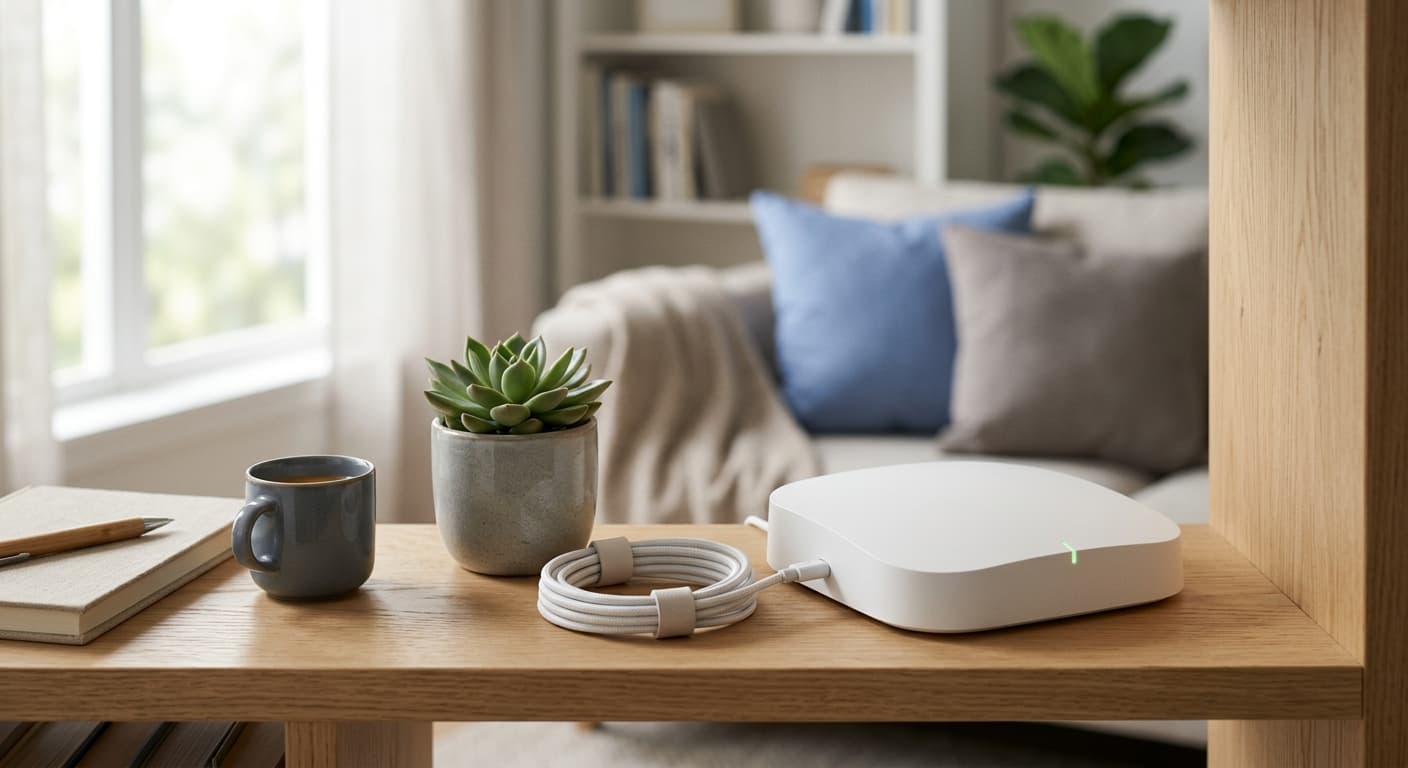
In Mr. A's café scenario, the cashless payment terminal and ordering system connect directly to BizAir, while customer Wi-Fi is provided over the same connection. Since no installation work is required, relocating becomes seamless: simply take the device to the new location and plug it in. Setting up communications no longer becomes a bottleneck for business operations.
Organizing BizAir's Pricing Plans (Tax Included) | Conditions for ¥0 Initial Fee and First Month Free
BizAir's pricing structure is broadly divided into two plans. If you are choosing based on data capacity, the option is "BizAir mini"; if you want to use the service without worrying about capacity limits, the choice is "BizAir +5G for WiMAX." Both plans feature a ¥0 initial fee and no installation costs. With a web-exclusive campaign offering the first month free, it is easy to minimize the burden immediately after adoption.

| Plan Name | Monthly Fee (Tax Included) | Data Capacity | Initial Fee |
|---|---|---|---|
| BizAir mini | ¥4,378 | 30GB | ¥0 |
| BizAir +5G for WiMAX | ¥6,248 | Unlimited | ¥0 |
Whether 30GB is sufficient depends on the number of users and how the service is used. Like Mr. A's cafe, if you are using cashless payments, an ordering system, and customer Wi-Fi simultaneously, the unlimited plan offers greater peace of mind. On the other hand, for small-scale offices with low communication volumes or primarily back-office usage, the mini plan may be entirely adequate.
Rental period options are also available. The long-term rental plan requires a 2-year contract at ¥6,248 per month (tax included), while the short-term rental plan starts at ¥8,000 per month (tax included) and can be used for up to 6 months. The short-term rental is ideal for scenarios with a fixed usage period, such as event booths, limited-time pop-up stores, or construction site offices. The long-term rental also includes a mechanism to update to the latest terminal every two years.
Points to note are that canceling within the contract period for the long-term rental plan incurs a penalty fee of ¥19,800 (tax included), while the short-term rental plan charges a late fee of ¥500 (tax included) per day. Do not choose based solely on low prices; be sure to check the usage period and cancellation conditions together. The latest campaign conditions can be verified on the official website.
Comprehensive Comparison: Fiber Optic vs. Mobile Wi-Fi | Which Should You Choose?
When selecting an internet connection, the primary options to compare are fiber optic lines and mobile Wi-Fi. Mr. A initially thought, "If I can't get a fiber line installed, I have no choice but to stick with my current mobile Wi-Fi." However, laying out these three options side-by-side reveals their respective strengths.
| Comparison Criteria | BizAir | Fiber Optic Line | Mobile Wi-Fi |
|---|---|---|---|
| Installation Work | Not required | Required | Not required |
| Time to Activation | As fast as 3 days | Can take several weeks | Same day to a few days |
| Speed & Stability | 5G compatible; stable due to fixed placement | Highest maximum speeds with fiber | Portable focus; speed varies by location |
| Portability | No (Fixed unit) | No | Yes |
| Ideal For | No installation allowed, short-term use, retail stores | Maximum speed priority, long-term fixed use | Users who need connectivity on the go |
Fiber optic lines offer the greatest advantage in terms of maximum speed and stability. However, they require installation work, which can take several weeks to complete. In rental properties, landlord permission may also be necessary, making this option unavailable for users like Mr. A who face installation restrictions. While mobile Wi-Fi offers the freedom of portability, it can lack the communication stability of a fixed unit. The issue Mr. A experienced—"the ordering system becomes sluggish during lunch hours"—aligns with the typical characteristics of mobile Wi-Fi.
BizAir is characterized by combining the ease of no-installation setup with the stability of a fixed unit. Although its peak speeds do not match those of fiber optic lines, it effectively meets the requirements for business use in stores and offices: "ready to use immediately with a stable connection." While speed variations depending on the area make prior coverage checks essential, BizAir becomes a strong candidate when conditions overlap, such as inability to install wiring, short-term usage needs, or frequent layout changes.
Strengths Revealed by Reviews and Reputation | "Ready to Use Immediately Without Installation" and Key Considerations
A look at multiple review sites and articles shows that feedback on BizAir centers on its "ease of use without installation" and "rapid deployment." Actual user comments include the following:
Ready to use immediately without any installation work
Perfect for retail stores
These remarks directly address the concerns Mr. A faced: "installation isn't possible" and "I need it up and running right away." In particular, the comment "Perfect for retail stores" reflects the real-world experience of small-scale outlets that don't require excessive specifications.
There are also reported use cases in store environments. In restaurants, stabilized customer Wi-Fi has led to higher mobile order rates and increased average transaction values.
Mobile order rates rose thanks to customer Wi-Fi usage, and average transaction values increased as well
The proportion of repeat customers grew, driving higher sales
On the other hand, a key consideration highlighted in reviews is speed variation by location.
Speed varies depending on the area
Although BizAir supports 5G, actual communication speeds depend on the radio conditions at the usage location. While the overall trend in reviews is positive, some users have expressed dissatisfaction with speed. To avoid mismatches after installation, it's essential to verify whether your store or office falls within the coverage area before signing up.
How to Get Started: From Application to Activation in Just 3 Days
Getting started with BizAir is quick, moving from application to activation in a short time. When Mr. A was first introduced to the service by a business partner, the very first step he took was to check his coverage area on the official website. The process is simple and requires no specialized knowledge.
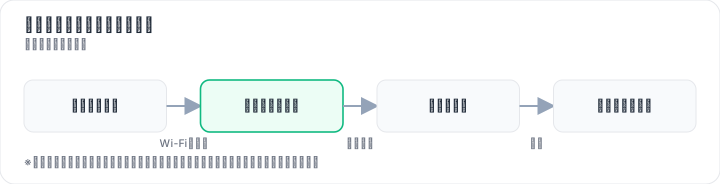

Step 0: Free Coverage Check on the Official Website (Completed in Minutes) Before applying, verify whether your store or office is within the service coverage area. This free check takes only a few minutes, so it's the perfect place to start.
Step 1: Complete the Application Form Enter the required information via the web application form on the official website. You will need to register details such as your company name, store name, contact information, and desired start date.
Step 2: Receive the Device (As Soon as 3 Days) After applying, the device will be delivered via courier or available for store pickup in as little as 3 days. There is no need to schedule construction work or have a technician present.
Step 3: Plug In and Activate Simply plug the delivered device into a power outlet to start using the service. Settings are configured automatically, so there are no complex tasks to perform.
The coverage check is free, allowing you to confirm if the service works at your store before applying. With no construction worries, you can start using it the day the device arrives. Therefore, it is definitely worth trying just the coverage check first. Applications can be submitted via the application form on the official website.
Who BizAir Is (and Isn't) For | Cancellation Terms Explained Honestly
BizAir isn't the perfect solution for every business. Here's an honest breakdown of who it suits best and who should look elsewhere.
Best suited for:
- Tenants who can't or don't want to undergo construction work
- Those needing immediate internet connectivity
- Businesses requiring short-term or temporary location setups
- Stores or offices with frequent layout changes or relocations
- Corporations, sole proprietors, and retail stores
Not ideal for:
- Users prioritizing maximum connection speed above all else
- Those planning high-bandwidth activities like online gaming
- Anyone seeking the absolute lowest monthly fee possible
- Users needing portable connectivity for on-the-go use
You should also review the cancellation terms carefully. Canceling a long-term rental plan before the contract ends incurs a penalty fee of ¥19,800 (including tax). Short-term rental plans charge a late payment fee of ¥500 per day (including tax). It's essential to consider not just how easy setup is, but also your intended usage period and cancellation conditions before making a decision.
In conclusion, BizAir is ideally suited for small businesses seeking "hassle-free, no-installation setup" combined with "stable fixed-location performance." There are two key reasons for this. First, it can be activated in as little as three days, even in environments where fiber optic installation is difficult, such as rental properties or short-term locations. Second, it avoids the instability often associated with portable mobile Wi-Fi by designed specifically for stationary use in stores and offices. While its maximum speeds may not match those of fiber optic lines, it effectively meets the core business requirements of "ready-to-use immediately" and "reliable connectivity."
Final Points to Keep in Mind
BizAir's connection speed varies depending on your location, time of day, and the number of connected devices. Just because it supports 5G doesn't guarantee high-speed connectivity everywhere at all times. Pricing and campaign details can also change based on timing and region, so be sure to check the official website for the latest terms before signing up.
Methodology and Disclosures
Verification Method: This article was created based on public information verified as of August 18, 2026. Our editorial team has not actually contracted or used the services mentioned. The explanations provided are based on public sources, including official websites, third-party reviews, and user feedback. Since service details, fees, and campaigns are subject to change, please always verify the latest information on the official website before applying.
Publisher Information: Our editorial policy and evaluation criteria are outlined in our Editorial Policy, and our verification procedures are detailed in our Evaluation Methodology. If you identify any errors in the content, please report them via our contact form.
Affiliate Disclosure: This article contains affiliate links, through which we may earn a commission at no additional cost to you. These commissions do not influence our evaluations or rankings.
Frequently Asked Questions
Is installation really not required?
Yes, BizAir works by simply plugging into a power outlet; no installation or technician visit is needed. This makes it easy to deploy in rental properties where landlord permission is an issue, or for short-term locations. Activation is possible in as little as 3 days from application.
Is the connection speed stable?
BizAir is 5G-compatible and, being a stationary unit, tends to be more stable than mobile Wi-Fi. However, maximum speeds are not as high as fiber optic, and speeds may vary depending on coverage area and time of day. It is recommended to check coverage beforehand.
Are there cancellation fees?
For the long-term rental plan (2-year contract), canceling within the contract period incurs a fee of ¥19,800 (tax incl.). For short-term rental plans, a late fee of ¥500 (tax incl.) per day applies. Be sure to review the rental period and conditions before choosing.
Can individuals (general households) use it?
BizAir is a service for businesses and stores, not for individuals. However, sole proprietors and small stores can use it. If you are considering it for a general household, you might look into personal mobile Wi-Fi or home routers instead.
Can I check coverage before applying?
Yes, you can check coverage on the official website. BizAir uses the WiMAX network and supports WiMAX2+, au 4G LTE, and au 5G. It is recommended to verify signal strength at your address before applying.
How is the device delivered?
The article does not specify the exact delivery method, but typically delivery is by shipping. Since activation can be as fast as 3 days, once the device arrives, you can plug it into an outlet and start using it. Check the official website for details.
Is there a data cap?
It depends on the plan. BizAir mini offers 30GB per month, while BizAir +5G for WiMAX is unlimited. Whether 30GB is enough depends on the number of users and usage; if you use cashless payments and customer Wi-Fi simultaneously, the unlimited plan is safer.
What is the difference between short-term and long-term rental?
Short-term rental starts at ¥8,000 (tax incl.) per month and can be used for up to 6 months, ideal for events or pop-up stores. Long-term rental is a 2-year contract at ¥6,248 (tax incl.) per month, with the option to upgrade to the latest device every 2 years. Cancellation terms also differ.
Sources
This article is based on publicly available information as of 2026-08-18.
Related articles
What Is Systre Select 365 (Fujitomi Securities)? Reviews, Fees, and Account Setup for Automated Trading Starting at ¥990/Year [August 2026]
Systre Select 365 is an optional system trading service for Exchange FX (Click 365) offered by Fujitomi Securities. Simply choose a character and enjoy 24-hour automated trading. At a low cost of ¥990/year (tax included), you can try it free for up to 90 days (conditions apply). We explain its reputation and cautions for beginners.
XM Review 2026: Video Walkthrough, Spreads & Bonus Terms Explained
XM review 2026 with full video walkthrough. Regulated broker, spreads from 0.6 pips, no-deposit bonus explained. ✓ Verdict for beginners ✓ Risk disclosure ✓
Measured broker spreads 2026-W41 — logged hourly from our own MT5 accounts
Not a copy of published spread tables: 184,090 hourly bid/ask samples taken on our own accounts (HF Markets (SV) Ltd. / OANDA Corporation / XM) over 2026-09-27 → 2026-10-04, broken down by pair and by hour of day.