Verification Status: This article is an explanation based on publicly available information (the editorial team has not conducted actual usage or trading).
Kenta Tanaka, a 28-year-old freelance web designer, suddenly faced an unexpected job relocation. He hurriedly found a new home in his desired area with reasonable rent. However, just one week before the move-in date, a major problem emerged: the apartment was not equipped for fiber optic internet installation. Even if he applied for line construction immediately, the real estate agency informed him that activation would take at least two weeks.
"I have a project with an approaching deadline, but I can't use the internet at home. Working from a café raises concerns about security and securing a spot for long hours."
What Kenta faced was the modern fear of a "connectivity gap" in our networked society. Whether at cafés, co-working spaces, or hotels during business trips, he needed to connect both his laptop and smartphone simultaneously across multiple locations. The solution to his situation was DTI WiMAX 2+, a pocket-sized Wi-Fi device requiring no installation and usable from the day it arrives.
Conclusion: DTI WiMAX 2+'s "Giga Hohei Plus S Plan" features zero contract binding periods and no cancellation fees. Supporting high-speed 5G communication while requiring no installation, it works both at home and on the go, making it particularly suitable for sudden internet needs or short-term use. This article details the fee structure, real-world performance reviews, and differences from competitors based on publicly available information.
Suddenly Displaced and Offline? The Necessity of No-Installation Wi-Fi
The hurdle of fiber optic installation often stands in the way of starting a new life. As experienced by Mr. Kenta Tanaka, it is not uncommon for rental properties to lack fiber optic outlets or for management regulations to restrict installation work. Even if installation is possible, during peak periods, it can take several weeks to over a month from application to activation. During this time, both work and daily life come to a standstill—this is the reality of the "internet refugee" status that many single professionals and freelancers fall into.
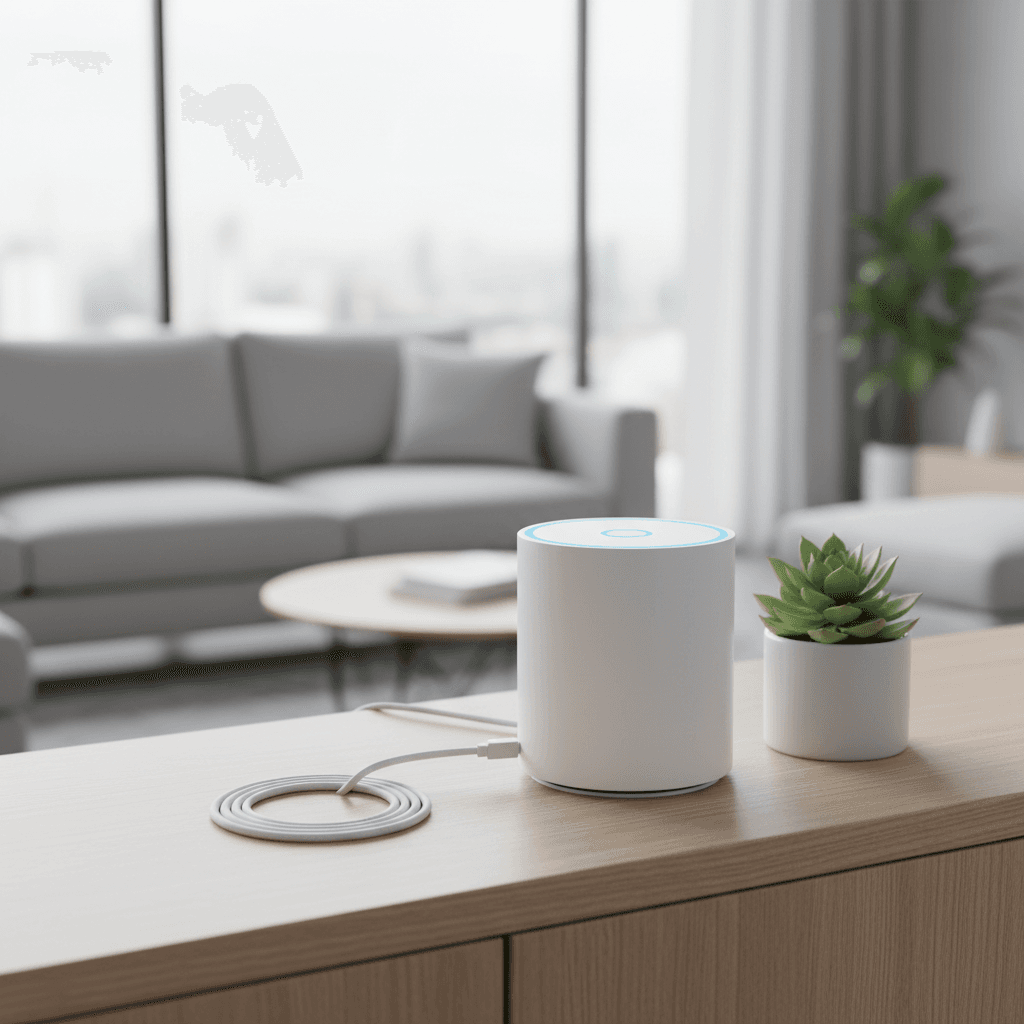
The pocket-type Wi-Fi provided by DTI WiMAX 2+ solves this problem at its root. Once you complete your application on the official website, all you need to do is wait for the device to arrive at your home. Simply turn on the power, enter the Wi-Fi password, and you can immediately start using maximum 5G communication. There is no need to drill holes in walls, obtain permission from your landlord, or wait for technicians.
From the very day he received it, Mr. Tanaka was able to transform his living room into a workspace, reconnecting multiple devices simultaneously to resume work. When moving to cafes or co-working spaces, he only needs to slip the pocket-sized router into his bag. This "internet that goes anywhere" is the key to significantly expanding flexibility in how we work.
A Deep Dive into DTI WiMAX 2+ Pricing and Speed! Tips for Cost-Effective Usage
For Kenta, who has started comparing multiple WiMAX services, the monthly fixed cost is a major concern. At first glance, the pricing structure of DTI WiMAX 2+ may seem complex, but it essentially boils down to two discount systems. The current base monthly fee for the Gigahodai Plus S plan available for subscription is 4,730 JPY (including tax). From this amount, the following discounts are automatically applied based on the contract duration:

| Contract Period | Monthly Fee (incl. tax) | Discount Details |
|---|---|---|
| Months 1–13 | 3,410 JPY | WiMAX +5G Discount (-1,320 JPY) |
| Months 14–37 | 3,960 JPY | Long-Term Value Discount (-770 JPY) |
The greatest appeal of this discount structure is that there are absolutely no contract binding periods. While low-cost SIMs and fiber optic lines typically feature automatic renewal plans spanning two or three years—incurring hefty cancellation fees if terminated mid-term—the Gigahodai Plus S plan completely eliminates such risks. Even in cases like Kenta's, where service is needed "just for a few months," users can start without worrying about extra costs. Please note that the device cost is separate; for example, the Speed Wi-Fi HOME 5G L13 costs 27,720 JPY (including tax). Those wishing to minimize effective monthly costs should be sure to check the latest campaigns and discount conditions on the official website.
Regarding communication speed, high-speed data transmission can be expected within 5G coverage areas. However, as is common with all mobile communications, speeds may drop during congested times or in areas with poor signal reception. Additionally, DTI WiMAX 2+ imposes speed restrictions if data usage exceeds 10GB within a 3-day period, so caution is required for heavy usage patterns, such as constantly streaming large video files. Nevertheless, the peace of mind offered by the ability to start with low risk and no contract obligations serves as a significant boost for first-time prospective users of pocket Wi-Fi.
Real Reviews Revealed: Honest Pros and Cons
"I understand the fee structure, but what do actual users think?"—Kenta sought out genuine user feedback. After examining multiple review sites and testimonials, clear trends in evaluations of DTI WiMAX 2+ emerged. On one WiMAX comparison site, reviews highly praised its portability.

"Perfect for carrying around! WiMAX2+. I usually work on my home computer, but since I sometimes need to handle tasks while visiting my hometown, I chose a portable WiMAX."
As this comment illustrates, the service is gaining support from users who work not just at their home desks, but also in various locations such as their parents' homes or cafes. Overall, it is regarded as an "above-average service," with a minority of users also expressing positive opinions regarding customer support.
On the other hand, there are candid complaints as well. In particular, points raised concerning stability within the home and connectivity while moving are crucial factors to know before purchasing.
"I wish they would improve the fact that the connection sometimes drops when traveling on trains." "It's slow at home and disconnects frequently."
These reviews highlight a universal characteristic of pocket Wi-Fi: performance depends on radio wave conditions. Physically, signals tend to become unstable in underground areas, deep inside buildings, or on trains moving at high speeds. However, past grievances regarding previous plans, such as "high cancellation fees due to three-year contracts," do not apply to the currently available Giga Hohei Plus S Plan. According to a satisfaction survey (n=233), DTI's NPS (Net Promoter Score) is +16.7, suggesting that a majority of users are satisfied with the service.
Head-to-Head Comparison! How Does It Differ from UQ WiMAX, Broad WiMAX, and docomo home 5G?
Kenta, who wants to consider every possible option, has organized the differences between this service and other major internet line providers. The comparison targets UQ WiMAX and Broad WiMAX, which use the same WiMAX network, as well as docomo home 5G, a powerful option designed specifically for home use. Based on publicly available information from each provider, let's compare the items that directly impact your usage style.
| Comparison Item | DTI WiMAX 2+ | UQ WiMAX | Broad WiMAX | docomo home 5G |
|---|---|---|---|---|
| Monthly Fee (with discounts) | Months 1–13: ¥4,730 → ¥3,410 Months 14–37: ¥3,960 | — | — | ¥4,950 per month (home 5G Plan) |
| Contract Term Restrictions | None (¥0 cancellation fee) | — | — | None |
| Primary Usage Location | Home / On-the-go (Portable) | Home / On-the-go | Home / On-the-go | Home-focused (Not portable) |
| Support Rating | NPS +16.7 (from survey) | 2nd in Overall Satisfaction | 1st in Overall Satisfaction | — |
| Device Options | Mobile / Home Router | Multiple devices available | Multiple devices available | Home router only |
This comparison clarifies DTI WiMAX 2+'s market position. While docomo home 5G is excellent as a high-capacity fixed line, its device is intended for stationary use at home. It does not suit needs like Kenta's, who wants to "use the internet while out and about." On the other hand, while pocket Wi-Fi services like UQ WiMAX and Broad WiMAX receive high marks for overall satisfaction and support, DTI's greatest strength lies in offering long-term discounts with absolutely no contract term restrictions. The peace of mind knowing there is a "zero cancellation fee no matter when you cancel" provides a decisive advantage for users with indefinite usage plans.
From Application to Activation─The Fastest Way to Get Online
Having understood the service details and convinced that it suited his work style, Kenta decided to apply. Getting started with DTI WiMAX 2+ is a surprisingly simple process.
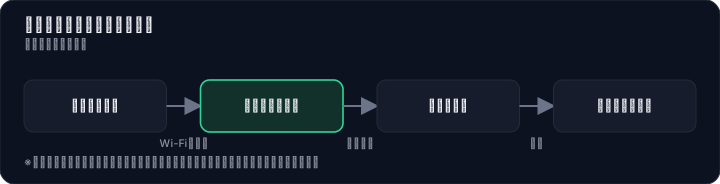

- Apply via the official website: First, enter the required information using your PC or smartphone and select your preferred device (either a mobile router like the Speed Wi-Fi 5G X12 or a stationary home router).
- Submit identity verification documents: Upload proof of identity, such as a driver's license. This step is rarely problematic.
- Receive your device: Once the screening is complete, your device is shipped as soon as the same day, so you don't need to worry about long waiting times for delivery.
- Complete initial setup: When your device arrives, simply turn it on and enter the Wi-Fi password listed on the included card into your device. Even without technical knowledge, you can connect to the internet in just a few minutes.
"If it's this easy to get started, I should have looked into it sooner." Kenta felt this way while unboxing the device at a café and uploading the final data for his project. Furthermore, DTI WiMAX 2+ offers an 8-day cancellation policy. The ability to reconsider your contract within a short period if you find that "the signal doesn't suit your living environment" provides significant peace of mind, especially for those signing up for pocket Wi-Fi for the first time.
So, Who Is DTI WiMAX 2+ Best For? Three Reasons to Choose It
As Mr. Kenta Tanaka's case demonstrates, DTI WiMAX 2+ is a service ideally suited for those who prioritize "time" and "freedom." The following three features clearly illustrate why:
- Zero Contract Binding Period: With no concept of early termination fees, this service meets short-term needs—such as "just for a few months until a job transfer" or "as a temporary bridge until fiber optic installation"—without incurring unnecessary costs. This offers a level of flexibility unmatched by many other internet providers.
- Long-Term Discount Lasting 37 Months: The discounted monthly rate of ¥3,410 to ¥3,960 offers excellent cost-performance considering you get portable 5G high-speed communication at this price point. However, note that the post-discount monthly fee of ¥4,730 is not necessarily cheaper compared to other providers after their long-term discounts end. Be aware that the longer you use it, the more savings you do not necessarily accumulate.
- Rapid Setup and Easy Configuration: There is zero need to schedule construction work or wait for installation. The mobility to use the internet immediately upon receiving the device, whether at home or on the go, makes it a powerful ally for freelancers and business professionals who travel frequently. Additionally, the 8-day cancellation policy allows you to "try it out first" while minimizing risk, a feature that should not be overlooked.
Conversely, if your primary goal is to enjoy 4K streaming or large-scale online games at home without lag, or if you require consistently stable connectivity during train commutes, other options (such as fixed fiber optic lines or high-capacity home router plans) may be a better fit. It is crucial to re-evaluate whether your core internet usage centers around "home" or "portability."
Internet connections are lifelines supporting modern life and work. Therefore, it is only natural to want to avoid regretting your contract choice. All that remains is to visit the official website to check the latest pricing plans and confirm whether your home area is covered by 5G communication.
Note: This article is based on information available as of August 2026. Actual connection speeds may vary depending on your location, time of day, and usage conditions. Fees and campaign details are subject to change without notice; please always verify final terms on the official page.
Methodology and Disclosure
Verification Method: This article was created based on public information verified as of 2026-08-12. Our editorial team has not actually contracted or used the services mentioned. The explanations are based on public sources, including official pages, third-party reviews, and user feedback. Service details, fees, and campaigns are subject to change; please always verify the latest information on the official website before applying.
Publisher Information: Our editorial policy and evaluation criteria are outlined in our Editorial Policy, and our verification procedures are detailed in our Evaluation Methodology. If you find any errors in the content, please report them via our contact form.
Affiliate Disclosure: This article contains affiliate links, through which our site may earn a commission at no additional cost to you. These commissions do not influence our evaluations or rankings.
Frequently Asked Questions
Does DTI WiMAX 2+ require installation?
No, installation is not required at all. Once the device arrives, simply turn it on and connect to Wi-Fi to start using it. There's no need for drilling holes or getting landlord permission.
Is there a minimum contract period?
No, there isn't. The Gigahodai Plus S plan has no minimum contract period and no cancellation fees. You can start with peace of mind even for short-term use.
Under what conditions does speed throttling occur?
If you use more than 10GB of data within a 3-day period, you may be subject to speed throttling. During throttling, your connection speed will be reduced, but it will be lifted the next day. Be cautious if you frequently stream videos or use large amounts of data.
Is credit card the only payment method?
No, besides credit card, you can also choose from bank transfer, Pay-easy, and other payment methods. Please check the official website for details.
Should I choose the mobile or home type device?
If portability is important, go for the mobile type; if you need stable connection at home, the home type is recommended. The mobile type can be used on the go, while the home type is designed for indoor use with faster and more stable speeds. Choose based on your usage scenario.
Are there cancellation fees?
No, there are none. The Gigahodai Plus S plan has no minimum contract period and no cancellation fees. You can cancel anytime freely.
How do I cancel within 8 days?
If you cancel within 8 days including the delivery date, you can do so if there are initial defects or misunderstandings about the contract. To proceed, contact customer support and submit the required information via the designated form. Please check the official website for details.
Is it compatible with au Smart Value mine?
No, it is not compatible. DTI WiMAX 2+ is an independent provider, so it does not support discounts like au Smart Value. However, DTI offers its own discount programs.
Sources
This article is based on publicly available information as of 2026-08-12.
Related articles
2026 FXTF Account Opening Guide: How to Choose a Domestic FX Broker for Free
Considering opening an FXTF (Golden Way Japan) account in 2026? Compare spreads, trading tools, and support across three key areas. This guide explains how to open an account for free and evaluate the trading environment using the actual platform.
XM No Deposit Bonus 2026: Eligible Countries List
Check if your country is eligible for the XM $30 no deposit bonus in 2026. Updated list, terms, and step-by-step verification guide.
IwaiCosmo Securities Review 2026: Honest Look at Fees and IPO Lottery Odds, Plus Zero-Fee NISA
Get the latest 2026 review of IwaiCosmo Securities. We take an honest look at their strong IPO underwriting track record, zero trading fees for NISA accounts, overall fee structure, and customer support. Compare with major online brokerages.