Verification Status: This article is an explanation based on publicly available information (the editorial team has not conducted actual usage or trading).
Inside a light truck parked in the construction site's parking space, Kenta Tanaka (35) gripped his smartphone and sighed. He had just received a call from a client asking, "Have you confirmed the order form we faxed earlier?" It would be another two hours before he could return to the office. Because he couldn't confirm the fax, material arrangements would be delayed again today, throwing off the entire site schedule. For Mr. Tanaka, who already felt burdened by the space required for a dedicated fax machine and the maintenance costs of a phone line, this "returning to the office just for fax" had been a small, unresolved thorn in his side ever since he became self-employed.
Conclusion: eFax is an internet fax service that allows you to send and receive faxes via smartphone or PC without using any fax machines or phone lines. With a monthly allowance of 150 free pages and phone numbers selectable from 57 cities nationwide, it simultaneously resolves the issues of "delayed fax confirmation" and "fixed cost burdens" for sole proprietors and small corporations who are frequently on the go.
No Fax Machine Required: What Is eFax, the Service That Lets You Send and Receive Faxes with Just a Smartphone?
Image source: efax.co.jp (official website) — Cited for identification purposes in this review.
eFax is a cloud-based service that eliminates the need for a dedicated fax machine, allowing you to send and receive faxes entirely from your PC or smartphone. Received faxes arrive as PDF attachments in your email, while outgoing faxes are sent by transmitting digital documents through eFax's servers directly to the recipient's fax machine. This means no paper, no ink, and no telephone lines are required whatsoever.
In Mr. Tanaka's case, simply opening his smartphone in the parking lot at a job site allows him to instantly view purchase orders from clients as PDFs and immediately send a confirmation fax in return. There is no longer any need to return to the office, eliminating delays in material procurement. This represents the fundamental shift that eFax delivers.
Key features include:
- No Fax Machine Required: Send and receive from anywhere using just a PC or smartphone
- 150 Free Pages per Month: Send up to 150 pages each month with no additional charges
- Instant PDF Viewing of Received Faxes: Delivered as email attachments, allowing you to check contents on your smartphone even while away from the office
- Choose Fax Numbers from 57 Cities Nationwide: Select numbers starting with area codes like "03" to maintain professional credibility
- Encrypted Communication for Security: Suitable for industries handling confidential information, such as healthcare and nursing care
eFax launched its services in Japan in 2010 and surpassed 20,000 accounts by February 2013. Already, many sole proprietors and small corporations have been liberated from the traditional constraints of "location" and "time" associated with faxing.
Comprehensive Guide to eFax Pricing Plans and Free Allowance [Latest 2026]
eFax operates on a simple monthly subscription model. The key highlight is that up to 150 fax pages can be sent for free every month. This free allowance is included in the basic monthly fee, with no additional charges for transmissions within this limit.
For sole proprietors like Mr. Tanaka, who runs a construction business, monthly fax transmissions primarily consist of quotes, purchase orders, and invoices, rarely exceeding 150 pages. In fact, for many small-scale businesses, this free allowance offers a highly practical volume.
Payment methods vary depending on the contract type. Corporate contracts allow payment via credit card, bank transfer, or direct debit. In contrast, individual contracts, including those for sole proprietors, accept credit cards only. Fees are prepaid; if usage exceeds the free allowance, the excess amount is immediately charged as a deposit to the registered credit card.
Invoices are issued as PDFs via email and are fully compliant with the invoice system, minimizing administrative workload. We recommend checking the official website for the latest monthly rates and campaign information.
Honest Review of eFax: Pros and Cons
We have compiled the pros and cons of eFax based on feedback from actual users and publicly available information. Please use this as a reference when considering adoption.
Pros
| Pros | Why it's beneficial |
|---|---|
| No need to buy a fax machine; saves space | Enables effective use of office space; eliminates equipment purchase and maintenance costs |
| Check and send faxes via smartphone while away from the office | Prevents missed business opportunities even when on-site or traveling; improves response speed |
| Received faxes are managed as PDFs, reducing the risk of losing paper documents | Makes searching and sharing easy; significantly reduces the hassle of document management |
| No telephone line required, leading to cost savings | Eliminates monthly fees for dedicated fax lines, directly contributing to a review of fixed costs |
| No waste of paper or ink even if spam faxes arrive | Unnecessary faxes can be deleted simply by removing the PDF, eliminating waste of resources and costs |
| Can choose trustworthy numbers, such as 03 area codes | Maintains a professional image externally; can be used just like a traditional fax number |
| No cancellation fees or penalties | Low risk after adoption; lowers the barrier to trying the service |
| Security ensured through encrypted communication | Can be used with peace of mind in industries handling highly confidential information, such as healthcare and nursing care |
Cons
| Cons | When it might be a concern |
|---|---|
| Few opportunities to use it if fax usage scenarios are rare | If all business partners can communicate via email, the service itself becomes unnecessary |
| Low resolution may cause some fonts to appear faint | When sending documents with fine text or many ruled lines, readability on the recipient's end may decrease |
| Cancellation requires phone support (except for monthly credit card payments) | The process is not completed entirely online upon cancellation, which some may find cumbersome |
| Submission of identity verification documents and receipt of a registered mail postcard are required | Takes several business days from application to activation; immediate use is not possible |
| Fees are prepaid, and excess usage is settled via deposit | In months where usage spikes unexpectedly, charges may occur at unforeseen times |
| Sole proprietors can only pay via credit card | Inconvenient for sole proprietors who do not have a credit card or wish to avoid credit card payments |
Looking at user reviews, while many praise the convenience, others point out the low frequency of use.
"It's great because you don't have to go out of your way to buy a fax machine. It's easy and doesn't take up space!" (Review site)
"I thought it would be convenient, but there aren't many situations these days where using a fax is necessary, so it seems I won't have much use for it." (Review site)
In other words, the value of eFax changes significantly depending on "whether your industry or business relationships require fax." In industries where fax remains an established business custom, such as construction, healthcare, and nursing care, the benefits of being freed from spatial and time constraints stand out. On the other hand, in environments where all transactions are completed via email, the necessity for adoption becomes lower.
Comparing eFax with Other Internet Fax Services: Which One Should You Choose?
eFax is not the only internet fax service available. Here, we compare it with representative services offered by telecommunications carriers and outline their respective features.
| Comparison Item | eFax | NTT Internet Fax | KDDI Internet Fax |
|---|---|---|---|
| Monthly Fee | Flat rate based on public information | — | — |
| Free Transmission Quota | 150 pages per month | — | — |
| Fax Number Options | Selectable from 57 cities nationwide (including 03 numbers) | — | — |
| Smartphone Compatibility | Dedicated app available | — | — |
| Security | Supports encrypted communication | — | — |
| Cancellation Terms | No cancellation fees or penalties | — | — |
While carrier-based services may offer bundle discounts with existing landline or telephone contracts, eFax operates as a standalone service independent of any physical line. Therefore, whether you already have a fixed-line telephone connection becomes a key deciding factor in your choice.
eFax stands out particularly in the following three areas:
- 150 free pages per month: Covers routine fax transmissions without worrying about additional costs.
- Extensive number options including 03 prefixes: Enables cloud migration while maintaining professional credibility.
- No cancellation fees: Extremely low adoption risk, making it easy to try out first.
Ultimately, eFax is ideal for sole proprietors and small businesses who want to "check and send faxes while on the go" or "reduce fixed costs associated with dedicated fax machines and telephone lines." Especially in industries such as construction, healthcare, and elder care where faxes are exchanged daily, this convenience directly translates into improved operational efficiency.
How to Sign Up and Start Using eFax
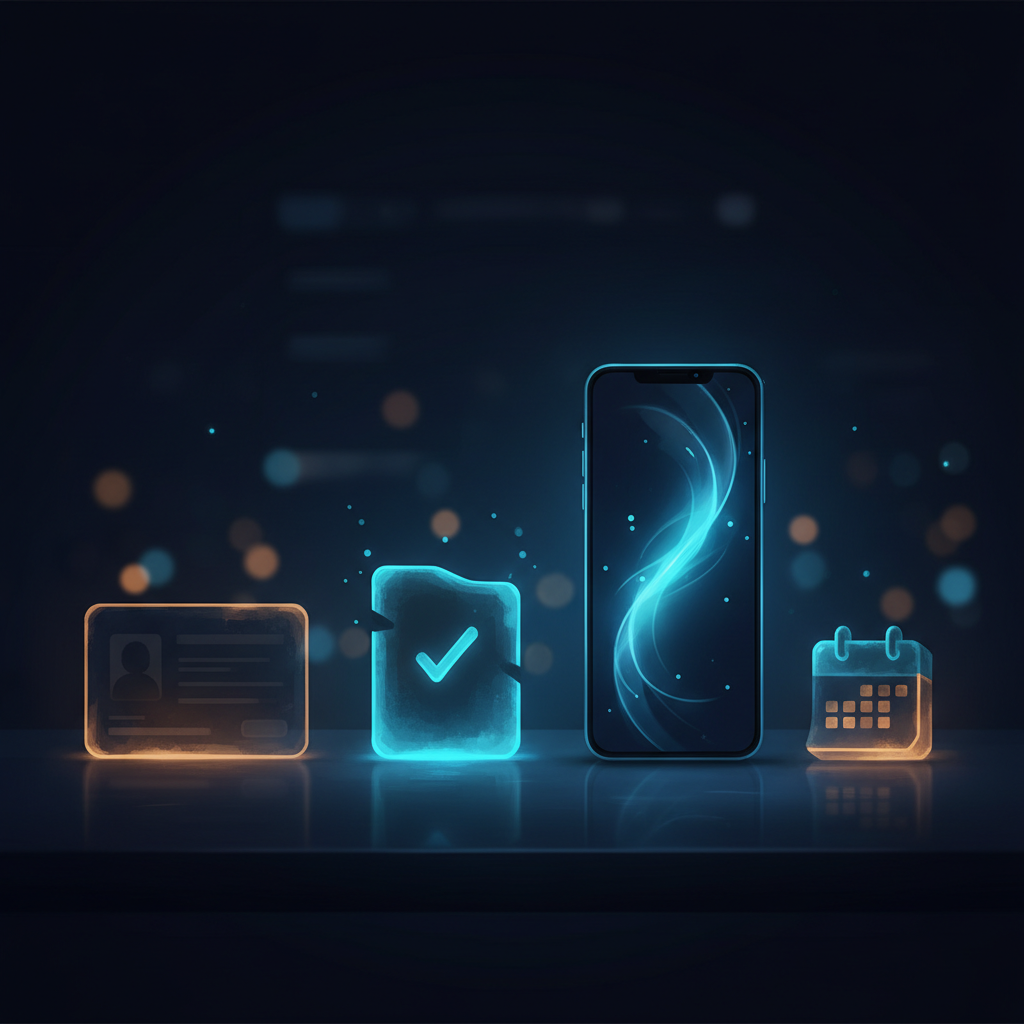
Getting started with eFax involves the following steps. The process typically takes a few business days. While same-day activation is not available, the procedure itself is straightforward.
-
Select a fax number on the sign-up page and enter your information Choose your desired area code (e.g., 03) and register basic details such as your name, address, and payment method.
-
Receive a provisional registration email Approximately 10 minutes after completing your application, you will receive an email with instructions for provisional registration.
-
Upload verification documents Submit your identity verification documents via the link sent within one hour of applying. Simply take photos of the required documents, such as a driver's license or My Number Card, and upload them.
-
Fax number activation after document verification Once your submitted documents are verified without issues, your selected fax number will be activated and ready for use.
-
Receive a registered postcard To confirm your address, you must receive a registered postcard mailed to your registered address. This is the final mandatory step for verification.
There are no cancellation fees. In other words, you have the peace of mind knowing that you can "try it out and cancel at no cost if it doesn't suit your needs." The service is designed to let you get started easily so you can experience it firsthand.
Summary: Who Should Use eFax?
eFax isn't a must-have service for every business. However, it offers an ideal solution for those facing the following challenges.
Who eFax Is Right For
- Sole proprietors and small businesses that frequently use fax but want to avoid the space requirements and maintenance costs of dedicated machines
- Professionals in industries such as construction, healthcare, or elderly care who need to check and send faxes while away from the office
- Anyone looking to reduce overall communication expenses while reviewing their landline services
Who eFax Is Not Right For
- Users who rarely send faxes and handle all client communications via email
- Businesses that already have a multifunction printer and are satisfied with its fax capabilities
- Those whose top priority is securing bundle discounts with landline services
With 150 free pages per month, the option to choose a Tokyo (03) area code, and no cancellation fees, eFax stands out as a service with extremely low adoption risk. If you're losing time and money to traditional faxing, just like Mr. Tanaka, why not take this first step and try it for free?
Experience the new way to fax directly from your smartphone or PC via the Official Website.
Note: The content of this article is based on publicly available information. For specific tax or legal advice, please consult a qualified professional. Additionally, eFax is a back-office service for businesses and is distinct from financing or factoring services.
Methodology and Disclosure
Verification Method: This article was created based on public information verified as of 2026-08-08. Our editorial team has not actually contracted or used the services mentioned. The explanations provided are based on public sources, including official websites, third-party reviews, and user feedback. Service details, fees, and campaigns are subject to change; please always verify the latest information on the official website before applying.
Publisher Information: Our editorial policy and evaluation criteria are outlined in our Editorial Policy, and our verification procedures are detailed in our Evaluation Methodology. If you identify any errors in the content, please report them via our contact form.
Affiliate Disclosure: This article contains affiliate links, through which our site may earn a commission at no additional cost to you. These commissions do not influence our evaluations or rankings.
Frequently Asked Questions
Can eFax really be used without a fax machine?
Yes, eFax allows you to send and receive faxes entirely without a dedicated fax machine, using just your PC or smartphone. Incoming faxes arrive as PDF attachments in your email, and outgoing faxes are sent from digital documents via eFax's servers to the recipient's fax machine. No paper, ink, or phone line is required.
Is there a free trial available?
eFax includes a free monthly allowance of 150 outgoing fax pages as part of its standard plans, so you can send faxes at no extra cost up to that limit. However, whether a separate free trial period is offered may vary; check the official eFax website for the latest trial options.
Is it easy to cancel? Are there any cancellation fees?
eFax does not charge cancellation fees or early termination penalties. However, cancellation typically requires a phone call and may not be completed entirely online. If you are on a non-monthly card billing plan, you will need to contact eFax by phone to cancel your service.
Is eFax secure?
Yes, eFax uses encrypted communication to protect your data, making it suitable for industries that handle sensitive information, such as healthcare and eldercare. Incoming faxes are delivered as PDFs, which also reduces the risk of paper documents being lost or misplaced.
How long does it take to start using eFax after signing up?
The activation process requires submitting identity verification documents and receiving a registered mail postcard, so it can take several business days before your account is fully active. You cannot use the service immediately, so plan ahead and apply with enough lead time.
What payment methods are accepted?
For business accounts, you can pay by credit card, bank transfer, or automatic bank withdrawal. For individual accounts (including sole proprietors), only credit card payment is accepted. Payments are made in advance, and any overage charges are settled from a deposit balance.
What if I receive spam faxes?
With eFax, spam faxes do not waste paper or ink because they arrive as PDFs in your email. You can simply delete unwanted faxes without any physical waste, saving resources and reducing costs.
How user-friendly is the mobile app?
eFax offers a mobile app that lets you send and receive faxes on the go. You can view incoming faxes as PDFs and send faxes directly from digital documents, ensuring you never miss a business opportunity even when you're out of the office or traveling.
Sources
This article is based on publicly available information as of 2026-08-08.
Related articles
XM Review 2026: Video Walkthrough, Spreads & Bonus Terms Explained
XM review 2026 with full video walkthrough. Regulated broker, spreads from 0.6 pips, no-deposit bonus explained. ✓ Verdict for beginners ✓ Risk disclosure ✓
Measured broker spreads 2026-W41 — logged hourly from our own MT5 accounts
Not a copy of published spread tables: 184,090 hourly bid/ask samples taken on our own accounts (HF Markets (SV) Ltd. / OANDA Corporation / XM) over 2026-09-27 → 2026-10-04, broken down by pair and by hour of day.
Fujitsu vs KDDI AccelWaves vs SCS: Enterprise Security 2026 Guide
Compare Fujitsu MSS, KDDI AccelWaves SASE, and SCS certification for Japanese enterprises. Find the right fit with our 2026 decision guide ✓