
Verification Status: This article is an explanation based on publicly available information (no actual use or trading by the editorial team).
Sato-san, who was on an overseas assignment, hit a major wall as soon as he arrived at his apartment abroad. When he opened his tablet to resume watching a drama series he had been looking forward to with his family in Japan, he was met with the merciless message: "This video is not available in your region." Trying to shake it off, he attempted to remotely connect to his company's server, only to be blocked by security policies and unable to access it. With the local connection offering no hope of a fixed IP, and free Wi-Fi being too unstable for work, Sato-san found himself sighing in front of the screen on his very first day abroad, wondering, "Can I really last several months like this?" It wasn't long after that he heard from a colleague at the office, "Apparently, with Interlink's MyIP, you can get a fixed IP in Japan for just 1,100 yen a month."
Conclusion: MyIP is one of the few VPN services that provides a fixed IP in Japan—essential for telework and streaming videos from overseas—at 1,100 yen per month with a free trial of up to 2 months. You can start using it the same day without changing your provider, and with WireGuard support, you can expect smooth communication.
When You Need a Fixed IP: Discovering MyIP
Do you think "fixed IPs are only for a select group of engineers"? In reality, with the normalization of telework and regional restrictions on video streaming services, the number of situations requiring a fixed Japanese IP address is rapidly increasing. What Mr. Sato faced was exactly the following scenarios.
First, accessing internal company systems while teleworking. Many companies restrict the source IP address as a security measure. With a variable overseas IP, you cannot register on the allowlist, leaving you unable to participate in important meetings or exchange data.
Second, using video streaming services from overseas. Services you subscribe to in Japan typically block viewing from overseas IPs due to copyright restrictions. Even if someone living abroad wants to "watch Japanese TV programs," a normal connection cannot make that happen.
Third, server maintenance and management work. When handling specific servers via FTP connections or remote desktop, it is not uncommon for the connection source to be limited to a fixed IP. There are certainly situations in the business field where a fixed IP is needed, even temporarily.
For these concerns, switching your entire provider to an expensive fixed-IP plan is not realistic. MyIP is a service that lets you obtain a fixed IP address in Japan simply by adding it to your current line. On multiple review sites, many users have praised its convenience, with comments such as "being able to use a fixed IP anytime, anywhere is extremely convenient."
MyIP Features and Pricing Explained in Detail [Latest 2026]
The first things Sato-san was concerned about were practical points: "Will it really work in my environment?" and "Is the pricing fair?" Here, we organize the basic information about MyIP with transparency.
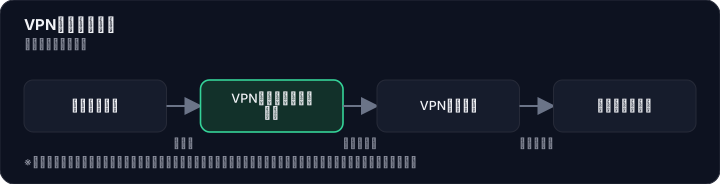

Pricing Structure
MyIP's pricing plans are straightforward, with no hidden costs.
| Item | Details |
|---|---|
| Monthly fee | 1,100 yen (tax included) |
| Initial fee | Free |
| Free trial period | Up to 2 months |
| Payment methods | Credit card, NTT billing, bank transfer |
| Long-term discount | None |
| Money-back guarantee | None |
What deserves special attention is the free trial period of up to 2 months. With VPN services, it's hard to judge whether the speed and connection stability suit your environment without actually using them. With two months, you can thoroughly test weekday telework and weekend video streaming alike. The ease of getting started with just a 3-minute online application was also a big plus for busy Sato-san. Moreover, since canceling during the free period incurs no charges at all, being able to try it risk-free is the most reassuring factor.
Main Features and Value for Users
Next, we interpret MyIP's technical characteristics from the user's perspective.
- Fixed IP address issued same day: Available from the very day you apply. You can quickly respond to sudden overseas business trips or the start of remote work.
- Supports PPTP, L2TP, IKEv2, and WireGuard: Multiple communication protocols are supported, and among them, WireGuard offers fast and stable connections. In the VPN space, where users often feel dissatisfied with communication speeds, this is a practical advantage.
- Broad OS support: Works with Windows, Mac, iOS, Android, and Chrome OS. Regardless of the device you own, easy setup using the dedicated app (PC version) is also available.
- Servers located in Japan: MyIP's hallmark is providing a "fixed IP within Japan." It is designed so that even when connecting from overseas, you can smoothly access Japanese web services.
On the other hand, there is a limitation of only 1 simultaneous connection. If you want to use it on multiple devices at the same time, you'll need to switch each time. Additionally, it does not come with a no-log policy or kill switch function. It should be honestly noted that it is not suitable for purposes requiring complete anonymity. Sato-san also accepted this limitation, reasoning, "Since I only use it on one work PC, it's not a problem."
Thorough Comparison with Sekai VPN and Fixed IP Providers: MyIP's Strengths and Weaknesses
"What's different about this compared to other services?" Before asking his colleagues, Sato researched alternatives on his own. Whether to switch providers or use another VPN. As he investigated, MyIP's position became clear.
Comparison List with Competitor Services
| Comparison Item | MyIP | Sekai VPN | MillenVPN | Fixed IP Providers |
|---|---|---|---|---|
| Monthly Fee (tax included) | 1,100 yen | From 880 yen | 1,628 yen (with Native IP option) | High (requires confirmation) |
| Fixed IP Availability | Yes (standard) | No | Yes (optional) | Yes |
| Free Trial Period | Up to 2 months | Yes (period requires confirmation) | 30-day money-back guarantee | None |
| Simultaneous Connections | 1 device | 5 devices | 10 devices | Depends on provider |
| Communication Protocols | PPTP/L2TP/IKEv2/WireGuard | WireGuard supported | IKEv2/WireGuard/OpenConnect | — |
| Log Policy | No-log not available | No-log | No-log | — |
| Operating Company | Interlink | Interlink | Az Pocket | Each provider |
| Features | Fixed IP specialized, low price | Strong in overseas connections overall | Balances fixed IP and VPN | The line itself is fixed |
*Items marked "—" in the table could not be confirmed from public information. Please check each official website for the latest details.
Which One Should You Choose After All?
If you want to get a Japan fixed IP at the lowest cost and with the least hassle, MyIP is the top candidate. There is no need for large-scale construction or contract procedures like switching providers, and you can add a fixed IP with the low burden of 1,100 yen per month.
If you want to comfortably use multiple overseas locations or video streaming services in general, Sekai VPN is suitable. It is the same Interlink service, but while it does not offer a fixed IP, it supports stable overseas connections and up to 5 simultaneous devices. However, if you have a reason that "it must be a Japan fixed IP," then MyIP is the right choice.
If you want to use a fixed IP on multiple devices simultaneously, the Native IP option from MillenVPN is also worth considering. The fee is slightly higher, but it allows up to 10 simultaneous connections and also has a no-log policy. However, it is also a wise approach to first experience the convenience of a fixed IP with MyIP's free trial, and then compare options as needed.
Investigating Real Reviews and Feedback: Positive Reviews and Points of Concern
Mr. Sato was curious not only about what his colleagues said, but also about what actual users thought. After looking into multiple review sites and feedback submitted officially, it became clear that the majority of reviews are generally favorable. Let's take an honest look at the points that earn high satisfaction, as well as the complaints that are mentioned alongside them.
Points That Are Praised
"Being able to use a fixed IP anytime, anywhere is extremely convenient. It's almost surprising that no other service offers something similar." (Source: Official website "Customer Voices")
"I use the MyIP service to enjoy Japan-only content on video streaming services while overseas. The connection is stable as well." (Source: Official website "Customer Voices")
"With other services, the setup is so difficult that I felt like giving up... MyIP is very easy to use, so I'm grateful for that." (Source: A review site)
As shown above, many voices praise the convenience of using a fixed IP anytime, anywhere and the ease of setup. In particular, the ability for people living overseas to access Japanese content is repeatedly cited as a major reason for choosing MyIP. There is also a high level of satisfaction with the price of 1,100 yen per month, and realistic evaluations such as "Given the low price, the quality is decent. But for those who want to use a fixed IP at a low cost, it's perfect" were also observed.
Points of Concern and the Actual Situation
On the other hand, some complaints have also been pointed out.
"Sometimes the connection drops and I have to turn the VPN back on, so I wish that could be improved. If I could ask for more, it would be great to be able to connect at least two devices." (Source: Official website "Customer Voices")
"The setup is easy and it's user-friendly. However, it's disappointing that you can't connect from multiple devices at the same time." (Source: Official website "Customer Voices")
The fact that only one simultaneous connection is allowed and that some users experience connection instability depending on their environment are things you should know before making a decision. Regarding connection speed, some users have reported that it feels slow, but this also depends on the user's own line speed, the country they are connecting from, and the time of day, so it's worth testing in your own environment. Additionally, connections from within China are not officially supported, and there are reports that they have not actually succeeded. This is precisely why the free trial period of up to two months is valuable for making a well-informed decision.
From Application to Connection in 3 Steps — Easy Even for Beginners
With his questions resolved, Sato proceeds to apply. The process is surprisingly simple, on a completely different level from the hassle of switching providers he had experienced before.

Step 1: Apply from the Official Website
The application is completed online in just 3 minutes. Simply enter the required information such as your name and payment details, and your fixed IP address will be issued the same day. Even busy teleworkers or overseas travelers heading out won't find it troublesome.
Check the latest terms and application procedures on the official website
Step 2: Take Advantage of the Free Trial Period
After applying, you can use the service free of charge for up to 2 months. During this time, thoroughly test connection stability and speed in the environments where you'll actually use it, such as at home, at your travel destination, or at the office. If you feel it doesn't suit your usage, you can cancel during the free period without incurring any charges. This is highly effective as a risk hedge for achieving long-term satisfaction.
Step 3: Configure the Connection
Setup is done via the dedicated app or the OS-standard VPN function. Dedicated apps are provided for Windows and Mac, and you can complete the connection simply by following the guide. For iOS and Android, just enter the issued server information and account details into the device's VPN settings screen. No difficult network knowledge is required at all. In actual reviews, many comments say "the setup is easy and user-friendly," so even beginners can start using it with peace of mind. Moreover, since canceling during the free trial period costs nothing, it's recommended to try it out casually first.
Ultimately, MyIP is recommended for these people: Who it suits and who it doesn't
During a business trip, Sato was able to use MyIP to access the server just as he would from his office in Japan, and in the evening, he could enjoy domestic streaming content as if he were relaxing in his living room. Now he understands the reviews saying, "I wish I had started using it sooner." So, who exactly is MyIP the right service for?
People MyIP is especially recommended for
- Those who need a fixed IP for telework: Even in environments with IP restrictions due to corporate security policies, you can meet the requirements without changing your provider.
- Those who want to enjoy Japanese streaming services from overseas: By connecting with a Japan-based IP address, you can watch region-restricted content.
- Those who want a fixed IP at low cost: Services offering a fixed IP for 1,100 yen per month are limited, and compared to switching to a provider that includes a fixed IP, this is overwhelmingly easier and more economical.
The reasons MyIP is the right choice for these people come down to two points: first, the "ease of adding a fixed IP without changing providers," and second, the "peace of mind of being able to check compatibility in advance with a free trial of up to 2 months."
People MyIP is not suitable for
- Those who want to use it from within China: As mentioned earlier, connections from China are not officially supported and cannot be used. Please consider another service.
- Those who want to connect from multiple devices simultaneously: Since only one simultaneous connection is allowed, it is inconvenient for family use or for connecting both a PC and a smartphone at the same time.
- Those who prioritize complete anonymity: As it does not offer a no-log policy or a kill switch feature, it is not suitable for use cases where privacy protection is the top priority.
If your usage style matches the "suitable" category, you can gain a location-independent work environment and unrestricted video streaming at a cost of 13,200 yen per year—about 36 yen per day. And whether it is worth it can be confirmed by anyone risk-free during the free period of up to 2 months. Why not check the current free trial conditions on the official website?
Please note that when using a VPN, you must comply with the terms of service set by the destination service and the laws and regulations of the country or region where you are located. A VPN is a tool that changes the route of communication and is not intended to recommend unauthorized access or intentional violations of terms.
Methodology and Disclosure
Verification Method: This article was created based on publicly available information as of 2026-08-01. The editorial team has not actually contracted or used the services in question. This explanation is based on public information (official pages, third-party reviews, and user feedback). Since service details, pricing, and campaigns are subject to change, please be sure to check the official information before applying.
Operator Information: The editorial policy and evaluation criteria for this article are described in the Editorial Policy, and the verification procedures are described in the Evaluation Method. If you find any errors in the content, please report them to our contact desk.
Affiliate Disclosure: This article contains affiliate links, and our site may receive compensation without any additional cost to readers. Compensation does not influence the evaluation content.
Frequently Asked Questions
Can MyIP be used in China?
The article does not explicitly state whether it can be used in China. However, since VPN usage is regulated in China, there is no guarantee of operation, and it may not be usable. Please check the official website for the latest information.
Can I connect to multiple devices simultaneously?
MyIP allows only one simultaneous connection. If you want to use it on multiple devices, you will need to switch between them each time. The article clearly states that "only one simultaneous connection is allowed," so simultaneous use on multiple devices is not possible.
How fast is the connection speed?
The article does not specify exact speed figures, but it states that WireGuard support enables fast and stable connections. Actual speeds vary depending on the environment, so it is best to check with the free trial.
Can I try it for free?
Yes, there is a free trial period of up to 2 months. If you cancel during the trial period, no fees will be charged. However, the free trial is subject to conditions, and details must be confirmed on the official website.
Is there a money-back guarantee?
No, MyIP does not offer a money-back guarantee. However, since there is a free trial period of up to 2 months, you will not be charged if you cancel during that time. Please note that there is no money-back guarantee.
Is the setup difficult?
Setup is relatively easy. A dedicated app (for PC) is provided, and easy setup is possible. It also supports Windows, Mac, iOS, Android, and Chrome OS. The article introduces it as "online application in just 3 minutes."
What payment methods are available?
There are three payment methods: credit card, NTT payment, and bank transfer. This is clearly stated in the article, and there are no initial fees.
Is the security safe?
MyIP does not have a no-log policy or kill switch function, so it is not suitable for purposes requiring complete anonymity. However, security when using a fixed IP is ensured to a certain degree through communication protocols such as WireGuard.
References and Sources
This article is based on publicly available information as of 2026-08-01.
- We have collected customer voices and reviews of Interlink.|MyIP
- MyIP realizes a fixed IP environment anywhere | Interlink【Official】
- Pricing | MyIP / MyIP SoftEther Edition | Interlink【Official】
- How do I configure MyIP?
- 【Review of Interlink's MyIP】What are the features and disadvantages? Actual user reviews also introduced
- MyIP (Interlink) from ¥1,100/month|Pricing, Reviews, Disadvantages【2026】
- MyIP Reviews and Feedback: How usable is a fixed IP address?
- What is the typical cost of a fixed IP address?【2026 Latest】Installation costs and pricing breakdown for corporations and individuals
- MyIP (Interlink) VPN review and feature summary: Advantages and disadvantages of fixed IP, and differences from Sekai VPN
- Introducing various information on gourmet, fashion, investment, finance, beauty, health, and more!! Up to 2 months free trial available!【MyIP / MyIP SoftEther Edition】 - Yururan
- Changing the fixed IP connection method to WireGuard and verifying how much the speed changes – High Five Create Co., Ltd.
- 2026 Latest Comparison|Which is the right choice: MyIP or SoftEther Edition? The decisive difference revealed by actual speed measurements and reviews: aifact9dh419 blog
- 2026 Latest【MyIP】Speed test conducted in China – Wi-Fi/4G SIM version
- MillenVPN vs Interlink (MyIP)|Which should you choose for a fixed IP? | Komarogu
Related articles
XM No Deposit Bonus 2026: Eligible Countries List
Check if your country is eligible for the XM $30 no deposit bonus in 2026. Updated list, terms, and step-by-step verification guide.
IwaiCosmo Securities Review 2026: Honest Look at Fees and IPO Lottery Odds, Plus Zero-Fee NISA
Get the latest 2026 review of IwaiCosmo Securities. We take an honest look at their strong IPO underwriting track record, zero trading fees for NISA accounts, overall fee structure, and customer support. Compare with major online brokerages.
Real Estate Investment Property Agent: Free Account Opening and Features Explained [2026 Edition]
Property Agent for real estate investment is a securities and investment service designed for beginners. You can open an account for free and start with a small amount. This article explains the features, account opening process, and points to note as of 2026.