Verification Status: This article is an explanation based on publicly available information (no actual usage or trading by the editorial team).
While on a business trip, just as he was about to upload tomorrow's presentation materials to the cloud, the screen showed: "Time remaining: 3 hours." Freelance web designer Kenta Tanaka (32, pseudonym) held his head in his hands—he'd done it again. His phone's tethering had hit the monthly data cap and dropped to a sluggish 128 kbps. The café's public Wi-Fi raised security concerns, and he couldn't bring himself to send work data over it. Monthly mobile Wi-Fi plans felt like a waste, with ¥3,000–4,000 deducted even during months he barely used it. Then Tanaka heard from a fellow freelancer about a "pay-as-you-go pocket Wi-Fi" that costs ¥0 in months you don't use it—and that's how he discovered Premium Charge WiFi.
Conclusion: Premium Charge WiFi is a prepaid mobile Wi-Fi service with zero monthly fixed costs, allowing you to charge data only when you need it. Across multiple review sites, it's praised as "the best with ¥0 maintenance fees," making it an ideal choice for secondary lines or short-term use.
Premium Charge WiFi: Basic Specs and Pricing
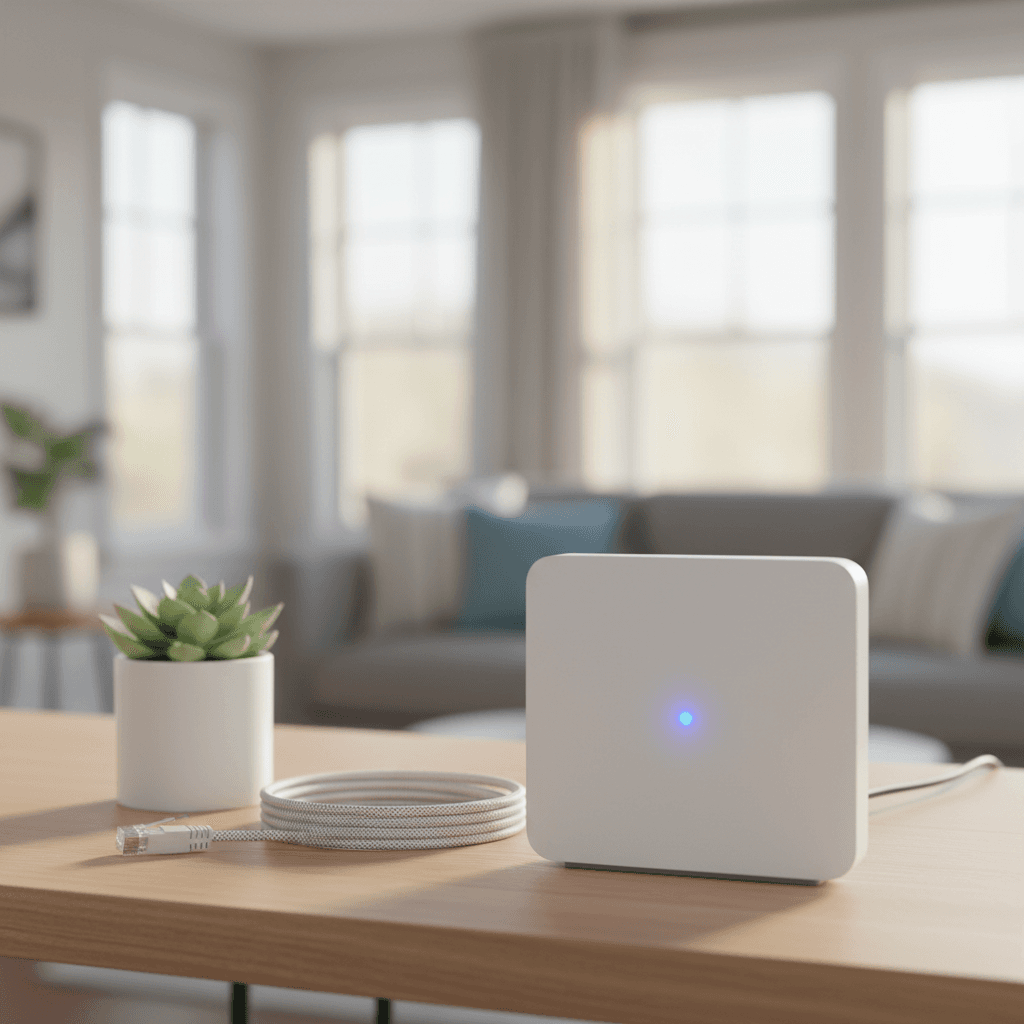
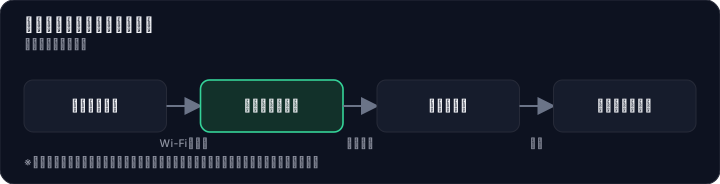
Premium Charge WiFi is a prepaid, pay-as-you-go mobile WiFi service where you purchase the device outright and add data capacity as needed. There are no monthly base fees or contract commitments—if you don't use it in a given month, you pay nothing. It supports Japan's four major carriers (NTT Docomo, au, SoftBank, and Rakuten Mobile) on their 4G/LTE networks, with a cloud SIM that automatically selects the optimal line.
Tanaka first looked into the available device models and pricing structure. According to the official website and multiple review sites, you can choose from the following three models:
| Model | Features | Price (tax incl.) |
|---|---|---|
| U20P | LCD screen. Check remaining data, number of connected devices, and battery level on the display. QR code for easy connection. | ¥13,200~ |
| MR5G | High-speed 5G model. Max speed 2770 Mbps, supports up to 16 simultaneous connections. | ¥37,800~ |
| X200 | Battery-less model. No charging needed—plug into a power outlet or USB port to use. Weighs approx. 34g. | ¥9,800~ |
The pricing is straightforward: you only pay for the device plus data top-ups. Monthly fixed cost is ¥0. For example, there are plans like 100GB/365 days. If you register on the official LINE account, you'll receive discount coupons for additional data top-ups each month. A 40% OFF coupon code "4KMR1ERWR3PA" has also been confirmed.
It's important to understand exactly what "¥0 per month" means. It means there is no base fee—but to use data, you must always purchase a top-up. Buying the device alone won't let you connect; you need to buy data capacity separately as your initial gigabyte charge. Tanaka understood this point and was attracted by the fact that "in months you don't use it, you really pay ¥0."
The Trick Behind "¥0 Monthly" and the Actual Costs
When you hear "¥0 monthly," it's natural to suspect there's a catch somewhere. Tanaka thought the same. In reality, Premium Charge WiFi's "¥0 monthly" claim is no lie—no base fee is charged, and if you don't use it, your bill is ¥0. However, you need to watch out for the initial setup costs and the expiration period of your data charges.

Let's break down the initial costs. If you choose the standard U20P model, you'll pay ¥13,200 for the device plus the first data charge. According to multiple review sites, "the device cost plus the first data charge comes to nearly ¥20,000 upfront," so the entry barrier is far from low.
So how does it actually compare to a monthly subscription pocket WiFi? Here's a rough estimate based on one year of use.
| Item | Premium Charge WiFi (U20P) | Typical Monthly Pocket WiFi |
|---|---|---|
| Initial cost (device) | ¥13,200 | ¥0 (during promotions) |
| Monthly fee | ¥0 | Around ¥3,500 |
| Data charges (2x per year, ¥5,000 each) | ¥10,000 | ¥0 (included in monthly fee) |
| Total for 1 year | ¥23,200 | ¥42,000 |
| Cost in months with no use | ¥0 | ¥3,500 |
This estimate is just one example, but the less frequently you use it, the more Premium Charge WiFi's advantage stands out. For someone like Tanaka who "only wants to use it during business trips or outings," it could save nearly ¥20,000 a year compared to a monthly plan.
On the flip side, you need to be careful about the expiration of your charged data. The gigabytes you purchase have a validity period, and if you don't use them up, they go to waste. The trick to avoiding waste is to choose a data volume that matches your usage pattern. If you only use it occasionally, it's smart to top up with small amounts frequently. If you have plans to use a lot at once, the 100GB large-capacity plan offers better value.
Real User Reviews: Pros and Cons
Tanaka thoroughly investigated actual user feedback. After cross-referencing multiple review sites, a clear picture emerged: while the majority of reviews are positive, several common complaints also surfaced.
First, the core of the positive feedback centers on "zero monthly cost = zero mental burden" and "ease of setup."
"The best part is zero maintenance fees. I keep it in my car as a backup line, and on months I don't use it, there's no cost at all. It's a huge mental relief." (From multiple review sites)
"I just plugged it in and it connected right away. I was worried about setup, but it was surprisingly easy. No wonder it's a bestseller." (From multiple review sites)
Regarding connection stability, many users praised the benefits of the cloud SIM.
"At a campsite, my friend's phone (Docomo) had no signal, but this WiFi picked up SoftBank's signal and worked perfectly. The cloud SIM is amazing." (From multiple review sites)
On the other hand, negative reviews do exist. The main complaints boil down to three points: "battery life," "connection errors," and "high initial cost."
"I wish the battery lasted a bit longer, and more color options would have been nice." (From a comparison site)
"After the device arrived and I turned it on, I just entered the ID and password printed on the unit and it connected easily. Occasionally there's a connection error, but overall it works fine and I have no issues using it." (From a review site)
Organizing these reviews into pros and cons gives the following:
| Pros | Cons |
|---|---|
| Zero monthly fixed cost; no burden in months you don't use | Initial cost (device + first data pack) is nearly ¥20,000 |
| Simple plug-and-play setup | Some complaints about battery life (can be supplemented with a power bank) |
| Supports all 4 major carriers for reliable connection | Occasional connection errors |
| Easy to top up directly from your smartphone | Topped-up data has an expiration date |
| No hassle with contracts, cancellations, or returns | Can be more expensive than monthly plans if you use large amounts daily |
As for the negative feedback: speed is inferior to fiber optic or the latest 5G smartphones, but it's generally considered sufficient for web browsing, social media, and standard-definition video streaming. Battery life complaints can be solved by carrying a power bank, and since most users say connection errors are "generally fine," these issues are not deal-breakers.
Thorough Comparison with Competing Services | Differences from Recharge WiFi, Glocal WiFi, and Monthly Plans
Tanaka not only considered Premium Charge WiFi but also compared similar services: the same prepaid-type "Recharge WiFi," the flat-rate rental-type "Glocal WiFi," and standard monthly pocket WiFi plans. The differences are summarized in the table below.
| Comparison Item | Premium Charge WiFi | Recharge WiFi | Glocal WiFi | Standard Monthly Plan |
|---|---|---|---|---|
| Monthly Fee | ¥0 | ¥0 | Flat rate (varies by plan) | Approx. ¥3,000–¥5,000 |
| Initial Cost | Device ¥9,800–¥37,800 + first data charge | Device + first data charge | Rental fee (varies by days/plan) | ¥0 (during promotions) |
| Data Capacity | Top-up style (with expiration) | Top-up style (with expiration) | Unlimited within flat-rate plan | Monthly data cap applies |
| Connection Speed | 4G/LTE & 5G (varies by model) | 4G/LTE | 4G/LTE | 4G/LTE & 5G |
| Contract Term & Cancellation Fee | None | None | Yes (varies by plan) | Yes (typically 2–3 year contracts) |
| Device Features | One-time purchase, no return needed | One-time purchase, no return needed | Rental, must be returned | Rental, must be returned |
| Supported Networks | 4 major carriers (Cloud SIM) | Multiple carriers | Multiple carriers | Typically 1 carrier |
On a comparison site, one user review about the difference with Recharge WiFi reads:
"I was torn between both prepaid types and Recharge WiFi, but what made me choose Premium Charge WiFi was the supported networks and whether there's a speed cap! In terms of connection stability and speed, Premium Charge WiFi is clearly stronger." (From a comparison site)
From this comparison, Premium Charge WiFi's unique value lies in two points: connection stability from supporting 4 major carriers and ownership through a one-time device purchase. While Recharge WiFi is also prepaid, many reviews indicate that Premium Charge WiFi has the edge in automatic network selection. Glocal WiFi and monthly plans suit "heavy users," but with contract terms and cancellation fees, they are overkill for Tanaka's "occasional use" style.
Ultimately, the segmentation is: Premium Charge WiFi for people who use it a few times a month to 1–2 times a week, monthly plans for daily users, and Glocal WiFi short-term rentals for those who only need it for a few days of travel or business trips. Tanaka decided to go with Premium Charge WiFi, which best fits his usage pattern.
Premium Charge WiFi Disadvantages and Countermeasures
Every service has its downsides, and Premium Charge WiFi is no exception. Before purchasing, Tanaka identified the disadvantages and verified whether countermeasures existed for each.
Disadvantage 1: High Initial Cost Paying nearly 20,000 yen for the device and first data charge is certainly painful. However, this is not expensive compared to one year's worth of monthly subscription fees. Countermeasures include choosing the cheapest X200 model (from ¥9,800) or using the official LINE discount coupon to reduce the charging cost.
Disadvantage 2: Not Blazing Fast Speeds It falls short compared to fiber optic lines or the latest 5G smartphones, but speeds are sufficient for browsing websites, using social media, and watching standard-definition videos. One user review reported: "Living in the countryside, speeds are around 18 Mbps. Watching videos was no problem." If you need to upload large files, it's practical to switch between your home fiber optic line or a cafe's high-speed WiFi.
Disadvantage 3: Battery Life Could Be Better This can be solved by carrying a portable battery. The U20P in particular has an LCD screen and consumes slightly more battery, but this is well within the range that a commercially available power bank can cover. Choosing the battery-less X200 model eliminates this issue entirely.
Disadvantage 4: Charged Data Has an Expiration Date Since unused data goes to waste, it's important to choose a capacity that matches your usage pattern. If you only use it occasionally, buy small amounts frequently. If you plan to use it in bulk, choose a large capacity. There is also a system that makes bulk purchases of 100 GB more cost-effective.
Disadvantage 5: Support in Case of Malfunction or Loss Because it's a one-time purchase model, support for malfunctions may be thinner than with monthly rental devices. That said, since the device becomes your own property, it can last a long time if handled with care. To prepare for the worst, it's worth considering a warranty option if available at the time of purchase.
Even considering these disadvantages, Tanaka concluded that the advantage of "¥0 for months you don't use it" outweighed them. While the initial cost is high, in the long run it's likely to be cheaper than a monthly subscription, and more importantly, the value of being freed from the stress of "paying for months you don't use" is significant.
Who Should Get It? | Who It’s For and Who It’s Not
Tanaka did one final check to see if Premium Charge WiFi was right for him. Based on publicly available information and user reviews, here are the criteria for who it suits and who it doesn’t.

Who It’s For
- Business professionals who travel or work outside often, but don’t need internet every day
- People who already have a fiber optic line at home and want a backup or secondary line
- Those who need internet access only for specific periods, such as trips, visits home, or hospital stays
- People who want to avoid contract lock-ins and the hassle of cancellation procedures
- Those who find it mentally burdensome to pay fixed costs during months they don’t use the service
Who It’s Not For
- People who use large amounts of data every day (e.g., heavy video streamers)
- Those who want to use it as their main home internet line
- People who want to keep initial costs as low as possible
- Those who need consistently top-speed internet
Applying this to Tanaka’s case: he already has a fiber optic line at home and wants a secondary line for when he’s out. He only uses it 2–3 times a week when he’s out and about, plus 1–2 business trips per month. He also wants to avoid contract lock-ins and cancellation hassles. He fits the “who it’s for” criteria perfectly.
In the end, Premium Charge WiFi is best suited for people who want to be free from the stress of paying a fixed monthly fee they don’t use. There are two reasons for this. First, months you don’t use it really cost ¥0, so there’s no wasted expense. Second, multiple user reviews point out that its cloud SIM, compatible with all four major carriers, provides stable connectivity anywhere—making it superior to other prepaid WiFi options.
From Setup to Start: 5 Simple Steps
The process from ordering to getting started—which Mr. Tanaka likely experienced—is surprisingly straightforward. Based on information from the official website and multiple review sites, here are the five steps:
Step 1: Choose and Purchase Your Device Visit the official website or Amazon, Rakuten, etc., and pick the model that suits you from three options: U20P, MR5G, or X20. Mr. Tanaka chose the U20P for its balanced features and built-in display. If you register for the official LINE account at the time of purchase, you'll receive a discount coupon.
Step 2: Receive Your Device The device arrives within a few days of ordering. Inside the box, you'll find the device itself and a simple instruction manual. There are no contracts or application forms to fill out.
Step 3: Power On and Connect Simply turn on the device and enter the ID and password printed on the unit into your smartphone or PC. One user review reported, "I just turned it on as soon as it arrived, and it connected right away." Even if you're unsure about setup, you can get started without any trouble.
Step 4: Top Up Your Data Visit the top-up site and purchase the data volume you need—either a domestic or international plan. The data is activated immediately after payment, and you can start using the internet. Using the official LINE coupon makes topping up more affordable.
Step 5: Recharge When You Run Out Once you've used up your data, simply top up again to continue using the service. There's no need to recharge during periods when you're not using it, and there are no fixed monthly fees. Mr. Tanaka settled into a routine of topping up only the amount he needed the day before a business trip.
Summary: Will Premium Charge WiFi Change How You Communicate?
Months later, Tanaka's bag always has the U20P inside. Even if the Wi-Fi is slow at a hotel on a business trip, he no longer feels uneasy about using public Wi-Fi at cafes. In months he doesn't use it, it's truly 0 yen, and every time he checks his bank account, there's a small satisfaction of "no wasteful deductions." Recently, he's started keeping it in his car, and while his friends struggled with no signal at a campsite, he was the only one comfortably using the internet.
Premium Charge WiFi isn't a service for everyone. Those who need large data volumes daily would be better off with a monthly plan, and some may find the initial cost a hurdle. However, for those who think, "I don't want to pay fixed costs for months I don't use it" or "I want to use it only when I need it, only as much as I need," there are few options as rational as this.
You can choose from three device models and buy one that fits your usage outright. The cloud SIM, compatible with Japan's four major carriers, provides stable communication regardless of location. And above all, the simple fact of 0 yen per month relieves daily small stresses.
First, check the latest devices and pricing on the official site. It lists detailed specs and current campaign information. If you register on the official LINE before purchasing, you may receive a discount coupon. With no contract commitments and no hassle of cancellation, you should be able to take that first step easily.
*The information in this article is current as of July 2026. Rates, plans, and campaigns are subject to change without notice. Please always check the official site for the latest information. *Even if terms like "unlimited" or "unrestricted" are used, speed limits may apply after a certain amount of data usage to ensure fair service for all. Communication speeds may vary depending on your environment, time of day, and network congestion.
Methodology and Disclosure
Verification Method: This article is based on publicly available information as of 2026-07-31. The editorial team has not actually subscribed to or used the services mentioned. This content is based on publicly available information (official websites, third-party reviews, and user feedback). Service details, fees, and promotions are subject to change, so please check the official information before signing up.
Publisher Information: The editorial policy and evaluation criteria for this article are described in the Editorial Policy, and the verification procedures are outlined in the Evaluation Methodology. If you find any errors, please report them via our contact form.
Affiliate Disclosure: This article contains affiliate links, and our site may receive compensation at no additional cost to readers. Compensation does not affect the content of our evaluations.
Frequently Asked Questions
Is the ¥0 monthly fee real? Are there any hidden costs?
Yes, the monthly base fee is truly ¥0—you are not charged in months you don't use the service. However, you must pay for the device upfront (e.g., U20P: ¥13,200) and an initial data charge. Data usage always requires a top-up, and each top-up has an expiration date.
How much are the initial costs? What besides the device fee do I need to pay?
You need to pay for the device (U20P: ¥13,200, MR5G: ¥37,800, X200: ¥9,800) plus the first data top-up. User reviews mention that the device plus initial data can cost around ¥20,000, so the entry barrier is not negligible.
Do data top-ups expire? What happens if I don't use all the data?
Yes, each data top-up has an expiration date. Any unused data is lost after that date. To avoid waste, choose a data amount that matches your usage pattern. If you use it only occasionally, buy small top-ups frequently; if you use a lot at once, the 100 GB plan offers better value.
How fast is the connection? Can I stream video or join online meetings?
It uses Japan's four major carriers' 4G/LTE networks, and the Cloud SIM automatically selects the best available line. User reviews say it worked well even at a campsite where friends' phones had no signal, so video streaming and online meetings are generally fine. However, occasional connection errors have been reported.
Can I use it overseas? Which countries are supported and what are the fees?
The article does not provide specific details about overseas use. Since Premium Charge WiFi relies on Japan's domestic carriers, it is likely intended for domestic use only. If you need international coverage, please check the official website for the latest information.
Is there support if the device breaks or is lost?
The article does not mention support for device damage or loss. Since the device is purchased outright, you may need to buy a new one if it breaks. We recommend checking the official website for support details.
Are there contract terms or cancellation fees? What if I stop using it?
There are no contract commitments or cancellation fees. If you stop using the service, you simply keep or dispose of the device—no further charges apply. Since there is no monthly base fee, you can leave it unused without incurring any costs.
Which is better: Premium Charge WiFi or Recharge WiFi? What's the difference?
The article does not directly compare the two. Premium Charge WiFi is a device-purchase-plus-data-top-up model with a ¥0 monthly fee as its main feature. Recharge WiFi is a similar prepaid service, but device costs, top-up rates, and coverage areas may differ. We recommend comparing both on their official websites.
Sources
This article is based on publicly available information as of 2026-07-31.
Related articles
2026 FXTF Account Opening Guide: How to Choose a Domestic FX Broker for Free
Considering opening an FXTF (Golden Way Japan) account in 2026? Compare spreads, trading tools, and support across three key areas. This guide explains how to open an account for free and evaluate the trading environment using the actual platform.
XM No Deposit Bonus 2026: Eligible Countries List
Check if your country is eligible for the XM $30 no deposit bonus in 2026. Updated list, terms, and step-by-step verification guide.
IwaiCosmo Securities Review 2026: Honest Look at Fees and IPO Lottery Odds, Plus Zero-Fee NISA
Get the latest 2026 review of IwaiCosmo Securities. We take an honest look at their strong IPO underwriting track record, zero trading fees for NISA accounts, overall fee structure, and customer support. Compare with major online brokerages.