Verification Status: This article is an explanation based on publicly available information (the editorial team has not conducted actual usage or trading).
For Those Who Have Fought "Internet Installation" Battles with Every Move
Shota Sato (a pseudonym, 30s), who lives alone in a rental apartment in central Tokyo, works remotely for an IT company. What troubles Mr. Sato is the scheduling of "line installation" work that occurs with every move. At his new rental apartment, he was told that fiber optic installation was impossible, leaving him at a loss, wondering, "Will I be unable to use the internet in this room?" After enduring days of relying on smartphone tethering and the stress of video conferences dropping mid-call, Mr. Sato began seriously searching for a home router that requires no installation.
Conclusion: SoftBank Air (eCALL) is a home router service that requires no installation, offers unlimited data capacity, and provides bundle discounts for SoftBank and Y!mobile smartphones. Based on information available as of August 2026, the standard monthly fee is 5,368 JPY (tax included). When purchasing the Air Terminal 6, users can utilize the service for 4,950 JPY/month until the 24th month if certain conditions are met. This is an ideal choice specifically for SoftBank users who move frequently and wish to avoid fixed-line installation work.
1. What is SoftBank Air (eCALL)? Basic Fees and Features of a Home Router That Requires No Installation
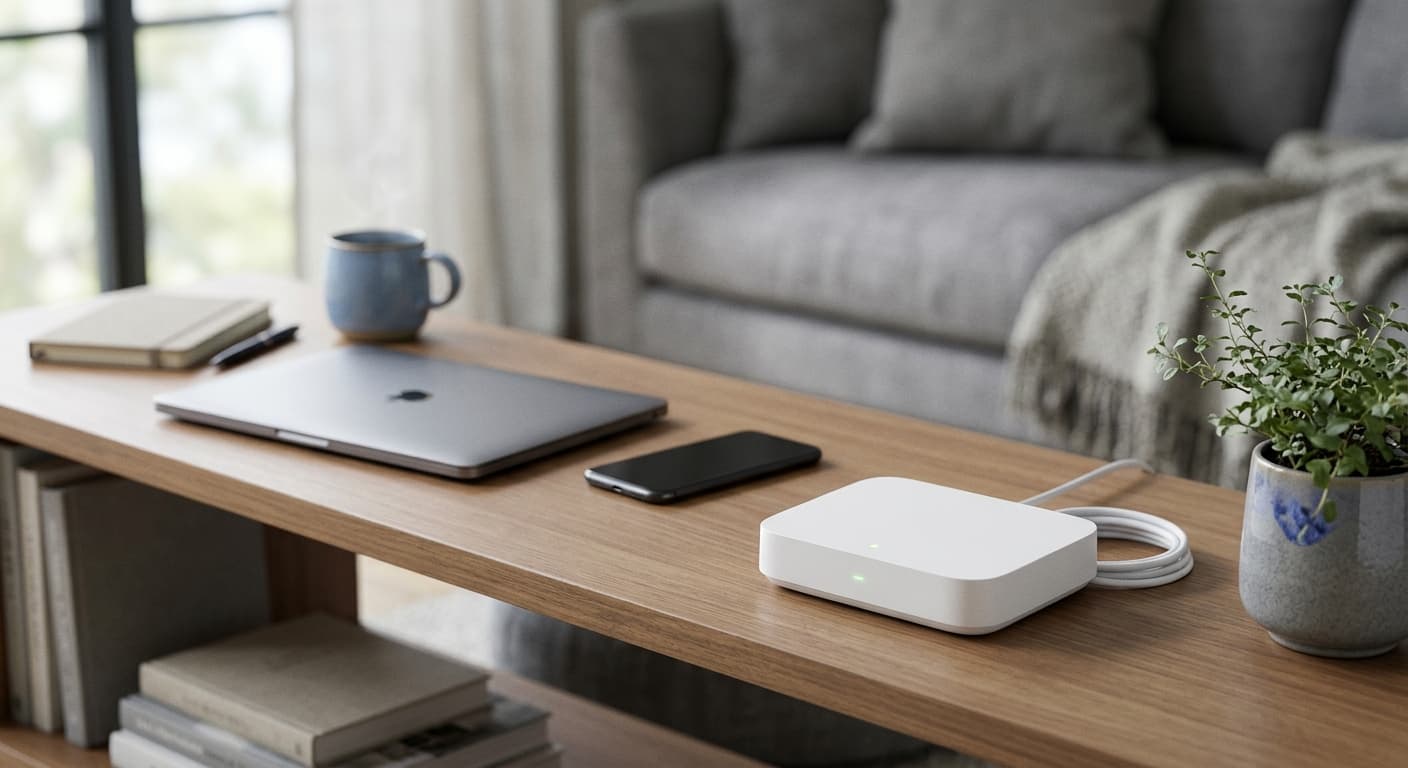
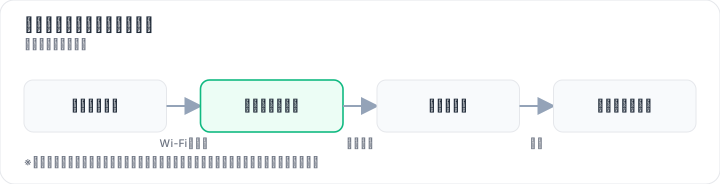
SoftBank Air is a home router service that allows you to set up a Wi-Fi environment in your home simply by plugging it into a power outlet. For people like Mr. Sato, who "live in rooms where installation work is prohibited" or "move frequently," the freedom from having to schedule line installation appointments is a major appeal.

Breakdown of the Fee Structure
| Item | Details |
|---|---|
| Monthly Base Fee | 5,368 JPY (tax included) |
| When Campaign Applied | Purchase Air Terminal 6 + "Max Nen Support Campaign": 4,950 JPY/month until the 24th month |
| Contract Administration Fee | 3,300 JPY |
| Device Cost (Air Terminal 6) | 71,280 JPY (Effectively free with 48 installments) |
| Cashback | Up to 45,000 JPY (Conditions apply; check official site for details) |
| Contract Period | None (No binding period) |
How Your Daily Life Will Change
Let's look at the features of SoftBank Air not just as "functions," but in terms of "how your life will change."
- No Installation Required: Just plug it into an outlet. There is no need to coordinate schedules with construction workers every time you move. Multiple review sites feature user comments stating, "I was able to use it from day one."
- 5G Connectivity and Wi-Fi 7 Support (Air Terminal 6): The latest terminal supports 5G connectivity, with users reporting smooth video streaming and Zoom meetings. It also supports Wi-Fi 7, offering the potential for even faster communication on compatible devices.
- Unlimited Data Capacity: There is no need to worry about data limits when downloading online game updates or sending/receiving large video editing files. It supports up to 128 simultaneous connections.
- Fallback to 4G Outside 5G Areas: You can use 4G communication even outside 5G coverage areas. However, speeds may decrease when switching to 4G, so your actual experience will vary depending on your usage environment.
Mr. Sato was concerned about balancing "the ease of no installation" with "stability during video conferences." SoftBank Air is a service that requires no installation while alleviating speed concerns by utilizing the 5G-compatible Air Terminal 6.
Checking the official website for detailed fees and coverage areas will provide information on the latest campaigns and supported areas as of August 2026.
2. A Must-See for SoftBank and Y!mobile Users: Breaking Down Bundle Discount and Cashback Conditions
The trigger for Mr. Sato to seriously consider SoftBank Air was calculating the combined cost of his mobile phone bill and internet service. Since he uses SoftBank for his mobile phone, he wanted to reduce the total monthly expense of "mobile bill + home internet" as much as possible.
Bundle Discounts Lower Mobile Phone Bills
One of the major features of SoftBank Air (eCALL) is the bundle discount available when paired with SoftBank or Y!mobile smartphones. Numerous review sites feature comments such as, "My mobile phone bill decreased thanks to the SoftBank bundle discount."
While the exact amount of savings varies depending on contract conditions and plans, bundling allows you to lower your total monthly burden compared to contracting your mobile phone and home internet with separate providers.
Important Notes on Cashback Campaigns
SoftBank Air runs campaigns offering cashback of up to 45,000 JPY upon meeting specific conditions. However, this cashback comes with stipulations:
- Eligible application methods and periods are specified
- Conditions must be met to receive the cashback
- Campaign details may change over time
Do not jump at the offer based solely on the "up to 45,000 JPY" figure; be sure to check the detailed campaign conditions on the official website. Like Mr. Sato, who cautiously noted, "If I don't read the cashback conditions carefully, I might end up not receiving it," you should verify the requirements thoroughly.
Caution: Potentially Higher Costs for Non-SoftBank Users
For users with smartphones other than SoftBank or Y!mobile, the bundle discount does not apply, which may make the monthly fees seem relatively expensive. If you use Docomo, au, or a low-cost carrier (MVNO), you need to compare whether SoftBank Air is truly cost-effective without the bundle discount before signing up.
However, if you are a SoftBank user like Mr. Sato, you can benefit from the bundle discount, making it well worth considering. Additionally, you can check service availability in your area for free on the official website before applying.
3. Has Speed Improved with Air Terminal 6? Verifying Real-World Performance and Nighttime Drops via User Reviews
Many people hold the impression that "home routers are slow." Mr. Sato also weighed the "ease of no installation" against "speed stability." Here, we verify the reality of connection speeds based on user reviews and public information.

Speed Has Improved with Air Terminal 6
Previous models of SoftBank Air had a reputation for "slow speeds." However, the situation has changed with the latest model, Air Terminal 6.
"Speeds have improved significantly since switching to Air Terminal 6." (Confirmed on multiple review sites)
"I was able to use it smoothly for video streaming and Zoom meetings." (Confirmed on multiple review sites)
With support for 5G communication, there are reports of reduced stress during video streaming and remote conferences.
Nighttime and Peak Hour Speed Drops Must Be Acknowledged Honestly
On the other hand, not limited to SoftBank Air but applicable to home routers in general, speeds fluctuate depending on the time of day and usage environment.
"Speeds sometimes drop during nighttime and peak congestion hours." (Confirmed on multiple review sites)
During evening hours when more people are at home, user concentration tends to cause communication speeds to decline. This is a structural characteristic of SoftBank Air; it is not a service that can be definitively stated as "always fast." Users must understand that speeds vary based on their specific usage environment.
2024 Survey Shows Approximately 60% Satisfaction Trend
In a 2024 survey of 400 respondents, approximately 60% indicated a positive trend toward SoftBank Air, while about 20% expressed negative opinions. The remaining 20% held a neutral stance.
While these results suggest that "many users are generally satisfied," they simultaneously reveal the fact that "about 20% of users feel some level of dissatisfaction." Much of this dissatisfaction relates to speed, with notable comments pointing out declines specifically during nighttime peak hours.
Impact of Being Outside 5G Coverage and Indoor Environments
SoftBank Air can be used on 4G even outside 5G coverage areas, but speeds may drop when relying on 4G communication. Additionally, in locations far from windows or in rooms with many obstacles, radio waves may struggle to reach, leading to reduced speeds.
While optimizing the placement location (such as placing it near a window or in a high position) can lead to some improvement, sufficient speeds may not be achievable depending on the building structure and surrounding environment. Mr. Sato decided to verify his concern about "whether it would really work in my room" by checking the coverage area in advance.
4. SoftBank Air vs. docomo home 5G, WiMAX, and SoftBank Hikari: Comparing Fees, Installation, and Speed
Mr. Sato didn't just consider SoftBank Air; he also evaluated other available options. Let's review a comparison table featuring representative services, including fixed-line connections and home routers.
Major Service Comparison Table
| Comparison Item | SoftBank Air | docomo home 5G | WiMAX | SoftBank Hikari |
|---|---|---|---|---|
| Installation Required? | Not Required | Not Required | Not Required | Required |
| Data Allowance | Unlimited | Unlimited (conditions apply) | Unlimited (conditions apply) | Unlimited |
| Estimated Monthly Fee | ¥4,950 – ¥5,368 | Varies by provider | Varies by provider | Varies by provider |
| Contract Term | None | Varies by provider | Varies by provider | Varies by provider |
| Bundle Discounts | SoftBank / Y!mobile | docomo | — | SoftBank |
| Speed Stability | Depends on environment (5G compatible) | Depends on environment | Depends on environment | Stable via fiber optic line |
| Device Cost | ¥71,280 (effectively free over 48 installments) | Varies by provider | Varies by provider | Installation fee & equipment rental |
Explaining the Features of Each Service
docomo home 5G is often cited as having lower monthly fees than SoftBank Air. However, multiple review sites note that it tends to lag behind SoftBank Air in terms of communication speed and signal stability. While docomo users may qualify for bundle discounts, concerns regarding speed remain.
WiMAX is frequently compared favorably to SoftBank Air regarding communication speed, stability, monthly costs, and ease of cancellation. However, many plans come with data caps, making them unsuitable for users who require truly unlimited data.
SoftBank Hikari offers the distinct advantage of the speed and stability inherent to fiber optic lines. However, the requirement for installation marks a significant difference from SoftBank Air. Every move requires rescheduling installation work, and in some rental properties, installation may not be permitted at all.
So, Which One Should You Choose?
- No installation required, unlimited data, SoftBank user → SoftBank Air
- Lowest monthly fee is the top priority → docomo home 5G (but compare speed and stability first)
- Speed and stability are the top priorities, installation is possible → SoftBank Hikari
- Ease of cancellation is the top priority → WiMAX
In Mr. Sato's case, living in a rental apartment where installation was prohibited, being a SoftBank user, and wanting to use data without worrying about limits made SoftBank Air the strongest candidate.
The combination of "no installation required + unlimited data + SoftBank bundle discount" represents a unique strength of SoftBank Air that other options cannot match. Since area coverage checks are free, start by verifying whether your address is within the service area.
Check coverage areas and campaigns on the official site to confirm if your residence is located in a supported area.
5. How Much Does It Cost to Cancel? Key Points About Device Installment Balances Even Without a Contract Term
"One of my biggest concerns was having to pay fees when canceling, since I move frequently," was a major worry Mr. Sato had. Here, we'll honestly explain the costs involved in cancellation.

No Contract Term = No Early Termination Fees
SoftBank Air has no contract term. Therefore, you won't incur any "early termination fees due to contract binding" when canceling. This is a significant advantage for people who move often.
However, Be Careful About Remaining Device Installment Balances
For the SoftBank Air device (Air Terminal 6), you can choose between two options: purchasing (with installment payments available) or renting.
- If you choose to purchase (with installments): If there's an outstanding balance on your installment plan when you cancel, you must pay off the remaining amount in a lump sum. Since the Air Terminal 6 costs ¥71,280 (effectively free with 48 monthly payments), canceling early will leave you with a large remaining balance.
- If you choose to rent: While this keeps initial costs lower, the total cost over time will be higher than purchasing.
Why Reviews Say "Early Termination Fees Are High"
Several review sites mention that "early termination fees are high." However, this typically refers not to contract-based termination fees, but rather to the remaining balance on device installment plans.
Some people mistakenly believe that "canceling = incurring termination fees," but since SoftBank Air has no contract term, no such fees apply in principle. That said, it's important to understand that depending on how you acquired your device, you may need to pay a substantial amount upon cancellation.
Also Pay Attention to Cashback Campaign Conditions
Depending on the terms of cashback campaigns (up to ¥45,000), canceling during the campaign period might disqualify you from receiving the cashback. To avoid situations like "I expected to receive the cashback but canceled midway and couldn't get it," we recommend checking the detailed campaign conditions on the official website before applying.
Mr. Sato carefully considered "how to handle the device purchase method if there's a possibility of canceling within a short period." Depending on your moving frequency and expected usage duration, choosing between purchasing or renting would be advisable.
6. From Application to Activation: 4 Steps to Start Using the Internet Today
Mr. Sato decided to apply for SoftBank Air because he realized the barrier to getting started is low. With a home router that requires no installation work, you can begin using the internet as soon as the same day.
Step 1: Apply via the Official Website or an Agent
You can apply for SoftBank Air through the official website or an agent (online or by phone). When applying, be sure to check whether your address is within the SoftBank Air service area. Since the service is unavailable outside the coverage area, verification is essential before submitting your application.
Step 2: Purchase or Rent the Device
Purchase (installment payments available) or rent the Air Terminal 6. In the case of a purchase, campaigns may apply that make the device effectively free over 48 monthly installments. While renting lowers initial costs, the total cost over a long period often exceeds that of purchasing.
Step 3: Plug in the Device Upon Arrival
No construction work is required. Simply plug the delivered Air Terminal 6 into a power outlet and turn it on to start communication. User reviews confirm that many are able to use the service immediately from the day they plug it in, with "no installation required."
Step 4: Perform Initial Setup (Wi-Fi Connection)
Complete the initial setup to connect your smartphone or computer to the Air Terminal 6 Wi-Fi. The setup process is simple; just follow the instructions in the manual or on the screen. No specialized technical knowledge is needed.
Timeline to Activation
It typically takes a few days from application until the device arrives. You can use the internet from the very day the device arrives, eliminating the need to wait for fiber optic installation work. For people like Mr. Sato who want to "start using the internet today," this convenience is a major advantage.
To verify whether the service truly works in your room, be sure to check your coverage area before applying. Area verification can be done easily and for free on the official website.
7. Who Is SoftBank Air Best For? Recommended Scenarios and Cases to Skip
Based on the verification above, here is the definitive conclusion.
SoftBank Air Is Ideal for "SoftBank Users Who Want Internet Immediately Without Installation"
There are two main reasons for this.
The first is the convenience of no installation required and unlimited data. For those living in rental properties where fiber optic installation is not possible, or for people who move frequently, a home router that works simply by plugging it into an outlet is extremely practical. Since you can use it without worrying about data caps, it is also suitable for heavy data consumers who stream videos or play online games.
The second is the bundle discount with SoftBank and Y!mobile smartphones. This allows you to reduce your total monthly burden by combining smartphone bills and home internet costs. User reviews confirm that "smartphone fees became cheaper thanks to the SoftBank bundle discount."
On the Other Hand, It Is Not Suitable for the Following People
- Those who absolutely cannot tolerate speed drops at night: Home routers experience speed fluctuations depending on the time of day and usage environment. For those seeking the stability of a fiber connection, a fixed line like SoftBank Hikari is more appropriate.
- Smartphone users other than SoftBank or Y!mobile: Since the bundle discount does not apply, the monthly fee may feel relatively expensive.
- Those who only want to use it for a short period: Because there is a terminal cost (71,280 JPY), it is not suitable for use lasting only a few months. While renting is an option, the total cost will be higher than purchasing.
Mr. Sato's Decision
Mr. Sato confirmed that his conditions (rental apartment where installation is impossible, SoftBank user, wants unlimited data, moves frequently) matched the features of SoftBank Air. Regarding the speed drop at night, he reasoned that "it might be within an acceptable range if video conferencing is the main use," and took the first step of checking the coverage area and application requirements on the official website.
For those who say, "I want to set up an internet environment immediately without installation" or "I am a SoftBank user and want to reduce my total monthly costs," SoftBank Air is a strong candidate. Since the area check is free, start by verifying whether your address is covered.
8. Clearing Up Doubts About SoftBank Air: Key Concerns Regarding Speed, Installation, Contracts, and Bundle Discounts
Finally, we address common questions that often arise when considering SoftBank Air. The following information is based on publicly available data and user reviews.
Q1. Is the reputation for slow speeds true?
While older models had a reputation for being "slow," there are user reports indicating that the Air Terminal 6 has seen significant speed improvements due to its 5G compatibility. However, speeds fluctuate depending on the time of day, location, and indoor environment. Specifically, speeds may drop during peak congestion hours at night, so it is important to understand this limitation before subscribing.
Q2. Is installation really not required?
No installation work is needed; you can start using the service simply by plugging the device into a power outlet. There is no need to schedule appointments or be present for visits from installation technicians.
Q3. Are there fees for cancellation?
Since there is no fixed contract term, no cancellation fees apply. However, if the terminal was purchased via installment payments, an outstanding balance may remain. If there is an outstanding balance at the time of cancellation, it must be paid in full.
Q4. Is it beneficial for smartphone users other than SoftBank?
Bundle discounts do not apply to users outside of SoftBank and Y!mobile, which may make the service relatively expensive. For users with Docomo, au, or low-cost SIM cards, we recommend comparing SoftBank Air with home routers or fiber optic lines from other providers.
Q5. Can it be used outside 5G coverage areas?
Yes, it can be used via 4G communication even outside 5G coverage areas. However, speeds may be lower compared to 5G. Additionally, signal reception varies depending on building structures and the surrounding environment, making it crucial to check the coverage area on the official website before signing up.
SoftBank Air (eCALL) is a home router service characterized by three key features: no installation required, unlimited data, and SoftBank bundle discounts. Since speeds vary depending on the usage environment and may decrease during peak nighttime hours, it cannot be definitively described as a service that is "always fast." However, for SoftBank users who move frequently, cannot undergo installation work, and wish to easily set up a home internet environment, it remains a strong option. We recommend first checking the coverage area and the latest campaign conditions on the official website to determine if it suits your needs.
Methodology and Disclosures
Verification Method: This article was created based on public information verified as of 2026-08-16. Our editorial team has not actually contracted or used the services in question. The explanations provided are based on public sources, including official websites, third-party reviews, and user feedback. Service details, fees, and campaigns are subject to change; please always verify the latest information on the official website before applying.
Publisher Information: Our editorial policy and evaluation criteria are outlined in our Editorial Policy, and our verification procedures are detailed in our Evaluation Methodology. If you identify any errors in the content, please report them via our contact form.
Affiliate Disclosure: This article contains affiliate links, through which we may earn a commission at no additional cost to you. These commissions do not influence our evaluations or rankings.
Frequently Asked Questions
What speeds can I expect with SoftBank Air?
SoftBank Air with the 5G-compatible Air Terminal 6 offers high-speed connectivity. User reviews indicate smooth video streaming and Zoom meetings, but speeds can vary by time and location. Expect slower speeds during peak evening hours, so your experience may differ based on your environment.
Is installation really not required?
Yes, SoftBank Air requires no installation – just plug it into a power outlet and you're online. Users appreciate that there's no need to schedule an installer when moving; you can use it from day one. However, it's recommended to check coverage on the official website to ensure good signal strength.
Are there any fees for canceling?
SoftBank Air has no minimum contract period, so no cancellation fees apply. However, if you purchased the device on installments, you may need to pay off the remaining balance. Also, monthly fees for the cancellation month may not be prorated, so check the official site for details.
Is it cost-effective for non-SoftBank smartphone users?
If you're not a SoftBank or Y!mobile customer, you won't qualify for bundle discounts, making the monthly fee higher. Users on Docomo, au, or budget carriers should compare SoftBank Air's standalone pricing with other home routers to see if it's worth it.
Can I use it outside 5G coverage areas?
Yes, SoftBank Air works on 4G outside 5G areas, but speeds may be slower. Since your experience depends on your location, it's best to check coverage on the official website and ideally use it within 5G zones for optimal performance.
Is there a minimum contract period?
No, SoftBank Air has no minimum contract period, so you can cancel anytime without penalty. However, some promotions may have specific terms, so review the campaign conditions before signing up.
When will I receive the cashback?
Cashback timing varies by campaign. For example, the maximum ¥45,000 cashback requires meeting certain conditions and may take several months to arrive. Check the official website for campaign details and ensure you fulfill all requirements.
Sources
This article is based on publicly available information as of 2026-08-16.
Related articles
Takeru FX School Review (2026)
For FX beginners and intermediates in Japan; face-to-face and online lessons, demo trading, and a structured curriculum. Confirm fees and refund terms before enrolling.
Japan FX Education Institute FX School Info Session Review (2026)
For beginners in Japan who are about to start FX: what the Japan FX Education Institute's school info session covers, who it suits, and what to confirm about fees and terms before applying.
IwaiCosmo Securities Review 2026: Honest Look at Fees and IPO Lottery Odds, Plus Zero-Fee NISA
Get the latest 2026 review of IwaiCosmo Securities. We take an honest look at their strong IPO underwriting track record, zero trading fees for NISA accounts, overall fee structure, and customer support. Compare with major online brokerages.