Verification Status: This article is an explanation based on publicly available information (the editorial team has not conducted actual usage or trading).
Misaki Yamada (a pseudonym) struggled with her screen freezing during every online meeting. Her rental apartment did not allow fiber optic installation, and her current mobile Wi-Fi stopped streaming videos at night. With plans to move soon, she began searching for an internet connection that required no construction work. That's when a colleague recommended "SoftBank Air (Wiz)," prompting her to start researching.
Conclusion: SoftBank Air (Wiz) is a home router that requires no installation, offers unlimited data capacity, and provides bundle discounts for SoftBank/Y!mobile users. It is ideal for renters and those who move frequently or primarily use video services; however, speeds may fluctuate depending on the time of day and location.
Ready to Use Immediately Without Installation? Key Features and Reputation of SoftBank Air (Wiz)
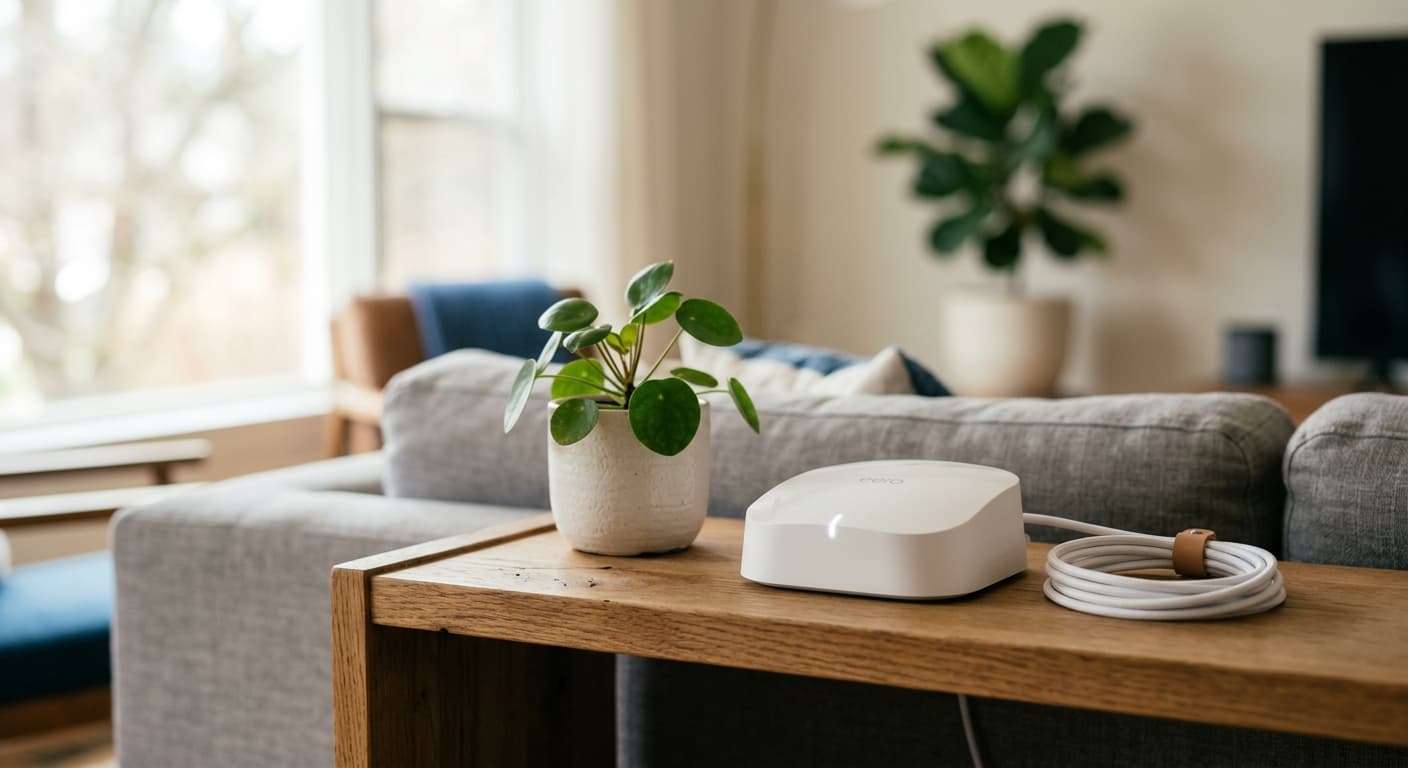
SoftBank Air (Wiz) is a home router that creates a Wi-Fi environment in your home simply by plugging the dedicated terminal into a power outlet. Its biggest advantage is that there is no need to schedule construction work; you can start using it the very day the device arrives. It supports 5G communication and Wi-Fi 7, offers unlimited monthly data capacity, and allows up to 128 simultaneous connections, covering everything from single-person households to families. There are also no binding contract periods.
| Item | Details |
|---|---|
| Installation | Not required |
| Communication Method | 5G / 4G LTE |
| Wi-Fi Standard | Wi-Fi 7 compatible (Air Terminal 6) |
| Data Capacity | Unlimited |
| Simultaneous Connections | Up to 128 devices |
| Contract Period | None |
| Initial Setup | Plug into an outlet and connect via password or QR code |
For people facing situations like Mr. Yamada—such as living in a rental property where installation is prohibited or having an upcoming move—this convenience is worth considering. On the other hand, some point out that it is less stable than fiber optic lines, leading to mixed reviews depending on usage. While many say it is sufficient for video streaming and social media, it is not suitable for high-load games like FPS titles.
Is It Really Cheap? Breaking Down Monthly Fees, Device Costs, and Bundle Discount Conditions
The base rate for SoftBank Air (Wiz) is 5,368 JPY per month. A revision increasing the monthly fee by 330 JPY is scheduled to take effect from December 1, 2026. For new sign-ups purchasing the Air Terminal 6, the rate is discounted to 4,950 JPY per month until the 24th month. The device cost is 95,040 JPY if paid in a lump sum (direct store price from July 15, 2026 onwards), though installment payments are also available. The contract administration fee is 3,300 JPY.

| Fee Item | Amount / Conditions |
|---|---|
| Base Rate | 5,368 JPY/month (+330 JPY revision from December 2026) |
| With Discount Applied | 4,950 JPY/month (New device purchase, up to the 24th month) |
| Device Cost | 95,040 JPY lump sum / Installments available |
| Administration Fee | 3,300 JPY |
SoftBank smartphone users qualify for a bundle discount of up to 1,100 JPY per month, while Y!mobile users receive 1,650 JPY per month. Since Mr. Yamada uses a SoftBank smartphone, his actual financial burden could be even lower when considering the combined cost with his mobile phone bill. However, as discount amounts and campaign conditions vary by timing and region, it is advisable to check the latest terms on the official website before signing up.
What Do Real Reviews Say? The Truth About "No-Installation Convenience" and "Speed Fluctuations"
Categorizing user feedback reveals many positive comments regarding ease of setup, while opinions on speed are mixed. Positive reviews frequently praise the ability to start service immediately without installation work, with remarks like "I just plugged it into an outlet and entered the password" and "I was able to connect simply by scanning a QR code." Regarding speed, satisfaction is high for everyday use, with users noting that "YouTube and video streaming are smooth" and "SNS and web browsing have no issues."
"I just plugged it into an outlet and entered the password" (Multiple review sites)
"I was able to connect simply by scanning a QR code" (Multiple review sites)
"YouTube and video streaming are smooth" (Multiple review sites)
On the other hand, negative feedback focuses primarily on speed and cancellation procedures. Some users express dissatisfaction, citing "slow speeds" or "weak, unstable signals that fail to connect." However, there are also observations such as, "It's quite fast in 5G areas using the 3.7GHz band, but can be slightly slower elsewhere," suggesting significant variations depending on location and time of day.
"It's quite fast in 5G areas using the 3.7GHz band, but can be slightly slower elsewhere" (Pocket Wi-Fi comparison sites)
"Slow speeds" (Pocket Wi-Fi comparison sites)
Regarding cancellations, some users complain that "cancellation fees are high." While there is no minimum contract term, if the device was purchased via installment payments, cancelling early may result in the remaining balance becoming due in a lump sum, so caution is advised. Speed fluctuations are inherent to mobile networks; therefore, it is realistic to consider this service with the understanding that the user experience will vary based on the specific environment.
Comparing Fiber Optic Lines and Other Home Routers: Which Should You Choose?
SoftBank Air (Wiz) positions itself as a home router that combines "no-installation convenience" with "unlimited data." While it lacks the stability of a fiber optic line, it frees users from scheduling installations and handling moving procedures. Compared to other home routers, the availability of bundle discounts serves as a major differentiator.
| Comparison Item | SoftBank Air (Wiz) | docomo home 5G | WiMAX | SoftBank Hikari |
|---|---|---|---|---|
| Monthly Fee | From ¥5,368 (¥4,950 with discount) | Varies by provider | Varies by provider | Varies by provider |
| Installation | Not required | Not required | Not required | Required |
| Data Cap | Unlimited | Varies by provider | Varies by provider | Varies by provider |
| Speed Stability | Inferior to fiber optic lines | Varies by provider | Varies by provider | Superior stability |
| Bundle Discounts | SoftBank / Y!mobile | docomo | Varies by provider | SoftBank |
| Best For | Those unable to install lines or who move frequently | Those prioritizing cost | Those prioritizing speed and cancellation flexibility | Those prioritizing maximum stability for fixed use |
To state the conclusion clearly: SoftBank Air (Wiz) is ideal for those who cannot undergo installation work or move frequently. If you can install a fixed line, SoftBank Hikari offers superior stability. WiMAX is a strong candidate for those who prioritize speed and flexible cancellation terms, while docomo home 5G suits those looking to compare costs. The right choice depends on your specific home conditions and priorities.
First, check speed information by address on the official website; this allows you to determine quickly and for free whether your residence is within a serviceable area. This is the best first step, as it helps you gather decision-making factors without taking any risks.
Addressing Your Concerns Honestly: Common Questions About Speed, Cancellation, and Coverage
Here are honest answers to the main concerns regarding SoftBank Air (Wiz).
Is installation really not required? No installation is needed. Simply plug the device into a power outlet upon arrival to start using the service. This is clearly stated on the official website. Even when moving, you only need to plug it in at your new residence, minimizing administrative hassle.
Are the rumors about slow speeds true? It is true that speeds fluctuate depending on the time of day and location, and stability may be lower compared to fiber optic lines. On the other hand, there are reports of high-speed communication in 5G areas. You can check estimated speeds for your intended usage location in advance via the official address-based coverage checker.
Are cancellation fees high if I cancel early? There is no minimum contract term; however, if you purchased the device via installment payments, an outstanding balance may remain upon cancellation. This fact often underlies reviews claiming "high cancellation fees." If you plan to use the service short-term, consider paying for the device in full upfront.
Is the data capacity unlimited? Yes, there is no monthly data cap, allowing for unlimited usage. Not having to worry about data consumption for video streaming or web conferencing is a practical benefit for those working from home or frequently streaming video.
Can it only be used in 5G areas? No, the device automatically switches to 4G LTE outside of 5G areas, remaining fully functional. While usable outside 5G zones, speeds may be slower than within them; keeping this in mind helps manage expectations.
Essential Steps Before Signing Up: Checking Coverage and Estimated Speeds
To avoid regret with SoftBank Air (Wiz), verifying your service area before applying is essential. This process is free and takes only a few minutes. The official website provides information on maximum downstream speeds by address, allowing you to check the estimated speed available at your residence.

Step 1: Open the coverage check page on the official website.
Step 2: Enter your intended address to display the estimated maximum downstream speed.
Step 3: Determine if the displayed speed is sufficient for your most frequent usage scenarios (e.g., video streaming, web conferencing).
Step 4: If you still have concerns, proceed with the understanding that the figure shown is an estimate of the maximum speed, not a guaranteed actual measurement.
The displayed speed represents the theoretical maximum; actual communication speeds will fluctuate depending on your usage environment and the time of day. With this understanding, the coverage check remains highly valuable as a basis for judging whether the service is viable for you. Simply being able to confirm your eligibility for free can significantly reduce pre-application anxiety.
How to Sign Up and Connect to SoftBank Air (Wiz)
The process from application to activation is straightforward, as no installation work is required. Simply apply via the official website or an authorized agent and wait for your device to arrive; there is no need to schedule any construction visits.
Application: Complete the procedure on the official application page. Enter basic details such as your name and address, and choose whether to pay for the terminal in a lump sum or via installments.
Receiving the Device: The Air Terminal is delivered directly to your home. In many cases, you can specify your preferred delivery date and time.
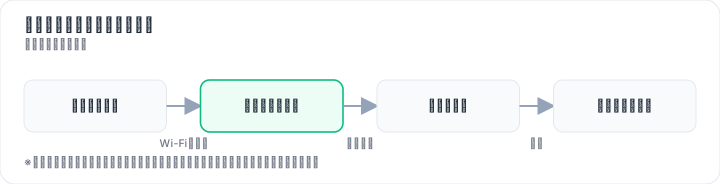
Powering On: Place the delivered terminal in a location within your home with strong signal reception and plug it into a power outlet.
Connecting to Wi-Fi: Connect your smartphone or PC by entering the password or scanning the QR code.
As noted in user reviews, "I just plugged it in and entered the password" or "I could connect simply by scanning the QR code." Once the device arrives, you can start using Wi-Fi in as little as a few minutes. A key advantage of SoftBank Air (Wiz) is its ease of use: even those unfamiliar with computer or smartphone settings can get connected simply by following the on-screen instructions.
Conclusion: SoftBank Air (Wiz) Is Ideal for These Users
SoftBank Air (Wiz) is particularly well-suited for individuals living in rental properties or company housing where installation is difficult, those who move frequently, and users whose primary activities are video streaming and social media with an expected usage period of four years or more. There are two main reasons for this. First, the convenience of requiring no installation work and offering unlimited data capacity aligns perfectly with lifestyles that undergo frequent changes. Second, SoftBank or Y!mobile users can reduce their total costs, including mobile phone bills, through bundle discounts.
Ideal for:
- Individuals in rental apartments or company housing unable to install fiber optic lines
- People who move often and wish to avoid repeatedly signing up for and canceling fixed-line contracts
- Users whose primary activities include video streaming, social media, and web conferencing
- Current SoftBank or Y!mobile smartphone users
Not ideal for:
- Gamers seeking smooth performance in high-load online games such as FPS titles
- Users who frequently upload large files
- Those demanding maximum stability from a fixed-line connection
- Short-term users likely to cancel within one to two years
SoftBank Air (Wiz) speeds fluctuate depending on the usage environment, time of day, and location, while pricing and campaign conditions also vary by period and area. Therefore, it cannot be guaranteed to be "always fast" or "always cheap." Nevertheless, checking coverage in your area before applying allows you to minimize risk and determine if the service suits your needs. Taking this free and quick verification step, the most practical first move is to visit the official website to check speed estimates by address and review the latest terms.
Methodology and Disclosure
Verification Method: This article was created based on public information verified as of 2026-08-17. Our editorial team has not actually contracted or used the services mentioned. The explanations provided are based on public sources, including official websites, third-party reviews, and user feedback. Service details, fees, and campaigns are subject to change; please always verify the latest information on the official website before applying.
Operator Information: Our editorial policies and evaluation criteria are outlined in our Editorial Policy, and our verification procedures are detailed in our Evaluation Methodology. If you find any errors in the content, please report them via our contact form.
Affiliate Disclosure: This article contains affiliate links, through which our site may earn a commission at no additional cost to you. These commissions do not influence our evaluations or rankings.
Frequently Asked Questions
Is SoftBank Air (Wiz) really usable without installation?
Yes, no installation is required. Once the device arrives, simply plug it into a power outlet and you can start using it. Initial setup is as easy as entering a password or scanning a QR code. When you move, you can use it at your new place by just plugging it in, so there's no need to schedule installation.
Is it true that SoftBank Air (Wiz) speed is slow?
Speed varies depending on time and location. In 3.7GHz band 5G areas, it's fast, but outside those areas, it may feel slower. Many users find it comfortable for video streaming and social media, but it's not ideal for high-demand gaming. Actual experience depends on your environment.
Are there cancellation fees for SoftBank Air (Wiz) if I cancel early?
There is no contract term, so no cancellation fee applies. However, if you purchased the device in installments, the remaining balance may be charged in full upon early cancellation. Before canceling, check the remaining balance and consider the total cost.
Is SoftBank Air (Wiz) data truly unlimited?
Yes, monthly data is unlimited. However, for fair usage, if you use an extremely large amount of data in a certain period, your speed may be throttled. For normal use, you don't need to worry about data limits, but check the official website for details.
Can SoftBank Air (Wiz) be used outside 5G areas?
Yes, it can use 4G LTE outside 5G areas, but speeds may be slower than in 5G areas. You can check coverage by address on the official website, so it's recommended to verify your home's coverage before applying.
What is the monthly fee for SoftBank Air (Wiz)?
The basic monthly fee is 5,368 yen (planned to be revised to 5,698 yen from December 2026). New customers who purchase the device get a discount to 4,950 yen per month for the first 24 months. The device costs 95,040 yen (or in installments), and the administrative fee is 3,300 yen.
Are there bundle discounts with SoftBank smartphones?
Yes, SoftBank smartphone users get up to 1,100 yen off per month, and Y!mobile users get 1,650 yen off per month. However, discount amounts and conditions may vary by period and area, so check the official website for the latest information before applying.
What should I check before applying for SoftBank Air (Wiz)?
First, check the speed information for your address on the official website to see if you're in a 5G area. Also, verify the bundle discount conditions, current campaigns, installment terms for the device, and any remaining balance upon cancellation. It's important to review these in advance.
Sources
This article is based on publicly available information as of 2026-08-17.
Related articles
Takeru FX School Review (2026)
For FX beginners and intermediates in Japan; face-to-face and online lessons, demo trading, and a structured curriculum. Confirm fees and refund terms before enrolling.
Japan FX Education Institute FX School Info Session Review (2026)
For beginners in Japan who are about to start FX: what the Japan FX Education Institute's school info session covers, who it suits, and what to confirm about fees and terms before applying.
mattoco+ (Mitsubishi UFJ Asset Management) Review: A Neutral Look at the Direct-Investment Service
A balanced review of mattoco+, a fund investment service by Mitsubishi UFJ Asset Management. Learn who it suits, fees, features, and how it compares to alternatives.