Verification Status: This article is an explanation based on publicly available information (no actual use or transactions by the editorial staff).
At the departure lobby of Narita Airport. Kenta Tanaka (35, office worker), who had just finished check-in, was frowning while holding his smartphone. A notification from his carrier was glowing on the screen: "If you use international roaming, data communication charges may become expensive." Next to him, his wife and elementary school son were already snapping photos in a travel mood. Once they arrive in Los Angeles, they plan to search for popular restaurants on a map app and post family photos on social media—. But seeing this warning now makes him hesitant to use the internet casually. He boards the plane with that small sense of unease. This is a familiar scene of anxiety that everyone goes through at least once before traveling to the U.S.
In short, for trips limited to the U.S. mainland, "U.S. Data" is an extremely well-balanced option in terms of cost and convenience. With pricing starting at 415 yen per day, support for up to 10 simultaneous connections, and the ease of completing everything by simply mailing it back after returning home—these three advantages significantly reduce communication costs for family and group trips.
How Should You Choose Your Communication Method for a Trip to the U.S.? Three Pitfalls Families Often Fall Into
When it comes to deciding on a communication method abroad, most people face the triple burden of "high charges," "complicated setup," and "contracts per device." Mr. Tanaka was right in the middle of that struggle.
If you use roaming on smartphones for a family of three, costs can quickly balloon into the thousands of yen—and in some cases, tens of thousands—without much effort. There's also the option of buying a local SIM, but hurdles like unlocking your device and configuring APN settings can leave you with an indescribable sense of anxiety when you're abroad and suddenly realize, "Wait, I can't connect." Rental WiFi, on the other hand, works across multiple devices and is easy to set up—but it's also true that many people hesitate to take that step because picking up and returning the device seems like a hassle.
Let's take a moment to organize the typical options. The right answer depends on your travel style.
| Communication Method | Main Advantages | Main Disadvantages |
|---|---|---|
| Overseas Roaming | No setup required. Works instantly, just like in Japan | Data charges can easily become expensive. For the whole family, costs snowball quickly |
| Local SIM Card | Relatively affordable, with flexible data plans | Purchase and setup take time. Your phone number changes. Some devices may not be compatible |
| Rental WiFi | Multiple devices can connect simultaneously. Setup is extremely simple | You need to carry the device and manage charging. You also need to confirm pickup and return procedures |
What Mr. Tanaka was looking for was the ideal communication method where "all three family members can use it without stress from the moment we arrive, and there's zero hassle after returning home." His research naturally gravitated toward rental WiFi. And one of the options he landed on was "U.S. Data," a service specialized in the U.S. mainland. Because it's a dedicated service, the sense of reassurance that "they must know this well" was what tipped the scales in its favor.
What is U.S. Data? The Real Capability and Basic Specs of a US-Specialized Rental WiFi
"U.S. Data" is an overseas rental WiFi service operated by Global Mobile Inc. Its biggest feature is that, as the name suggests, it focuses specifically on the continental United States. It leases lines from major US carriers to provide 4G LTE connectivity, and everything—from booking before departure in Japan to dropping the device in the mail after returning—is completed simply and seamlessly.
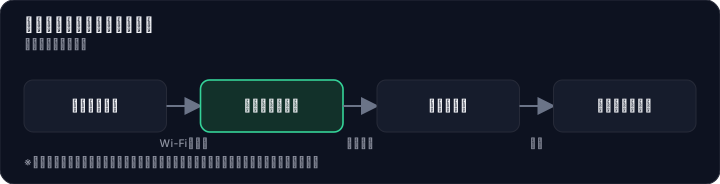

Since simply listing numbers and specs doesn't convey the full picture, let's look at the basic specifications while translating them into "what inconveniences during travel they resolve."
Key specs and the concrete benefits you'll feel at your destination
- Coverage area: All of the continental United States (excluding Alaska) — Major cities like Los Angeles and Las Vegas are a given. Multiple review sites also mention that "it worked comfortably even in slightly suburban areas," making it reliable even during a drive to the Grand Canyon.
- Network: 4G LTE — Even in data-heavy scenarios like video streaming or video calls, the high-speed connection reduces stress.
- Simultaneous connections: Up to 10 devices — This is the point that completely transforms communication costs for family trips. In the Tanaka family's case, two smartphones for the parents and one tablet for their son can all be covered by a single router, significantly lowering the cost per device.
- Pickup method: Airport counter or home delivery (free) — You can pick it up at the airport on the day of departure, or have it delivered to your home in advance to prepare at your leisure. Choose according to your travel style.
- Return method: Drop in a mailbox (return envelope included) — No need to search for a return counter at the airport after coming home. Just place it in the included envelope and drop it in a mailbox near your home. This "done the moment you're back" experience is one of the reasons repeat customers rate it so highly.
With the information so far, Mr. Tanaka is beginning to feel that "this could work for the whole family." The next thing on his mind is, of course, the specific pricing.
Thorough Comparison of Pricing Plans. Campaign Prices vs. Regular Prices—How Much Does It Really Cost?
U.S. Data's pricing structure varies by plan in terms of daily cost and data allowance. According to publicly available information, campaign pricing starts at 415 yen per day, while regular pricing starts at 690 yen, offering a flexible design that lets you choose based on your travel style and budget. Based on multiple sources, we have compiled a comparison table of representative plans.
| Plan Name | Approximate Data Allowance | Daily Price Range (tax incl., approximate) | Suitable Travel Style |
|---|---|---|---|
| Small Data Plan | 300MB | Approx. 415 yen – 690 yen | Light usage centered on messaging and map searches |
| Medium Data Plan | 500MB / 700MB | Campaign: from the 500-yen range; Regular: from the 700-yen range | Solo travel enjoying moderate SNS and web browsing |
| Large Data Plan | 1GB / Unlimited | Campaign: from the 700-yen range; Regular: from the 900-yen range | Group trips with heavy video streaming and video calls |
*The above are general price range estimates. Actual prices may vary depending on campaign availability and timing. Displays such as "up to ◯◯ yen" come with applicable conditions, so please check the latest terms on the official website.
Here is one important point to keep in mind for making a smart choice: Even "unlimited" plans are subject to the carrier's Fair Usage Policy. If extremely high data usage continues over a short period, speeds may be throttled. Rather than jumping at the word "unlimited," choosing a plan based on your actual usage patterns is the key to avoiding regret.
Another point not to be overlooked is that campaigns offering free round-trip shipping are regularly held. Multiple review sites also confirm numerous comments stating that "prices are cheaper than other carriers," which can be attributed to pricing made possible precisely because this service is dedicated to the U.S. mainland.
Realistic evaluations emerging from reviews. The ease of post-return and connection stability?
To understand the "actual usability" that specs alone cannot reveal, user voices are indispensable. Analyzing reviews of U.S. Data across multiple sites, the overall assessment is largely favorable, while realistic caveats also come to light.
First, what many users repeatedly praise is the ease of return and battery life.
I was relieved that the handover went smoothly. Since returning was just a matter of mailing it back, I could do it at my own pace.
The battery life of this U.S. Data was outstanding, and I'm very satisfied with that as well.
Even in a somewhat rural area, it worked flawlessly.
The ease of "just dropping it in a postbox" after returning home, and the battery's endurance that lets you keep using it without worrying about charging during sightseeing, clearly convey how much these reduce travel stress. A picture of users satisfied with the balance of cost and effort emerges from every review site.
On the other hand, it is also true that voices like the following exist.
It was often unstable, such as frequent disconnections, but once I got used to it, I could manage to use it.
What this voice indicates is the reality that communication quality is not uniformly perfect in every location. Connection stability varies depending on the terrain of the destination, the structure of buildings, and network congestion at that time of day, a characteristic common not only to U.S. Data but to overseas communication services in general. In downtown high-rise areas or underground, any service can experience weakened signals.
Overall, the real picture of U.S. Data painted by reviews is a balanced assessment: "Convenience is exceptionally high, and the vast majority of travelers are satisfied. However, for business use where a 100% stable connection at all times is an absolute requirement, considering a backup line just in case is advisable."
Receiving and Returning – Really Nothing to Worry About? Let's Resolve Your Pre-Application Concerns One by One
With expectations running high, it's natural that a few nagging worries cross your mind. Mr. Tanaka also sorted through several concerns, such as "Will the device actually arrive properly?" and "What happens if I forget to return it?" Here, we'll clarify the questions most commonly asked about U.S. data, based on publicly available information.
"Aren't there only a few places where I can pick it up at the airport?" Airport counter pickup is available at four airports: Narita, Haneda, Chubu, and Kansai. At first glance, this seems limited, but the practical solution lies in free home delivery available nationwide. Multiple reviews praise the fact that the device arrives at your home a day or two before departure, allowing you to charge and test it in advance. Note that if you choose pickup at the Haneda Airport counter, an additional fee of 500 yen applies.
"With limited support hours, shouldn't I worry about nighttime issues?" Customer support is available from 8:00 AM to 11:00 PM. While it cannot respond instantly to issues in the middle of the night or early morning, it covers almost all active hours during your trip. For most leisure travel, this provides sufficient coverage.
"What if returning it turns out to be a hassle?" This is one of the biggest advantages of U.S. data. A prepaid return envelope is included with the device, and all you need to do after returning home is drop it in a mailbox to complete the process. There are no shipping fees, and you don't need to stop by an airport return counter. The postmark is valid until the day after your return, so you can mail it back at your leisure once you're settled at home.
"What if I accidentally return it late?" If the return is delayed, a specified late fee will apply. Be sure to plan around the rule that the postmark must be valid by the day after your return. Simply setting a reminder on your smartphone that says "Drop in mailbox" can significantly reduce the risk of oversight.
After organizing all this information, Mr. Tanaka seems to have cleared up most of his uncertainties. The next step is a final check on whether it truly fits his family trip in terms of practical usability. That said, by having the device delivered to your home for free and testing the charge and operation, your concerns will be further alleviated. The appeal of this service lies in how easily you can try it out, almost like a demo, before committing to an application.
Where a family trip truly shines. The decisive factors: 10 simultaneous connections and battery life
Smartphones for a family of three, a tablet for use on the plane, and a laptop for hotel research. The network demand while traveling skyrockets as the number of people grows. U.S. Data's up to 10 simultaneous connections is a feature that cuts straight through the "costs pile up for every device" problem.
Let's apply this to the Tanaka family's case.
- Dad's smartphone: Map app and restaurant search
- Mom's smartphone: Posting photos to social media and shopping research
- Son's tablet: Watching videos while on the move
All three of these devices can be covered by a single rental WiFi unit. If each were using roaming, costs would be incurred for three lines, so considering that, the benefit of the whole family using the internet for the daily rate of one unit is clear without even doing the math.
Furthermore, another strength not to be overlooked is battery life. Depending on the plan, some models support up to approximately 20 hours of continuous communication, so even on a hard sightseeing day when you leave the hotel in the morning and don't return until night, you barely need to worry about charging. The fact that some reviews praise the excellent battery life is proof that it greatly affects practical satisfaction. And if you want extra peace of mind, adding the portable charger rental option virtually eliminates any blind spots.
U.S. Data vs. Competitor Services. Which One Should You Choose, After All?
Of course, there are other options for "rental WiFi usable in the U.S." — Global WiFi, Imoto no WiFi, overseas WiFi rental shops. Each has its strengths, and with so much information available, it's only natural to feel uncertain. To clarify your decision-making criteria, let's compare the major services.
| Comparison Item | U.S. Data | Global WiFi | Imoto no WiFi | Overseas WiFi Rental Shops |
|---|---|---|---|---|
| Coverage Area | U.S. mainland (excluding Alaska) | 200+ countries and regions worldwide, including the U.S. | Worldwide coverage, including the U.S. | U.S.-specific plans available |
| Approximate Daily Rate | 415 yen – 930 yen (varies by plan and campaign) | Roughly 800 yen and up for U.S. plans | Roughly 800 yen and up for U.S. plans | — |
| Simultaneous Connections | Up to 10 devices | Up to 5–10 devices (varies by plan) | Up to 10 devices | — |
| Return Method | Drop in mailbox (envelope included) | Airport counter or mail return | Airport counter or mail return | Convenience store return, etc. |
| Support Hours | 8:00–23:00 | 24-hour support plans available | — | — |
What clearly stands out from this table is that U.S. Data's strength lies in its high cost-performance, achieved by focusing exclusively on the U.S. mainland. Competitor services that work worldwide tend to have higher daily rates when viewed specifically for the U.S. alone.
Trips where U.S. Data is especially well-suited
- Your destination is limited to the U.S. mainland (if traveling to other U.S. territories such as Hawaii or Guam, you'll need to separately check coverage in advance).
- Family or group trips where you want to keep communication costs as low as possible.
- You want to minimize the hassle of returning the device to near zero.
Trips where competitor services are better suited
- You plan to travel across multiple countries beyond the U.S. with a single WiFi device.
- 24-hour Japanese-language support is absolutely essential (e.g., for business use).
- You prioritize the number of airport counters where you can pick up the device (e.g., solo travelers departing from regional airports).
For a trip like Mr. Tanaka's — "visiting only Los Angeles and Las Vegas with the family" — choosing U.S. Data is extremely reasonable in terms of both cost and convenience. That's the answer this comparison leads to. What's more, home delivery pickup is free, so you can receive the device at home and check it before the actual trip. The ease of completing your reservation with no deposit required further supports this choice.
From Application to Return: Grasp the Pre- and Post-Trip Flow in 5 Steps
No matter how good the service is, complicated procedures can dampen your enthusiasm. Using U.S. data is a very simple 5-step process. Let's walk through the flow while following Tanaka's schedule.
Step 1: Apply from the Official Website Using two weeks before your departure date as a general guideline, select your destination, itinerary, desired data plan, and pickup method (airport counter or home delivery) on the official website. Payment is made by credit card.
Step 2: Receive the Device at Home or the Airport If you choose home delivery, the device will arrive at your home the day before or two days before departure. Tanaka completed charging and operation checks while packing with his family the night before departure. Any small concern like "I wonder if it will really boot up properly" was dispelled right then.
Step 3: After Arriving in the U.S., Turn It On and Connect Once the plane lands at Los Angeles International Airport, turn the device's power ON and set your smartphone's "mobile data roaming" to OFF. All that's left is to enter the SSID and password printed on the device in the Wi-Fi settings screen. The moment the map app launched and displayed the route to the hotel, Tanaka felt for the first time that "everything will be fine."
Step 4: During the Trip, Check the Battery Level Frequently On days when you're walking from morning to night, connecting a power bank during a café break just to be safe will give you peace of mind. This is because the battery drains somewhat faster when more devices are connected simultaneously or when high-volume data usage continues.
Step 5: After Returning Home, Place the Device in the Return Envelope and Drop It in the Mailbox After the return flight arrives at Narita, there are no troublesome procedures at all. Just place the device in the included envelope and drop it into a mailbox near your home. Since the postmark is valid until the day after your return, Tanaka stopped by a convenience store on his way home, dropped the envelope off while he was at it, and completed the entire trip process.
For more detailed conditions and a final check of supported areas, you can easily do so on the official website.
Summary: U.S. Data is especially recommended for these types of U.S. travelers
If you've chosen the U.S. mainland as your sole travel destination, U.S. Data is an extremely reliable option to have as one of your preparation partners. Based on all the information in this article, this service shines brightest for the following types of travelers:
- Those visiting only the U.S. mainland (not Hawaii or Guam, but cities like Los Angeles, New York, Las Vegas, etc.). Because it's a dedicated service focused on a specific area, you won't have to pay for unnecessary extras.
- Those traveling in groups with family or friends and using two or more smartphones or tablets simultaneously. With support for up to 10 devices and plans starting at ¥415 per day, the value becomes more apparent the larger your group is.
- Those who feel "returning the device from overseas sounds like a hassle." The simplicity of dropping it in a mailbox frees you from any post-trip inconvenience.
Of course, connection speeds and reliability can vary depending on the actual environment at your destination and the conditions of the local network, so no service can guarantee "100% connectivity everywhere, at all times." That's why the key is making a smart choice that fits your travel style. U.S. Data has a proven track record of being chosen by many U.S. travelers as a concrete tool that delivers "easy, smart connectivity for the whole family."
Start by taking a quick look at the official website to check the coverage areas and latest pricing plans. You can decide whether to sign up after verifying the information—there's no rush. By simply securing your reservation in advance, you'll at least free yourself from the last-minute worry of "what am I going to do about communication costs?" May your trip be a freer and more enjoyable experience.
Methodology and Disclosure
Verification Method: This article was created based on public information confirmed as of 2026-08-01. The editorial team has not actually contracted or used the services in question. This explanation is based on public information (official pages, third-party reviews, and user feedback). Since service details, pricing, and campaigns are subject to change, please be sure to check the official information before applying.
Operator Information: The editorial policy and evaluation criteria for this article are described in the Editorial Policy, and the verification procedures are described in the Evaluation Method. If you find any errors in the content, please report them to our contact desk.
Affiliate Disclosure: This article contains affiliate links, and our site may receive compensation without any additional cost to readers. Compensation does not influence the evaluation content.
Frequently Asked Questions
How much does the U.S. data plan cost?
It is available from ¥415 per day at promotional pricing, or from ¥690 per day at regular pricing. Plans range from 300MB to unlimited data depending on your needs. However, promotional offers are subject to conditions and may be available for a limited time only. Please check the official website for details.
Is it really just a matter of dropping the device in a postbox for return?
Yes, a prepaid return envelope is included. After you return home, simply place the device in the envelope and drop it in a postbox—that's all it takes. There is no need to look for a return counter at the airport. However, please make sure the device is powered off and all accessories are included before mailing it back.
Where in the U.S. can I use it? What about Alaska?
It is available throughout the continental United States, but Alaska is not covered. Hawaii is also excluded, so please be aware of this. Reviews indicate that it works relatively well not only in major cities but also in suburban areas, though signal conditions may vary in mountainous or remote regions.
How many devices can be connected at the same time?
Up to 10 devices can be connected simultaneously. Even if family members or groups carry multiple smartphones or tablets, a single router can handle them all. However, connection speeds may decrease as the number of connected devices increases, so we recommend adjusting the number of connections based on your usage scenario.
Can I pick up the device at airports other than Narita and Haneda?
There are two pickup options: airport counters and free home delivery. Airport counters are available at major airports including Narita, Haneda, and Kansai International Airport. Please check the official website for details. If you choose home delivery, you can receive the device with plenty of time before your departure.
Is support available in Japanese? What are the business hours?
Yes, support is provided in Japanese. Business hours are normally from 9:00 AM to 6:00 PM (excluding weekends and holidays), but a 24-hour support line may be available for emergencies. Please check the official website for specific contact information and hours.
How much are the additional charges if I return the device late?
If the return is delayed, an additional rental fee will be charged per day. The specific amount varies by plan, but it is generally equivalent to the standard daily rate. To avoid late fees, we recommend dropping the device in a postbox within 3 days of your return date. Please refer to the terms and conditions for details.
Does the battery last a full day?
The battery capacity is approximately 3,000mAh, with a continuous usage time of about 8 to 10 hours. However, battery consumption may be faster depending on usage conditions and the number of connected devices. For long outings, we recommend bringing a portable charger. Additionally, using power-saving mode can extend battery life.
References & Sources
This article is based on publicly available information as of 2026-08-01.
- U.S. Data Reviews and Ratings? An Explanation of Who It Is Recommended For and Who It Is Not
- Rental Pocket WiFi Recommended for Travel to the U.S. | U.S. Data Ratings and Reviews | First-Time Overseas Travel Blog | Trippin
- 【U.S. Data】What Kind of Service Is This? Introduction to Campaigns and Reviews
- U.S. Data (U.S.DATA) Pricing, Spring Campaign Discounts, and How to Use | Overseas WiFi Comparison Navi
- U.S. Data Overseas WiFi Rental Service | Skyticket WiFi
- U.S.-Only WiFi Router: Unlimited High-Speed 4G LTE with U.S. Data
- WiFi Rental for Use in the U.S. | 【Official】Global WiFi for Overseas WiFi Rental
- 【Las Vegas WiFi】US Data (U.S. DATA) Usage Precautions
- Compare Recommended U.S. WiFi Rental Services! Also Explains Why You Need One
- U.S. Data Airport Counters (Narita, Haneda, Chubu, Kansai) and Parcel Delivery Pickup/Return Guide | Overseas WiFi Rental Comparison Navi
- U.S. Data Counter Information at Haneda Airport | Skyticket WiFi
- U.S. Data Counter Information at Narita Airport | Skyticket WiFi
- U.S. Data Counter Information at Chubu Centrair International Airport | Skyticket WiFi
- Latest U.S. Data Reviews! Uncovering Pros and Cons from User Feedback | Internet Line and Fiber Optic Line Recommendation Comparison Expert
Related articles
XM Review 2026: Video Walkthrough, Spreads & Bonus Terms Explained
XM review 2026 with full video walkthrough. Regulated broker, spreads from 0.6 pips, no-deposit bonus explained. ✓ Verdict for beginners ✓ Risk disclosure ✓
Measured broker spreads 2026-W41 — logged hourly from our own MT5 accounts
Not a copy of published spread tables: 184,090 hourly bid/ask samples taken on our own accounts (HF Markets (SV) Ltd. / OANDA Corporation / XM) over 2026-09-27 → 2026-10-04, broken down by pair and by hour of day.
Fujitsu vs KDDI AccelWaves vs SCS: Enterprise Security 2026 Guide
Compare Fujitsu MSS, KDDI AccelWaves SASE, and SCS certification for Japanese enterprises. Find the right fit with our 2026 decision guide ✓