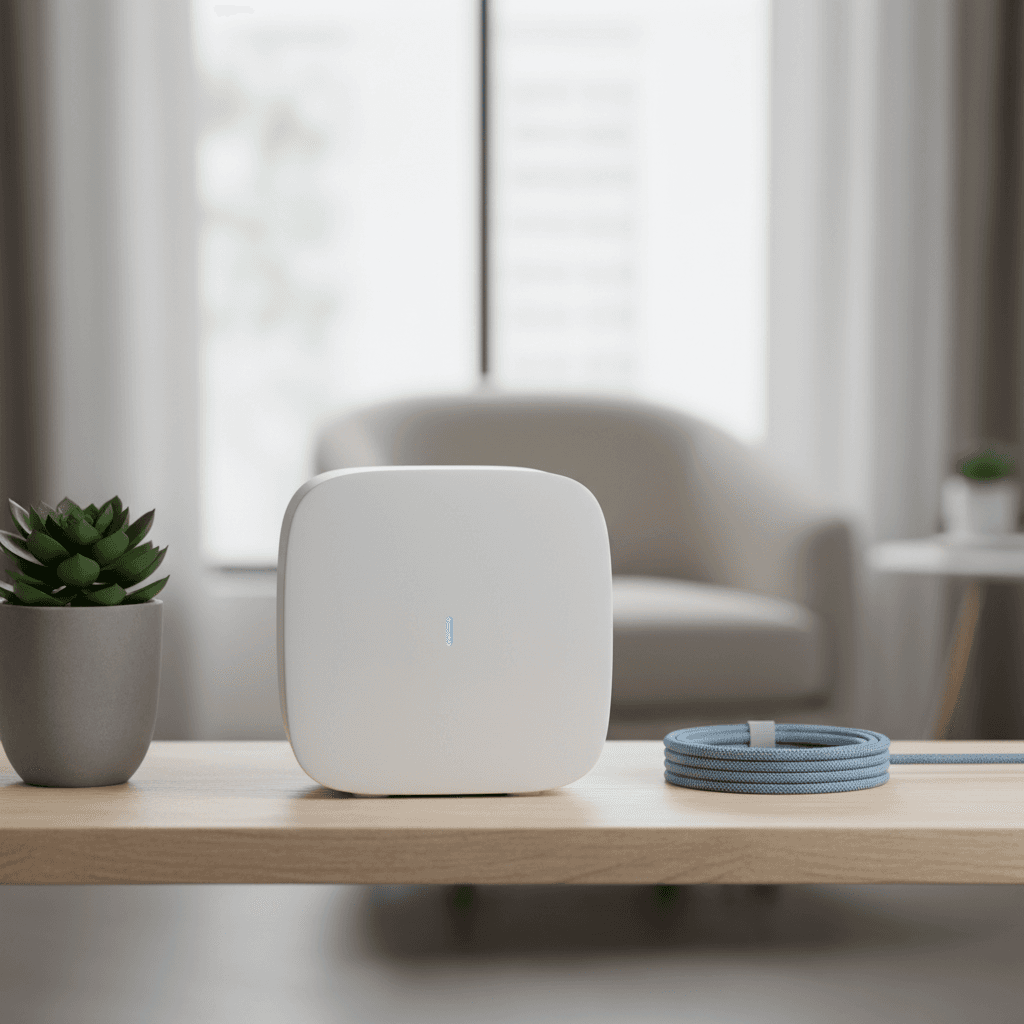
Verification Status: This article is based on publicly available information (no actual usage or transactions by the editorial team).
On the night before his business trip, Tanaka sighed while staring at his smartphone screen. The sudden decision to go to Osaka was fine, but he was worried about the security of the hotel's free Wi-Fi, and using his smartphone's tethering risked running out of data during an important negotiation. He wanted to avoid both contract commitments and the hassle of returning equipment, if possible. For those who need a temporary internet connection for just a few days, the affordable Wi-Fi rental service "WiFiGO" is an option worth knowing about. This article delves into everything from pricing plans to actual user reviews, based on publicly available information as of July 2026. The editorial team provides a thorough explanation so that people like Tanaka, who want to "borrow easily only when needed," can take the next step with confidence.
WiFiGO is a service specialized in short-term rentals, distinguished by its pricing starting from 160 yen per day and the absence of contract commitments. With over 110,000 rental track records, its greatest feature is the convenience of returning the device simply by dropping it in a mailbox.
1. What is WiFiGO? The Operating Company and Service Basics
"First of all, I've heard of it, but is it a trustworthy service?" This was the natural concern Tanaka initially had. WiFiGO is operated by Crossdata Co., Ltd. According to multiple review sites and official information, it has accumulated over 110,000 rental units to date, garnering strong support from individual users who need short-term internet connections.
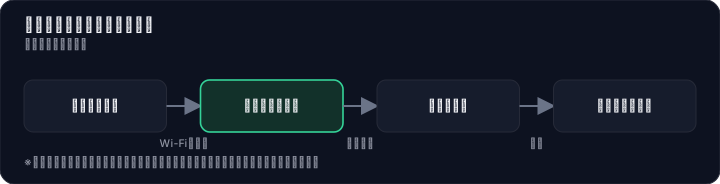
The reason this service can provide stable communication while achieving "low cost" lies in the adoption of a technology called "Cloud SIM." This is a mechanism that accommodates multiple carrier lines in a single device by switching between them via software. Users do not need to be aware of this at all; simply turn on the device, enter the designated SSID and password, and it automatically connects to the optimal line on the spot. There is no need to physically insert or remove a SIM card, and there is no hassle with complicated settings.
Furthermore, an absolutely essential point to understand about WiFiGO is that it is "for domestic use in Japan only." It does not support overseas travel or business trips, and is designed specifically for short-term domestic use. The device can be rented for free, and while you cannot choose the model, it can be said that this service prioritizes "the convenience of being ready to use immediately upon arrival" over "the anxiety of not knowing which model will arrive." This also relates to the fact that renting multiple devices simultaneously for personal use is not allowed. As a service for individuals, WiFiGO's true nature is to strip away unnecessary inventory risks and complex options, fully focusing on simplicity and cost performance.
2. WiFiGO's Rate Plans: A Complete Summary – How Much Will It Actually Cost?
After comparing prices on Kakaku.com and major online shopping sites with a sigh, Tanaka's eyes landed on WiFiGO's rate table. The catchphrase "From 160 yen per day" might seem dubious to those unfamiliar with short-term rentals. However, the pricing structure is surprisingly simple. The basics involve choosing from three plans based on data capacity. Additionally, a nationwide flat shipping fee of 1,100 yen (tax included) for round-trip delivery is required, but aside from that, even renting for a full month comes to under 6,000 yen.

Below are the rates for each plan by number of rental days. The longer the rental period, the lower the daily cost, making it a realistic option not only for short-term spot use but also for bridging periods during a move or long business trips.
| Plan | 1 Day | 7 Days | 30 Days (Daily Equivalent) |
|---|---|---|---|
| 100GB Plan | 600 yen | 4,200 yen | 5,400 yen (approx. 180 yen/day) |
| 300GB Plan | 670 yen | 4,690 yen | 5,850 yen (approx. 195 yen/day) |
| Unlimited 5G Plan | 780 yen | 5,460 yen | 7,350 yen (approx. 245 yen/day) |
*All prices include tax. A round-trip shipping fee of 1,100 yen (tax included) is required separately. Prices may vary by season.
Looking at the table, for example, renting the 100GB plan for 30 days costs only 180 yen per day. That's less than the price of a cup of coffee at a convenience store, giving you an environment where you can use the internet without worrying about data capacity. If you're someone who "mainly watches videos or has web conferences and absolutely doesn't want to run out of data," even choosing the top-tier Unlimited 5G Plan costs about 245 yen per day. Considering the relief from the stress of worrying about tethering data shortages or speed throttling, the cost-effectiveness is extremely high.
"For short-term internet costs, this fits comfortably within my budget" – Tanaka promptly decided to get a quote on the official website. Additionally, cancellations are free before the product is shipped. The option to "apply and try it out" with no out-of-pocket cost is another reassuring aspect of this service that you can't overlook.
3. An Honest Explanation of WiFiGO's Pros and Cons Based on User Reviews
To verify if it "really works," Mr. Tanaka typed "WiFiGO reviews" into the search bar. The actual voices of users clearly reveal the contours of the service. After browsing multiple review sites, it became apparent that while evaluations are generally favorable, there are also a certain number of cautionary points.
| Item | Evaluation/Trend | Commonly Seen Content |
|---|---|---|
| Cost Performance | ◎ (Many voices) | Satisfied with low prices and long-term discounts |
| Same-Day Shipping/Speed | ◎ (Many voices) | Received the next day after ordering, useful for sudden business trips |
| Ease of Return | ◎ (Many voices) | Just drop it in a postbox using a Letter Pack. No hassle. |
| Contract Flexibility | ◎ (Many voices) | No binding contracts or cancellation fees, easy to use casually |
| Communication Speed | △ (Some pointed out) | Speed drops depending on location and time of day |
| Battery Life | △ (Some pointed out) | Slightly insufficient for prolonged continuous use |
| Support Quality | △ (A few pointed out) | Cases where replies to inquiries are delayed during busy times |
Most of the positive reviews focus on "ease of use" and "low cost." Let's look at some specific comments.
"It arrived the very next day after I applied, which was a huge help. It's reassuring even for sudden business trips!" (From a review site)
"I was surprised by the price of 160 yen per day. It's great that it becomes even more affordable with long-term use." (From a review site)
"It arrived quickly after I ordered, so it was very helpful." (From a review source)
On the other hand, we will honestly pick up some negative comments that you can prepare for if you know about them in advance. To improve the accuracy of your decision-making, you should be aware that there are observations like the following.
"The communication speed was slower than I expected, and I felt lag when watching videos." (From a review site)
"The battery life isn't good." (From a review source)
"The support response was slow." (From a review source)
These comments do not represent a majority that would dismiss the service as "unusable," but they are important factors to consider when choosing a use case. A trend emerges: communication speed is easily affected by base station congestion, and for battery life, business use centered on emails and web conferences is more realistic than continuous video playback. Mr. Tanaka also began to feel that the service suited his usage, on the premise that "as long as I don't lose signal or experience slowdowns during business meetings."
4. Thorough Comparison with Other Services! For Whom is WiFiGO Truly a "Good Deal"?
"But aren't there cheaper rental Wi-Fi options out there?" This doubt crossing Tanaka's mind is a valid question. The true value of WiFiGO lies not just in its low standalone price, but in the balance of its three key features: "short-term, hassle-free, and no commitment." Here, we will organize the comparison criteria to clarify which type of person should choose which option.
| Comparison Criteria | WiFiGO | Other Rental Wi-Fi (Average Trend) | Carrier Pocket Wi-Fi (Long-term) | eSIM/Prepaid SIM |
|---|---|---|---|---|
| Lowest Price Per Day | 160 yen (converted to 30 days) | Often around 200 yen to 300 yen | Approximately 1,000 yen to 3,000 yen per month | Approximately 200 yen to 1,000 yen |
| Minimum Usage Period | From 1 day | Generally set from 2 to 3 days | Long-term premise, e.g., 2-year contract | From 1 day |
| Contract Commitment | None (0 yen cancellation fee) | Cancellation fees may apply even for short-term use | Yes (cancellation fees can be high) | None |
| Return Method | Completed by dropping in a mailbox | Requires return at a convenience store or using a dedicated envelope | No return required | No physical return required |
| Device/Sharing | Free, shareable with multiple devices | May be paid, shareable | Separate purchase/rental, shareable | Cannot be used if device is incompatible, difficult to share |
| Communication Stability | Uses multiple lines via Cloud SIM | Depends on the service | Highly stable with carrier lines | Depends on the line and location |
| Support | Primarily email/FAQ | Depends on the service | Extensive in-store/phone support | Generally self-service |
What is clear from this matrix is that for "people who don't want to pay initial fees or cancellation fees for a long-term contract just for a 2-3 day business trip or vacation," WiFiGO's advantage is overwhelming. While carrier pocket Wi-Fi may seem cheaper on a monthly basis, the actual cost including contract commitments and complex options is not worthwhile at all for single-use trips. eSIMs are convenient with no physical delivery, but they cannot be used if your smartphone is not compatible, and they are unsuitable if you want to connect multiple PCs and tablets simultaneously.
Other rental Wi-Fi services are also an option, but many have a minimum usage period of 2 or 3 days, and may not meet the pinpoint need of renting for just one day. Additionally, many cases require returning the device to a convenience store, and the ease of WiFiGO, which is completed simply by dropping it in a mailbox, is a clear difference that reduces one "hassle" on the final day of a business trip or vacation.
Looking at it this way, it became clear that WiFiGO is the most efficient fit for the conditions Tanaka needed: "Just for a 3-day business trip, delivered to the hotel, and just drop it in the mailbox when done."
5. Eliminating Concerns! The Reality of WiFiGO's Communication Speed, Battery, and Support
That said, the comments you see in reviews about "slow speeds" and "poor battery life" are still a concern. Mr. Tanaka also feels a twinge of anxiety, wondering what would happen if the screen kept spinning during an important business meeting. Here, we explain in what situations these negative factors actually occur and how you can deal with them.
The Reality of Speed: "Depends on location and time of day, but generally fine for business use" Complaints about "slow communication speeds" tend to be concentrated in densely populated areas and during peak times like lunch breaks and evenings when lines are congested. This is a characteristic common not only to WiFiGO but to all services using MVNOs or cloud SIMs. On the other hand, multiple reviews also include comments like "The speed was fast, and I could watch videos without any issues." In other words, it's not always slow; if your usage time and location don't overlap with rush hour, you're unlikely to feel stressed when using web conferencing, email, or social media.
The Reality of Battery Life: "Peace of mind by preparing a mobile battery for long outings" Reviews mentioning "poor battery life" can indeed occur with usage patterns like streaming videos all day long. However, this is true for most commercially available mobile Wi-Fi routers, and WiFiGO is not particularly inferior. If you use it between meetings or while on the move, the device's built-in battery should be sufficient to cover a full day. If you're still worried, carrying one of your own mobile batteries as a precaution will completely eliminate that anxiety.
The Reality of Support: "Self-resolution via FAQ is faster except in emergencies" The minority opinion that "support response was slow" is likely to occur during periods when applications or return deadlines are concentrated. WiFiGO's official website provides detailed FAQs and manuals, so most basic inquiries about connection methods or initial setup can be resolved instantly with zero wait time. Even when contacting support is necessary, checking the FAQ first is a common approach in many cloud services that ultimately leads to faster resolution.
Furthermore, a crucial point not to forget is that "mistakes with the rental period can incur additional charges." Reviews also include comments like "I made a mistake with the rental period when applying, and ended up with extra charges." When applying, be sure to carefully check the calendar for the actual start and end dates of your usage, not the arrival date.
6. Flow from Application to Return of WiFiGO
After researching this far, Tanaka had no more doubts. All that remained was to solidify a concrete image of the process until the device was returned. The flow of using WiFiGO is surprisingly simple; anyone accustomed to online shopping can complete the application in 2-3 minutes.
Step 1: Choose a plan and schedule on the official website First, access the official website, select a data plan (100GB/300GB/Unlimited 5G) that suits your usage, specify the rental start and end dates, and enter the delivery address. If you're unsure, unless you plan to watch large amounts of video or share the connection with multiple people, the 100GB plan offers the most cost savings.
Step 2: Receive the device at the designated location Orders placed by 4:00 PM on weekdays are shipped the same day and arrive at your specified address via courier as early as the next day. You can have it delivered not only to your home but also directly to your hotel or workplace, eliminating any worry about not being able to receive it while traveling on business.
Step 3: Turn on the power and connect immediately Upon arrival, simply turn on the device and enter the included SSID and password into your smartphone or PC. No troublesome initial setup or SIM card insertion is required, allowing anyone to start using the internet instantly.
Step 4: Drop it in a mailbox when finished By the final day of the rental, place the device and accessories in the included Letter Pack and drop it into the nearest mailbox to complete the return. There's no need to stop by a convenience store or fill out a cash-on-delivery slip.
"This means I can just toss it in a mailbox on my way back from a business trip." Tanaka was convinced and immediately proceeded to the application screen. Since cancellations before the product is shipped are free, the ease of deciding, "If plans change, I'll think about it then," was a major push.
This article is based on publicly available information as of July 2026. Fees, plan details, and availability are subject to change without notice. When applying, please be sure to check the latest terms on the official website. This service is a domestic Wi-Fi rental and does not guarantee successful communication or consistently stable connections. Please make your decision based on your own usage environment, device, and area conditions.
Methodology and Disclosure
Verification Method: This article is based on publicly available information confirmed as of 2026-07-27. The editorial team has not actually contracted or used the services in question. This explanation is based on publicly available information (official websites, third-party reviews, user testimonials). As service details, fees, and campaigns are subject to change, please be sure to check the official information before applying.
Operator Information: The editorial policy and evaluation criteria for this article are described in the Editorial Policy, and the verification procedures are described in the Evaluation Method. If there are any errors in the content, please report them to the contact desk.
Affiliate Disclosure: This article contains affiliate links, and our site may receive compensation without additional cost to the reader. Compensation does not affect the evaluation content.
Frequently Asked Questions
Can WiFiGO be used overseas?
No, WiFiGO is exclusively for use within Japan. It does not support overseas travel or business trips, and is a service specialized for short-term domestic use.
What happens if I exceed the data capacity during the rental period?
If you exceed the capacity, your speed will be throttled. Even with the unlimited 5G plan, speeds may decrease after exceeding a certain data volume to ensure fair usage.
What payment methods are available?
We accept credit cards, debit cards, and convenience store payments. Please check the official website for details.
Can I specify the delivery date and time?
You cannot specify the delivery date and time, but the item will be shipped the next business day at the earliest after ordering and can be received via mailbox delivery.
What are the extension fees if the return is delayed?
If the return is delayed, extension fees will be charged on a per-day basis. Fees vary depending on the plan; please check the official website in advance.
Is it possible to bring multiple units?
This is a service for individual use, and simultaneous rental of multiple units is not allowed. One unit is rented per contract.
Is the 5G plan truly unlimited?
The unlimited 5G plan offers unlimited data capacity, but speeds may be throttled after exceeding a certain data volume to ensure fair usage.
References / Sources
This article is based on publicly available information as of 2026-07-27.
- 【Official】WiFiGO! | Pocket Wi-Fi Rental "High-Speed" "Affordable Rental"
- Company Information|【Official】WiFiGO!
- Domestic Wi-Fi Rental FAQ|【Official】WiFiGO!
- How to Receive and Return Mobile Routers|【Official】WiFiGO!
- Same-Day Shipping! Affordable Wi-Fi Rental from 160 yen/day【WiFiGO】Reviews and Ratings Investigated! Real User Evaluations Introduced! - Kuchikomi Picks
- Are WiFiGO Reviews Real? Thorough Explanation of Actual User Reviews - Dao's Curated Service Introduction Blog
- What Are WiFiGO Reviews? Speed and Battery Ratings? Best Value Wi-Fi Rental at 160 yen
- 【Short-Term Rental OK!】What About WiFiGO's Rental Wi-Fi? Thorough Explanation of Reviews, Pros and Cons! | Shinzan wa Miyama
- Thorough Verification of WiFiGO Reviews! Is the Affordable Rental Wi-Fi from 160 yen/day Really Usable? Real Explanation of Features, Pricing, and Disadvantages - Deep Review
- Good and Bad Points of WiFiGO from User Reviews and Ratings? - Yuki's BLOG
Related articles
IwaiCosmo Securities Review 2026: Honest Look at Fees and IPO Lottery Odds, Plus Zero-Fee NISA
Get the latest 2026 review of IwaiCosmo Securities. We take an honest look at their strong IPO underwriting track record, zero trading fees for NISA accounts, overall fee structure, and customer support. Compare with major online brokerages.
What is the reputation of moomoo Securities? Thorough comparison of fees, features, and reviews [2026 Latest]
Thorough explanation of moomoo Securities' reputation based on fees, features, and reviews. US stock fee 0.132% (with conditions), Japanese stock free, exchange fee 0 yen (with conditions), 24-hour trading, AI analysis tools, etc. Compare the latest information for 2026. Also note points such as not supporting Tsumitate NISA.
Takeru FX School Review (2026)
For FX beginners and intermediates in Japan; face-to-face and online lessons, demo trading, and a structured curriculum. Confirm fees and refund terms before enrolling.