Verification Status: This article is an explanation based on publicly available information (no actual usage or transactions by the editorial team).
At the arrival lobby of Narita Airport, Tanaka Ken (age 35) was staring at his smartphone screen while pulling his suitcase. He was returning to Japan temporarily for the first time in a year, planning to work remotely from his parents' home for a month. However, he had already canceled his Japanese mobile line. Usually, he would buy a prepaid SIM from an airport SIM vending machine, but last time, his data ran out in the middle of a video conference, causing trouble for his client—a bitter memory that flashed through his mind. "I can't make the same mistake again. But signing up for a fiber optic line just for a month isn't realistic either..." At that moment, a service name his colleague had mentioned came to mind—"WiFi Rental dot com." This service, which allows you to rent only what you need, only when you need it—can it truly be trusted? In this article, we thoroughly investigate publicly available information and multiple user reviews to uncover its true nature.
WiFi Rental dot com is a service that suits people who want to use it "only when needed," such as for temporary returns or short business trips, thanks to its flexibility of daily rentals and low-level fees. Operated by a company listed on the Tokyo Stock Exchange Prime Market, it offers high reliability, and you can easily try it out with free registration and free consultation.
What is "WiFi Rental dot com" – A Lifeline for Temporary Returnees and Business Travelers Stranded Without Internet
The problem Mr. Tanaka faced is a pressing "short-term internet refugee" issue for modern business professionals. Hotel Wi-Fi raises security concerns, public café connections offer unpredictable speeds, and signing a contract for just a few weeks is not cost-effective. WiFi Rental dot com is a service designed precisely to fill this gap.
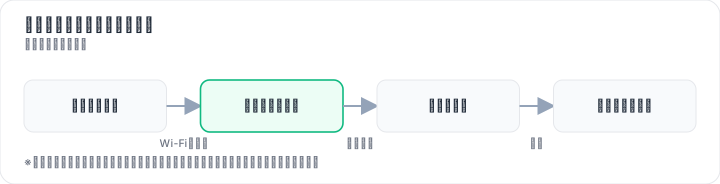
The service is operated by Vision Inc., a company listed on the Tokyo Stock Exchange Prime Market. The company is also known for overseas and inbound Wi-Fi rental services such as "GLOBAL WiFi" and "NINJA WiFi," and has a solid track record in the communication rental sector. WiFi Rental dot com is its domestic brand, and according to a survey by Tokyo Shoko Research, it has achieved No.1 in domestic Wi-Fi rental users for 8 consecutive years. It is noteworthy that this is not merely a price war but is backed by user support.
The service's biggest feature is that rental is available from as little as one day. It supports four carriers: au, docomo, SoftBank, and Rakuten Mobile, with the available network varying by device. There are three delivery methods: home delivery, airport counter pickup, and convenience store pickup. Return options include mailbox drop-off, airport counter, and home delivery. Orders placed by 4:00 PM can be shipped the same day, with shipping available 365 days a year—a reassuring speed for sudden returns or business trips.
On the other hand, there are some points to note. A certain number of reviews on multiple review sites point out slow communication speeds. Additionally, the default enrollment in the peace-of-mind compensation service and the higher rates for long-term use of one month or more are aspects to be aware of before applying. These will be examined in detail in a later chapter.
Pricing Plans and How to Choose the Best Value|Starting from 239 Yen Per Day – Shocking Cost Performance
What first surprised Mr. Tanaka on the official website was how easy the fee simulation was. Simply entering the departure and return dates instantly displays the required number of days and the total cost. This is also praised on multiple review sites as "easy to get a quote even from overseas."

- K4 Unlimited: 960 yen per day (tax included), 9,275 yen for 30 nights/31 days. Ideal for heavy users who don't want to worry about data limits.
- U20 Unlimited (3GB/day): 496 yen per day (tax included), 7,430 yen for 30 nights/31 days. Sufficient for everyday internet use while keeping costs down.
- The most affordable plans start from 239 yen per day (tax included).
For a one-month usage period, costs in the 7,000–9,000 yen range make it easy to predict expenses compared to paid hotel Wi-Fi or topping up prepaid SIM cards. Especially for those who need stable communication for remote work, the value of being freed from the stress of buying additional SIMs while worrying about data caps is significant.
However, it is important to note that for long-term use exceeding one month, the cost becomes relatively high. Multiple review sites also point out that it is "not suitable for long-term use." Understanding that this service truly shines for "short-term, intensive use" will help avoid unmet expectations.
A smart first step is to try the free registration and fee simulation to find a plan that matches your usage days. Registration itself is free and takes only a few minutes. Since you can check the total cost before actually applying, there is no worry about exceeding your budget.
Thorough Comparison: WiFi Rental dot com vs. Other Rentals vs. SIM vs. Purchase
"Is WiFi Rental dot com really the best choice?" Tanaka began his comparison. There are four main options: ① WiFi Rental dot com, ② other domestic Wi-Fi rental services, ③ prepaid SIM cards, and ④ purchasing a pocket Wi-Fi device. Let's break down the features of each, tailored to actual usage scenarios.
| Comparison Axis | WiFi Rental dot com | Other Rentals | Prepaid SIM | Device Purchase |
|---|---|---|---|---|
| Daily Fee | From 239 yen (low fee level) | Varies by company | Varies by data capacity | High initial cost |
| Pickup & Return | Airport, convenience store, delivery / mailbox drop-off available | Varies by company | Purchase at airports or electronics stores | Depends on store |
| Communication Speed | Depends on device and area (mixed reviews) | Varies by company | Based on carrier network | Depends on device and network |
| Contract Flexibility | Rentable on a daily basis | Varies by company | Flexible with per-purchase | Assumes long-term use |
| Support | 24-hour AI chat, phone (some reports of difficulty connecting) | Varies by company | Depends on seller | Manufacturer warranty |
| Suitable For | Short-term users (1 day to 1 month) | Those seeking plan variety | Ultra-short term (a few days to 1 week) | Long-term users (6 months or more) |
Prepaid SIM is convenient, but large data plans are scarce, making it unreliable for remote work or video streaming. For someone like Tanaka, who has "several hours of video meetings every day for a month," the risk of running out of data is high.
Purchasing a device is economical if used for over six months, but initial costs typically exceed 10,000 yen. Buying one for just a month is not cost-effective.
Other rental services offer a variety of plans, but WiFi Rental dot com has an advantage in terms of the number of airport counters and ease of return. In particular, the convenience of "return by dropping it in a mailbox" is a major benefit during the hectic time before returning home.
In conclusion, for short-term use of 1 day to 1 month, where you want to minimize the hassle of pickup and return, WiFi Rental dot com offers the best balance. For ultra-short periods of just a few days, a SIM is suitable; for six months or more, consider a fiber optic line or purchasing a device.
Truth Revealed by Reviews: The Reality of Speed, Support, and Cancellation
What next caught Tanaka's attention were the actual user reviews. Official websites only highlight the positives. Wanting to know the real reputation, he read through multiple review sites. Here, we analyze them by theme, focusing on 121 reviews posted on Minhyo.

Mixed Reviews on Communication Speed
The most frequently mentioned topic is communication speed. Positive and critical voices are clearly divided.
"I used it during a temporary return to Japan. It was cheap to rent and I was very satisfied!" (Review site)
"The device is small and portable, so I could use it at cafes and libraries, which was convenient." (Review site)
On the other hand, there are also harsh criticisms like the following:
"It's constantly super slow, can't even play games properly. It kept cutting out during remote work." (Minhyo)
"The speed was slow from the first day of rental. Completely unusable for both work and personal use." (Minhyo)
This disparity suggests it is heavily influenced by the device model, usage area, and network congestion during peak times. Choosing a device compatible with all four carriers allows you to use a network with better signal reception, but even unlimited plans may have speed restrictions during congestion. Caution is needed for applications requiring stable high-speed communication, such as gaming or high-quality video streaming.
High Praise for Ease of Pickup and Return
Reviews regarding convenience are overwhelmingly positive.
"Since I live abroad, I used to always buy a prepaid SIM at the airport when returning to Japan temporarily, but this service allowed me to make a reservation from overseas, which was very helpful." (Review site)
"There was a return fee, but it was easy—just drop it in a mailbox on the last day of the contract." (Review site)
Having one of the largest numbers of airport counters in the industry and the ability to complete returns by simply dropping them in a mailbox are major reassurances, especially for overseas residents.
The Light and Shadow of Customer Support
Regarding customer support, opinions are divided on the quality of response and ease of access.
"Due to a system error, an invoice was mistakenly sent twice, but an apology email arrived the same day, and the response was excellent." (Review site)
On the other hand, there are multiple complaints that "the phone line is hard to get through." However, since January 2026, 24-hour inquiry support via the official LINE AI chat has been introduced, so it's worth noting that non-phone channels have been strengthened.
Points to Note on the Peace of Mind Protection Service
Multiple reviews point out that the Peace of Mind Protection Service is enrolled by default.
"I didn't notice that the Peace of Mind Protection Service was enrolled by default, and when I tried to cancel it, I couldn't." (Review site)
It is possible to opt out by unchecking the option during the application process, but some say the screen design makes it easy to overlook. It is recommended to carefully check the optional items when applying.
Process from Application to Return|Surprisingly Simple 3 Steps
Tanaka, whose questions were resolved, decided to proceed with the application. The actual process is surprisingly simple, with few points of confusion even when operating from overseas.

Step 1: Select the device, period, and options. Access the official website and enter the start and end dates of use. A fee simulation is displayed immediately, allowing you to choose a device and plan that fits your budget. At this stage, no personal information is required. If you register for free, you can take your time to consider later.
Step 2: Enter application information and complete payment. Enter your name, address, and contact information, then select a payment method. Even those living overseas can complete the procedure without issues. At this point, be sure to uncheck the optional peace of mind compensation service if you do not need it.
Step 3: Receive the device, and return it after use. You can choose to receive the device at an airport counter, convenience store, or by home delivery. If you are arriving at Narita like Tanaka, picking it up at the counter in the arrival lobby allows you to use the internet immediately upon leaving the airport. The easiest way to return it is by dropping it in a mailbox; simply mail it at the airport post office before boarding your return flight.
With such a simple process, you can avoid the situation of "ending up buying a SIM card because the procedure was too troublesome." Start by simulating the fees with a free registration and checking the plan that suits you. Registration takes just a few minutes and costs nothing.
So, who should actually use it? A clear-cut verdict on suitability
Based on the research so far, let's clarify who WiFi Rental Dot Com is truly suited for. To put it bluntly, it is best for those who can choose based on the balance of "short-term, convenient, and decent speed." There are two reasons for this. First, the convenience of daily rentals and airport/convenience store pickup thoroughly reduces the "hassle" of returning home or business trips lasting a few weeks. Second, the pricing starting from 239 yen per day makes it easier to keep the total cost lower than topping up a prepaid SIM for short-term use, and it simplifies budget management.
The specific pros and cons are as follows.
Suitable for:
- Temporary returnees: People living overseas who need to secure an internet environment each time they return home. The convenience of being able to book from abroad and pick up at the airport stands out.
- Short-term business travelers: People on domestic business trips lasting from one day to a few weeks who don't want to rely on hotel Wi-Fi. Daily rentals eliminate waste.
- Those bridging a move: People who need to get by for a few weeks until their new home's fiber optic line is connected.
- Hospital stays, event participation, etc.: Any scenario where a temporary internet environment is needed.
Not suitable for:
- Long-term users (one month or more): Since the fees become relatively high, getting a fiber optic line or purchasing a device is more economical.
- Those who require high-speed communication: It may be unsuitable for uses that demand stable, high-speed communication, such as online gaming or live streaming high-quality video.
- Users in areas with weak signal: In rural or mountainous areas where carrier lines themselves are hard to reach, speeds are likely to be slow.
If your usage scenario matches "short-term, convenient, and decent speed," the cost performance is very high. With free registration and free consultation, you can check whether it works under your conditions before actually signing up. The fact that it is designed to let you take the first step without risk can be considered a hidden appeal of this service.
Summary: Take the First Step with Free Registration and Free Consultation
After picking up his device from WiFi Rental Dot Com at Narita Airport, Mr. Tanaka headed straight to his family home. He spread out his luggage in the living room and opened his laptop. He turned on the device and entered the password—a few seconds later, the browser launched. The test connection for the video conference was also fine. He was now fully prepared to get through one month of remote work.
WiFi Rental Dot Com is the best cost-performance option specialized for short-term use. With fees starting from 239 yen per day at a low-cost level, the convenience of receiving the device at airports, convenience stores, or via home delivery, and the ease of returning it simply by dropping it in a mailbox. Above all, the reliability of being operated by a company listed on the Tokyo Stock Exchange Prime Market provides peace of mind even for first-time users.
There are some points to be aware of in advance, such as communication speeds and the specifications of the peace-of-mind compensation service. However, once you understand these and determine whether it suits your needs, there are few services that are as efficient.
First, try the fee simulation with free registration and check the plan that fits you. Registration takes just a few minutes and costs nothing. If you resolve any questions through a free consultation, the barrier to applying becomes even lower. This is a first step worth trying for anyone struggling with a short-term internet environment.
*The content of this article is based on publicly available information as of July 2026. Fees and service details are subject to change without notice. Please check the latest terms on the official website. Note that WiFi Rental Dot Com is a service that provides a communication environment and does not guarantee specific communication speeds or user experiences. Please confirm in advance whether it is suitable for your intended use and environment.
Methodology and Disclosure
Verification Method: This article is based on publicly available information as of 2026-07-26. The editorial team has not actually contracted or used the target service. This is an explanation based on publicly available information (official websites, third-party reviews, user feedback). Since service details, fees, and campaigns are subject to change, please be sure to check the official information before applying.
Operator Information: The editorial policy and evaluation criteria for this article are described in the Editorial Policy, and the verification procedures are described in the Evaluation Method. If there are any errors in the content, please report them to the contact desk.
Affiliate Disclosure: This article contains affiliate links, and the site may receive compensation without any additional cost to the reader. The compensation does not affect the evaluation content.
Frequently Asked Questions
Is the communication speed of WiFi Rental Dotcom really slow?
There are a certain number of reviews pointing out slow speeds, but it depends on the device model and area. If you choose a high-speed model like the Unlimited Plan (K4), it often provides sufficient speed for remote work and video streaming.
Do I have to subscribe to the Peace of Mind Compensation Service?
It is enrolled by default, but you can opt out at the time of application. However, since the out-of-pocket cost in case of device failure or loss becomes significant, enrollment is recommended even for short-term use. Please check the official website for details.
How does the return process work? Are there any fees?
You can choose from three methods: postbox drop-off, airport counter, or courier. For postbox drop-off, simply place the return envelope in a postbox, and there is no fee. Airport counter and courier returns are also free.
Can I make a reservation from overseas?
Yes, you can make a reservation from overseas via the official website. Simply enter your travel date and return date, and the fee is displayed immediately. Reviews praise the easy quotation process. Pickup is available at airport counters or via courier.
Does the fee become higher for long-term use?
For long-term use exceeding one month, the fee tends to be relatively high. Multiple reviews point out that it is "not suitable for long-term use," and the service truly excels for short-term intensive use ranging from 1 day to 1 month.
Which device model should I choose?
Choose based on your usage scenario. For heavy users, the "K4 Unlimited" (960 yen/day, conditions apply) is recommended; for everyday use, the "U20 Unlimited" (496 yen/day, conditions apply) is a good choice. The lowest price starts from 239 yen/day (conditions apply).
Can I cancel after applying?
Cancellation is possible before shipment. Since applications made by 4:00 PM are shipped the same day at the earliest, early cancellation procedures are necessary. Please check the cancellation policy on the official website for details.
What should I do if I can't reach support by phone?
A 24-hour AI chat is available. Since there are reviews indicating that phone lines are hard to reach, it is recommended to contact via AI chat first. In urgent cases, you can also use email or the inquiry form on the official website.
References / Sources
This article references publicly available information as of 2026-07-26.
- Pocket WiFi Rental Products & Pricing Plans [Great for Short & Long Term] | WiFi Rental dot com
- WiFi Rental dot com Reviews and Ratings, Recommended Models? [July 2026] | Wi-Fi Teacher
- WiFi Rental dot com Reviews & Ratings (121 reviews) | Minhyo
- WiFi Rental dot com Detailed Information Review List
- WiFi Rental dot com Review & Detailed Explanation | Real Impressions and Evaluation After Using It During a Temporary Return to Japan
- 【Experience Report】WiFi Rental dot com is Easy to Return! Auto-extension is Actually Convenient! What's the Reputation? - Onside Sina
- Impressions of Actually Using WiFi Rental dot com During a Temporary Return to Japan (Living in Hawaii)
- "WiFi Rental dot com" Second Use Decided the Recommended Device|With Actual Device Review & Coupon Code - di log|Camera and Travel
- You Can Rent for Just One Day! "WiFi Rental dot com" Used for 2 Weeks on a Domestic Business Trip! | Ishiyu Blog
- Decided on WiFi Rental dot com! Reasons and a Review of the Actual Device (E5785) Rented for a Short 3-Night, 4-Day Trip to My Parents' Home! - AKITOBLOG
- "WiFi Rental dot com®" Achieves "No. 1 in Domestic WiFi Rental Users for 8 Consecutive Years". | News | Vision Inc.
- "WiFi Rental dot com®" Achieves 1st Place in Domestic WiFi Rental Users for 7 Consecutive Years | Press Release from Vision Inc.
- Proposal Sales for In-house Products & Services like "WiFi Rental dot com®"★【Listed on TSE Prime】(Overseas Strategy Division) Recruitment Information | Vision Inc.
- Corporate Sales for Overseas & Domestic WiFi Rentals Full-time Employee Job Offer|Vision Inc.|Recruitment Site|Shinjuku-ku, Tokyo
Related articles
XM Review 2026: Video Walkthrough, Spreads & Bonus Terms Explained
XM review 2026 with full video walkthrough. Regulated broker, spreads from 0.6 pips, no-deposit bonus explained. ✓ Verdict for beginners ✓ Risk disclosure ✓
Measured broker spreads 2026-W41 — logged hourly from our own MT5 accounts
Not a copy of published spread tables: 184,090 hourly bid/ask samples taken on our own accounts (HF Markets (SV) Ltd. / OANDA Corporation / XM) over 2026-09-27 → 2026-10-04, broken down by pair and by hour of day.
Fujitsu vs KDDI AccelWaves vs SCS: Enterprise Security 2026 Guide
Compare Fujitsu MSS, KDDI AccelWaves SASE, and SCS certification for Japanese enterprises. Find the right fit with our 2026 decision guide ✓