Verification Status: This article is an explanation based on publicly available information (no actual usage or trading by the editorial team).
"What if I can't use my phone overseas?"
The night before departure, in a Tokyo apartment. Misaki Tanaka (26, office worker) couldn't sleep, staring at her phone screen while glancing at her packed suitcase. A family trip to Hawaii—her first with her husband and two young children. Her heart was racing with excitement, yet a small unease smoldered deep inside.
What if she couldn't view local maps? What if she couldn't search for a nearby café when the kids got bored? What if she couldn't instantly share travel memories on social media? In today's world where "connectivity is everything," it's no exaggeration to say that overseas internet access can make or break the quality of a trip.
What troubled her even more was the sheer volume of information. "A budget SIM? A rental WiFi? An eSIM? Which one is best?" The more she researched, the more confused she became by the jargon and pricing plan differences, unable to determine which service truly delivered "easy for anyone, and affordable."
What you'll learn in this article: The real capabilities of Global WiFi. What emerges from multiple comparison sites and user reviews is a design philosophy focused on "airport pickup and 24/7 Japanese-language support to prevent mistakes for overseas WiFi beginners." This article dives deep into actual reviews and how it stacks up against competitors, giving you the information you need to decide if it's the best choice for your overseas trip.
Your Travel Anxiety Solved: Preparing for Your Overseas Trip Online

Image source: townwifi.com (official website) — Quoted for review identification purposes
A series of specific worries crossed Misaki's mind:
"Won't the fees be too high?" "Can I pick it up at the airport properly? What if the setup is too complicated and I can't use it once I'm there?" "What if the device is heavy and the battery dies quickly? I might not even be able to look at a map while traveling with a small child."
In fact, these are common anxieties—what you might call "classic concerns"—that many first-time overseas WiFi users experience at some point. Especially when traveling with young children, you have more luggage and little time to spare for unexpected hiccups. What Misaki truly needed was the reliability of a connection that "just works without thinking," and the peace of mind that "if anything happens, I can get help in Japanese right away."
That's why, prompted by a friend's comment—"With Global WiFi, you can pick it up at the airport, and their support is in Japanese, so you'll be fine"—she began researching thoroughly. This article takes you along on that research journey. By the time you finish reading, you should have found the key to easing your own worries as well.
What is Global WiFi? 8 Consecutive Years as the No.1 Choice for Users
Let's start by organizing the basic information Misaki found about Global WiFi.
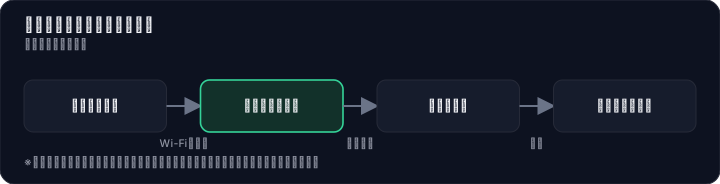

Global WiFi is an overseas WiFi rental service operated by Vision Inc. Its biggest feature is, as the name suggests, its "global" reach. Available in over 200 countries and regions, it covers a wide range of destinations, including major travel spots. In fact, one overseas WiFi comparison site even reported user feedback saying, "It worked in an African country," highlighting its extensive coverage.
The ease of initial pickup is another standout feature of this service. You can pick up the device at major airports nationwide, including Narita, Haneda, Kansai, Chubu, and Fukuoka, and return it directly upon your return to Japan. Of course, home delivery and convenience store pickup are also available, and you can even reserve and pick up the device on the day of your departure. For travelers who like to prepare until the last minute, there's no greater flexibility.
And when you run into trouble overseas, 24/7 Japanese-language support has your back. In addition to phone and email, you can also reach out via LINE, a messaging app many people use daily. Multiple review sites report real cases like, "When I couldn't connect overseas, I contacted them via LINE and they responded immediately." For those who aren't confident in English, the peace of mind that comes from being able to ask for help in Japanese at any time is invaluable.
These achievements and trustworthiness have earned Global WiFi the title of No.1 in user numbers for 8 consecutive years (based on a survey by a certain overseas WiFi comparison site). Pricing plans vary depending on your destination and data allowance, with options ranging from 300MB per day to unlimited plans. If you take advantage of early bird discounts, you can find plans starting from as low as around 300 yen per day.
[Comparison Table] Global WiFi vs. Imoto WiFi vs. eSIM – What Should You Choose?
Misaki didn't make a snap decision based solely on Global WiFi. Her next step was a thorough comparison with competing services, assuming a family of four would be using it.
The table below, based on publicly available information, compares Global WiFi, Imoto WiFi, and eSIM as an alternative across key criteria.
| Criteria | Global WiFi | Imoto WiFi | eSIM |
|---|---|---|---|
| Countries/Regions Covered | 200+ | — | Varies by profile |
| Approximate Daily Cost | From ~300 yen | Similar price range | From a few hundred yen (data-based billing) |
| Ease of Pickup/Return | Available at airports, via courier, or at convenience stores | Available at airports, via courier, etc. | Fully online, no physical pickup needed |
| Customer Support | 24/7 Japanese support (phone/email/LINE) | Japanese support available | Varies by provider |
| Device Portability | Requires device, slightly bulky | Requires device | Built into smartphone, no extra device |
| Battery Life | Issues noted (power bank recommended) | Varies by model | Drains smartphone battery |
| Sharing with Multiple People | ◎ (Connects up to 5 devices) | ○ (Depends on device) | △ (Tethering possible but sometimes not recommended) |
| Ease of Setup | ◎ (Just turn it on) | ○ | △~× (Requires profile installation) |
Note: Figures for competing services are based on publicly available information verified by our editorial team. Since eSIM pricing and compatible devices vary widely, this is a qualitative comparison of general trends. "—" indicates items for which we could not obtain confirmation from public sources. Please check each official website for details.
Looking at this table, Misaki calmly applied it to their travel style.
"If our family of four shares one device, Global WiFi is far more cost-effective and easier than signing up for eSIMs individually."
She thought about connecting her and her husband's smartphones, and maybe the kids' tablets for use on the plane. Considering that, the ability to connect up to five devices simultaneously was a major draw. Given the overall travel budget, she decided it was better to value zero pickup hassle and Japanese-language support when needed, rather than worrying about a few hundred yen difference.
Start by checking the price for your itinerary on the official website. Just enter the number of days and your destination on the actual screen, and you'll see the specific cost. Pre-registration takes only a few minutes, and the fee simulation is completely free. You can check, risk-free, whether there's a plan that fits your trip before any money changes hands.
[Review Analysis] "Easy Airport Pickup" vs. "Heavy Device" – What Do Real Users Say?
Now that we've covered the service overview, Misaki's next concern was: "What do actual users think?" According to an analysis of 94 survey responses on a comparison site, 90% of respondents gave positive feedback. However, there were also some complaints, revealing a balance of praise and criticism.

Let's take a look at the themes frequently mentioned across multiple review sites, along with real user comments.
■ What Most Users Appreciate
First, here are the positive opinions that get to the heart of the service.
"Being able to pick it up at the airport and just drop it off when I return is so convenient."
This comment, posted on an overseas WiFi comparison site, perfectly captures the "ease of use" that Misaki valued most. Reducing the hassle during travel is a huge peace of mind, especially when traveling with kids.
The simplicity of setup is also highly praised.
"Setup was incredibly easy – I just turned it on and it worked."
As one travel review site put it, anyone can start using the WiFi right away with a simple operation like scanning a QR code. Even people who aren't tech-savvy can pick up the device at the airport counter, turn it on, and get connected immediately. This simplicity is a key reason for its widespread support.
There are also testimonials that speak to the quality of customer support.
"When I lost connection overseas, I contacted them via LINE and they responded right away."
As mentioned earlier, 24/7 Japanese-language support is a lifeline in emergencies. Knowing that even if something goes wrong, you can resolve it through LINE – an app you already use – is reassuring. Additionally, several practical reviews highlighted the benefit of group use, such as: "It was convenient for my husband and me to share one device."
■ Some Complaints and the Reality Behind Them
Of course, not all feedback is glowing. One area worth noting is device-related criticism.
"The device battery life is poor." "The device is big and heavy."
These complaints were reported in a review on an IT news site. As Misaki feared, the size, weight, and battery life of the mobile router can be a burden for some users. If you're walking around sightseeing all day, the device might take up too much space in your bag, or the battery might run low by early afternoon.
In fact, another review site noted that "the connection sometimes dropped inside large buildings."
While these comments should be taken seriously, the anxiety can be greatly reduced with a little preparation. Carrying a power bank solves the battery issue. Many people already bring one as a backup for their smartphone anyway, so adding it to your travel essentials means you won't have to worry about the router's battery. As for the device size, the more people sharing it and the more stable the connection needed, the more understandable it is that miniaturization has its limits.
“Isn’t it expensive?” “What about the battery?” — Honestly addressing your concerns about Global WiFi
As Misaki noticed from the reviews, there are a few reasons people hesitate to use the service. Here, we’ll honestly address each common concern one by one.

Concern 1: “After all, isn’t the price high?”
Reality: For short trips or in a simple price comparison, Global WiFi can sometimes cost more than other rental services or eSIMs. One review on a comparison site frankly noted, “The price is a bit higher compared to eSIM, but considering the convenience, it’s acceptable.” The difference in what you pay can be seen as the price of invisible peace of mind — “saving time by picking it up right at the airport” and “Japanese-language support if trouble arises locally.” Whether you can view it as an investment to reduce travel stress is the deciding factor.
Concern 2: “Wouldn’t eSIM be cheaper and more convenient?”
Reality: For solo travelers who don’t mind setting things up themselves, eSIM does offer better cost performance. However, when traveling with family or a group, signing up for eSIMs for everyone can actually end up costing more overall. Moreover, complaints like “I couldn’t get it set up properly and ended up struggling on-site” actually prove the absolute simplicity of a WiFi rental that’s “just turn it on.” If you want to share with someone, splitting the cost of a WiFi rental among multiple people is an extremely rational choice.
Concern 3: “If the battery dies quickly, I won’t be able to use maps.”
Reality: You’re right — battery life is a weak point of the device itself. But the solution is straightforward: make it a habit to always carry a portable battery. That alone will make you unafraid of a dead device battery in any travel scenario. These days, lightweight, high-capacity models are increasingly common and have become a travel essential.
What exactly makes you “anxious,” and how much “solution” and “cost” are you willing to pay for it? Misaki answered this question by deciding, “Even if it’s a bit more expensive, we need the peace of mind of a guaranteed connection when traveling with kids.”
Can you make the same call? If you’re still unsure, there’s no harm in starting. Just register for a free membership and get a quote to get a concrete idea of your travel costs. You can take your time deciding whether to actually use the service afterward.
【Easy 4-Step Guide】How to Use Global WiFi from Booking to Return
Now you're in the final stages of preparing for your trip. The process Misaki actually followed—from booking to returning the device—was surprisingly simple.
Step 1: Choose a Plan on the Official Website First, enter your destination and travel dates in the booking form on the official website. A list of available plans and prices will appear. Considering how much data they would need, Misaki quickly found a plan that she felt was "more than enough."
Step 2: Select Pickup and Return Method Choose the most convenient method from "Airport," "Home Delivery," or "Convenience Store." Misaki opted to pick up the device at the Narita Airport counter on the morning of her departure. Without the hassle of having it delivered to her home in advance, she was able to get the device smoothly just as her trip began. At this point, you'll need your passport number to complete the booking, so have it ready.
Step 3: Turn on the Device at Your Destination Once you arrive at the overseas airport, simply turn on the device you received. The WiFi password and QR code are included, so just connect your smartphone and you're all set. After landing in Hawaii, Misaki connected four devices in under a minute and was able to open local maps right away.
Step 4: Return the Device After Your Trip At the airport on your way back, simply return the device to the counter where you picked it up or drop it in a designated return box. In Misaki's case, the counter was right next to the customs exit on her return, and she described handing it back as a "done and dusted" moment without even having to stop.
Every step is completed with zero technical knowledge required. That's why it's said to be "easy for anyone to use." Just four simple steps, and the booking itself is free. Before you even get the device in hand, take a moment to make sure all your questions and concerns are resolved, and feel free to take that first easy step.
So Who Is It For? The Travel Style That Makes Global WiFi the Best Choice
The deciding factor for Misaki in ultimately choosing Global WiFi was that she clearly understood her own "travel style." Like her, which type are you?
Those who should choose Global WiFi
- People who want to share one WiFi device with family or a group of friends to keep costs down
- Those who aren't good with device settings and prioritize the simplicity of "just turning it on" above all else
- People who are worried about making inquiries in English and want the peace of mind of 24/7 Japanese-language support
- Those who value flexibility in pickup and return, such as picking up the device at the airport on the day of departure
Those who should consider other options (eSIM, etc.)
- Solo travelers who prioritize the absolute lowest price above all else
- People who don't want to carry any device other than their smartphone – extreme lightweight and compactness seekers
- Those who absolutely do not want to carry a portable battery
- People who don't mind some device setup, like installing an APN profile themselves
Global WiFi is best suited for people who want to avoid even minor hassles, such as first-time overseas travelers or those traveling with children. The reason is that it offers a system designed to thoroughly eliminate "I don't know" and "I'm stuck" moments, from airport pickup to Japanese-language support via LINE. Furthermore, sharing one device with a group boosts cost-effectiveness and provides a foundation that supports travel satisfaction.
Now that you've finished reading this article, start by checking the specific cost for your itinerary on the official website. Once you see the numbers, you'll naturally find the answer to whether you feel it's "worth the investment."
Please note that the terms of use for overseas WiFi rental services may change due to exchange rates or local telecommunications conditions. Be sure to check the latest information on the official website before your trip.
Methodology and Disclosure
Verification Method: This article is based on publicly available information as of July 28, 2026. The editorial team has not actually subscribed to or used the services in question. This is an explanatory article based on publicly available information (official websites, third-party reviews, and user feedback). Service details, fees, and promotions are subject to change, so please check the official information before applying.
Publisher Information: The editorial policy and evaluation criteria for this article are described in the Editorial Policy, and the verification procedures are outlined in the Evaluation Method. If you find any errors, please report them to our contact desk.
Affiliate Disclosure: This article contains affiliate links, and our site may receive compensation at no additional cost to the reader. Compensation does not affect the content of our evaluations.
Frequently Asked Questions
How much does Global WiFi cost per day?
The 300MB/day plan starts from around $3/day (conditions apply). Early bird and long-term discounts can lower the price. Unlimited plans are also available; rates vary by destination and data allowance.
How far in advance should I book?
You can book and pick up on the day of departure. However, early booking is recommended to avoid stockouts. For airport pickup, ensure you reserve in time before your flight.
Where can I return the device?
You can return it at counters in major airports (Narita, Haneda, Kansai, Chubu, Fukuoka, etc.). A prepaid return envelope is included for drop-off at any mailbox.
Is the internet speed fast? Can I watch videos?
Speed depends on local network conditions, but general web browsing, social media, and map apps work smoothly. Video streaming is possible but consumes data; unlimited or high-capacity plans are recommended.
What if the device is damaged or lost?
Contact 24/7 Japanese support via phone, email, or LINE. A compensation fee applies for loss or damage, and support will guide you through the process.
Which is better for me: eSIM or WiFi rental?
WiFi rental (Global WiFi) is better for multiple devices and ease of setup. eSIM requires no physical pickup and suits solo travelers or single-device users.
Does connecting multiple devices slow down the speed?
Up to 5 devices can connect simultaneously, but speed per device decreases with more connections. For heavy usage like video streaming on multiple devices, choose an unlimited plan.
Are there countries where Global WiFi doesn't work?
It covers over 200 countries and regions, covering most major travel destinations. However, some conflict zones or areas with underdeveloped infrastructure may not be supported. Check the official website for details.
Sources
This article is based on publicly available information as of 2026-07-28.
Related articles
Takeru FX School Review (2026)
For FX beginners and intermediates in Japan; face-to-face and online lessons, demo trading, and a structured curriculum. Confirm fees and refund terms before enrolling.
Japan FX Education Institute FX School Info Session Review (2026)
For beginners in Japan who are about to start FX: what the Japan FX Education Institute's school info session covers, who it suits, and what to confirm about fees and terms before applying.
XM No Deposit Bonus 2026: Eligible Countries List
Check if your country is eligible for the XM $30 no deposit bonus in 2026. Updated list, terms, and step-by-step verification guide.