
Verification status: This article is based on publicly available information (no hands-on testing or live trading by the editorial team).
Yamada (a pseudonym, office worker in his 30s) lives in a condominium in Tokyo and was fed up with his video calls cutting out repeatedly during his three remote workdays a week. Once his child started watching videos in the living room, the audio would glitch, the screen would freeze, and he got into the habit of apologizing at every meeting: "Sorry, my connection is unstable."
Things got even worse at night. When the family tried to enjoy a streaming service together, the picture quality would drop or loading would take forever, and the mood in the living room gradually soured. Yamada kept thinking, "I really need to do something about my home connection," but weighing the hassle of installation against reviewing monthly fees, he kept putting it off.
He is far from alone in feeling, "I'm unhappy with my home connection, but there are too many factors to weigh when switching, so I can't make a decision." This article breaks down the essentials of "ZOOT NEXT (FLET'S Hikari)," a fiber-optic and home router service that runs on FLET'S Hikari—from the basics and how to think about pricing, to comparisons with other lines and the process from application to coverage check. Follow Yamada's perspective and use it as a guide for choosing your own home connection.
Turning the "Frustrations" with Your Home Connection into Concrete Issues
Frustrations like Mr. Yamada's with a home internet connection can be broken down into three main scenarios.
The first is video conferencing during remote work. Delayed audio or frozen screens can affect your professional credibility. The second is simultaneous use by family members. When someone is streaming video, online meetings or online gaming in another room start to lag. The third is unstable speeds depending on the time of day, such as at night or on weekends.
These frustrations manifest differently depending on the type of connection, the contract plan, and the usage environment. If you're still using older line infrastructure, or if you live in a multi-unit building where many households share the same equipment, you're especially vulnerable to congestion at night. Of course, not all frustrations can be attributed solely to the connection itself. Router placement, device performance, and Wi-Fi signal conditions also affect speed.
That said, if you're feeling stressed by your home connection, reviewing your contract is a valid option. Mr. Yamada also started looking into it in earnest one day when a colleague told him at the office, "After I switched my home connection, remote meetings became much more comfortable." The first step in choosing a new connection is to clearly identify your current frustrations and sort out what matters most to you.
What is ZOOT NEXT (FLET'S Hikari)?
What Mr. Yamada's colleague recommended was "ZOOT NEXT (FLET'S Hikari)," which uses the FLET'S Hikari fiber-optic line. This service is offered as an optical line and home router service. Since it leverages the FLET'S Hikari fiber network, it can be a viable option not only for existing FLET'S Hikari users but also for those who are just starting to consider getting a fiber-optic connection.
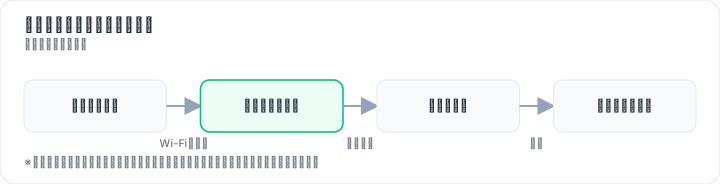

Fiber-optic lines are generally known for their fast connection speeds and stability. This is especially valuable when handling large amounts of data, such as video streaming or online meetings. On the other hand, some contracts require installation work, and service availability can vary by region. ZOOT NEXT (FLET'S Hikari) is no exception — whether installation is required and whether the service is available in your area can depend on your property type and location.
As the name suggests, "FLET'S Hikari" makes it clear that this service is built around a fiber-optic connection. It can be positioned as a service that brings the key benefit of fiber optics — "fast, stable connectivity" — into your home.
Mr. Yamada decided to check the official website to see whether his condominium was within the service area and whether installation would be required. At this stage, he hasn't committed to signing up yet. It's simply research to confirm whether he can actually use the service at home.
How to Think About Fees and Campaigns
When choosing a fiber internet service, what most people look at first are the monthly fee and the initial costs. Mr. Yamada also checked how much his monthly payments would be first, thinking about the impact on his household budget.
In general, fiber internet service fees can be divided into three main categories: "monthly usage fees," "initial costs (installation fees, administrative charges, etc.)," and "optional fees." Monthly usage fees vary depending on the plan you sign up for and whether any campaigns apply. Initial costs may be reduced in practice through installment payments or cashback, depending on whether installation is required and when you apply.
Campaigns often advertise large amounts like "up to ◯◯ yen," but high-value campaigns usually come with conditions. If you don't carefully check the eligibility requirements, timing of receipt, and applicable plans, you may end up paying more than you expected. Assume that conditions apply and check the official website for details—it's important to judge based on the total cost.
Also, fees vary by time period and region. Even for the same service, the campaigns and installation fees that apply may differ depending on when you apply and where you live. For this reason, treat this as a general overview at the time of writing, and check the official website for the latest conditions to confirm specific amounts.
Mr. Yamada wrote down not just the monthly fee but also "how to keep initial costs down" and "whether he can meet the cashback conditions" in his notes, organizing his payment picture. Looking at fees by separating "monthly" and "initial costs" is what leads to a choice you won't regret.
Comparing with Other Connection Types
For home internet, besides fiber optic, there are also options such as cable TV internet, mobile routers, and home routers (standalone). Mr. Yamada organized the differences between these options when considering ZOOT NEXT (FLET'S Hikari).
The table below summarizes the general characteristics of each option. Since specific figures vary by service, plan, and region, please treat this as qualitative information that can be verified on official websites.
| Comparison Axis | ZOOT NEXT (FLET'S Hikari) | Other Fiber Optic Services (Collaboration Hikari, etc.) | Cable TV Internet | Mobile Router / Home Router (Standalone) |
|---|---|---|---|---|
| Monthly Fee & Initial Costs | Varies by plan, campaign, and area | Varies by provider's plan | Varies by provider's plan | Varies by provider's plan |
| Installation Requirements & Duration | Varies by property and area | Varies by property and area | Varies by property and area | Often no installation required |
| Connection Speed & Stability (Spec Values) | Expected to be fast and stable as fiber optic | Expected to be fast and stable as fiber optic | Stability varies depending on the line type | Easily affected by base station signal conditions and time of day |
| Coverage Area | Follows FLET'S Hikari service area | Depends on each provider's coverage area | Depends on the cable TV provider's coverage area | Depends on the carrier's coverage area |
| Support & Application Method | Apply and check coverage via official website | Apply via each provider's official website, etc. | Apply via each provider's official website, etc. | Apply via each provider's official website, etc. |
What this comparison table shows is that ZOOT NEXT (FLET'S Hikari) suits people who value the stability that only fiber optic can offer. On the other hand, for those living in properties where installation isn't possible, people who move frequently, or those who want to use the same connection on the go, a mobile router or a home router that requires no installation may be more suitable.
Each option has its pros and cons. There is no single "right answer" for which connection is best—what matters is choosing based on your own usage style. Like Mr. Yamada, if your main usage is remote work at home and family video streaming, a highly stable fiber optic service should take priority.
Through this comparison, Mr. Yamada began to feel that "it seems worth considering fiber optic as the fixed line for home." He became optimistic and decided to first check on the official website whether his area is supported. Since the coverage check is free, he can take that first step without worrying about costs.
What to Check Before Applying
Before applying for a home internet connection, there are two things you absolutely need to verify: service coverage in your area and whether installation work is required. Yamada entered his home address into the official website's coverage check form. He says it took just a few minutes to confirm whether his apartment building was within the service area.

Coverage can vary by individual address, even within the same city. For multi-unit buildings, whether fiber has already been run into the building determines if installation is needed and how long it will take. In newly built condominiums, installation may not be required at all, while older buildings may need extensive work.
If installation is required, the process generally looks like this:
- Schedule the installation date after applying
- Have technicians run the fiber line into your home while you're present
- Set up the router and devices, then activate the connection
The scope of work also differs depending on whether you live in a detached house or a multi-unit building. In some cases, installation costs can be reduced through cashback offers or installment plans, so it's worth checking the terms in advance.
The coverage check is free, takes only a short time, and requires minimal effort on your part. Since it's hard to tell from brochures alone whether installation will be needed or if your area is covered, entering your actual home address is the most reliable way to find out. After completing this check, Yamada finally had a concrete sense that he might be able to sign up.
Usage Process
After confirming the coverage area, Mr. Yamada organized the steps from application to service activation. The process from application to start of use generally follows these steps:
Step 1: Application Submit your application by entering required information such as name, address, and contact details on the official website. In most cases, the process can be completed entirely online, and you may be asked to provide identity verification documents.
Step 2: Coverage Check & Screening After applying, you will be notified about service availability and whether installation work is required. Coverage checks can be performed before applying, but they may also be re-verified during the post-application screening process.
Step 3: Installation & Setup If fiber optic line installation work is required, you will schedule an installation date and the work will be carried out in your presence. If no installation is needed, you can typically start using the service simply by connecting the router you receive and following the setup instructions.
Step 4: Service Activation Once the connection is live, connect your router and devices to begin using the service. Follow the connection instructions provided on the official website or in the included manual.
These steps represent only the general flow. Actual procedures and required documents may vary depending on the service, the timing of your application, and the region where you live. However, the initial "application and coverage check" can often be completed free of charge or at minimal cost, making it a low-commitment first step. Even if you are still undecided, you can check your eligibility on the official website to get started.
So, Who Is This Actually Right For?
After going through the entire research process, Yamada decided to take the plunge and "check availability and apply for a fiber-optic service as their home fixed-line connection." By confirming service coverage and whether installation work was required, the options became much clearer.
Our editorial team's conclusion is that ZOOT NEXT (FLET'S Hikari) is best suited for the following types of people:
- Those who frequently work remotely or join online meetings from home
- Families who want to stream video and play online games simultaneously
- Those who value the stability of a fiber-optic connection and live within FLET'S Hikari's coverage area
- Those who want to check installation requirements and service availability for free before committing
On the other hand, the following types of people may want to consider other options as well:
- Those who move frequently
- Those who want to use the same connection wherever they go
- Those who find mobile data or installation-free home routers sufficient for their needs
- Those who live outside the coverage area or find that installation isn't feasible
The key is to clarify what matters most to you, then take that first step. Since ZOOT NEXT (FLET'S Hikari) offers free or low-commitment application and coverage checks, even those still on the fence can easily verify their own situation first. Check the latest pricing and campaign terms on the official website and start by confirming your area's coverage and whether installation work is needed.
Please note that connection speeds may vary depending on your environment (cabling routes, router performance, devices, in-home Wi-Fi conditions, time of day, etc.). Pricing and campaigns also change by period and region, so we can't guarantee that it will "always be faster" or "always be cheaper." We recommend checking the latest terms on the official website before applying or confirming coverage.
Methodology and Disclosure
Verification Method: This article is based on publicly available information confirmed as of 2026-08-27. The editorial team has not actually contracted or used the services in question. This content is based on public information (official pages, third-party reviews, and user feedback). Service details, fees, and promotions are subject to change, so please check the official information before applying.
Operator Information: The editorial policy and evaluation criteria for this article are described in the Editorial Policy, and the verification procedures are outlined in the Evaluation Methodology. If you find any errors in the content, please report them to our contact desk.
Affiliate Disclosure: This article contains affiliate links, and our site may earn a commission at no additional cost to readers. Compensation does not influence the evaluation content.
Frequently Asked Questions
How much does ZOOT NEXT (FLET'S Hikari) cost?
Pricing varies by plan, promotions, and area. Costs are divided into monthly fees and initial costs (such as installation fees). Promotions may reduce the effective cost. Be aware that advertised maximum discounts have conditions, so check the official website for the latest terms.
Is installation required?
Whether installation is needed depends on the property and area. Even within FLET'S Hikari coverage, installation methods may differ for condominiums and detached houses. You can check coverage and installation requirements on the official website.
How do I check service availability in my area?
Use the coverage check page on the official website by entering your postal code or address. Since ZOOT NEXT (FLET'S Hikari) uses the FLET'S Hikari network, you can also verify if FLET'S Hikari is available in your area.
What speeds can I expect?
As a fiber optic service, you can expect high speed and stability, but actual speeds vary depending on your environment and time of day. Check the official website for theoretical maximum speeds. Speeds may decrease during peak hours or due to Wi-Fi conditions.
Are there cancellation fees?
Cancellation fees depend on your plan and contract term. Generally, if there is a minimum contract period, an early termination fee may apply. Check your contract terms for details.
What do I need to apply?
You will need your name, address, contact information, and payment method (credit card or bank account details). If installation is required, you'll also need to schedule a time for the technician to visit.
How is it different from a standalone home router?
ZOOT NEXT (FLET'S Hikari) is a home router service that uses fiber optic internet. A standalone home router typically uses mobile networks, so it requires no installation and is easy to set up, but speeds and stability may be inferior to fiber optic.
Related articles
Measured broker spreads 2026-W44 — logged hourly from our own MT5 accounts
Not a copy of published spread tables: 182,486 hourly bid/ask samples taken on our own accounts (HF Markets (SV) Ltd. / OANDA Corporation / XM) over 2026-10-18 → 2026-10-25, broken down by pair and by hour of day.
eo Hikari and SoftBank Hikari Reviews: Pros and Cons from User Feedback [2026]
Comparing eo Hikari and SoftBank Hikari reviews based on user feedback survey data. ✓ Differences in communication quality, pricing, and smartphone discounts ✓ Which one suits whom ✓ Checklist before signing up.
XM Review 2026: Video Walkthrough, Spreads & Bonus Terms Explained
XM review 2026 with full video walkthrough. Regulated broker, spreads from 0.6 pips, no-deposit bonus explained. ✓ Verdict for beginners ✓ Risk disclosure ✓