Verification Status: This article is an explanation based on publicly available information (the editorial team has not conducted actual usage or trading).
Ayama Yamada (pseudonym), 32, works primarily remotely from a rented apartment in Tokyo. Having moved frequently, her current residence cannot accommodate fiber optic installation. She has managed to handle work and video streaming via smartphone tethering but has reached her limit due to data caps and unstable speeds. That's when she discovered SoftBank Air, which requires no installation and works simply by plugging it into an outlet. However, she also encountered reviews mentioning issues like "slow speeds at night" and "outstanding balances upon cancellation." Before signing up, she needed to evaluate whether the service conditions matched her usage needs.
Conclusion: SoftBank Air requires no installation and works simply by plugging it into an outlet. SoftBank and Y!mobile users can benefit from bundle discounts and receive up to ¥50,000 in cashback (terms apply). If the coverage area and acceptable speeds meet your requirements, it is worth subscribing to.
What Is SoftBank Air? Ready to Use Today with No Installation Required – Key Specs Overview
SoftBank Air is a home router that requires no installation; simply plug it into a power outlet to get started. The Air Terminal 6 supports 5G, offering maximum download speeds of up to 2.7 Gbps, unlimited data capacity, support for up to 128 simultaneous connections, and no binding contract period. Even in rental properties where installation work is difficult, you can set up a home Wi-Fi environment just by securing a power source.
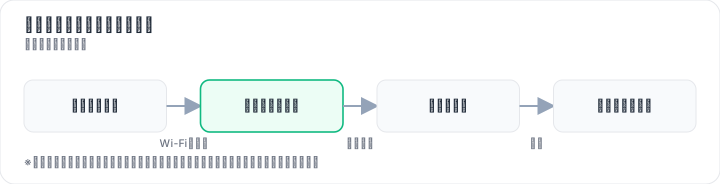
The first thing Aya Yamada verified was whether the device could truly be used on the very day it arrived. Multiple review sites feature comments such as, "It worked from the day I plugged it in, with no installation required." She found the low barrier to entry—eliminating the need to be present for installation or handle wiring—to be especially reassuring for life in a rental property.
Here is a summary of the basic specifications:
| Item | Details |
|---|---|
| Installation | Not required |
| Communication Method | Supports 5G/4G |
| Maximum Download Speed | 2.7 Gbps (theoretical value) |
| Data Capacity | Unlimited |
| Simultaneous Connections | Up to 128 devices |
| Contract Binding Period | None |
| Monthly Fee | ¥5,368 (tax included); ¥4,950 until the 24th month when paying for the Air Terminal 6 in 48 installments |
For Aya Yamada, the "unlimited data capacity" was particularly significant. During her tethering days, she had to watch videos while worrying about data limits, so the peace of mind that comes with unrestricted, flat-rate usage genuinely improved her quality of life. The absence of a binding contract period is also a practical advantage for those who move frequently, as it eliminates concerns about cancellation fees. Furthermore, since Wi-Fi comes standard and no cables are required, there is no need to worry about cable management issues often encountered in rental apartments in urban centers.
Honest Breakdown of SoftBank Air Pricing and Cashback Conditions
The standard monthly fee for SoftBank Air is ¥5,368 (including tax). If you purchase the Air Terminal 6 via a 48-month installment plan, the rate is ¥4,950 per month until the 24th month, rising to ¥5,368 from the 25th month onward. The contract administration fee of ¥3,300 and the device cost of ¥95,040 can both be paid in installments. When applying through N's Company, you may receive a cashback of up to ¥50,000 (conditions apply; please verify details on the official site).

Let's address upfront the "reality of high-value cashbacks" that Aya Yamada was concerned about. While cashbacks via N's Company are praised on various review sites for requiring no application procedures and offering fast bank transfers, this only applies if all campaign conditions are met. If you plan to cancel early, the remaining device balance will be offset against the cashback, significantly reducing your net gain. It is crucial to understand this mechanism before signing up.
Here is a summary of how the pricing evolves:
| Period | Monthly Fee |
|---|---|
| First Month of Contract | ¥5,368 (including tax) |
| Months 2–24 | ¥4,950 |
| Month 25 Onward | ¥5,368 |
The initial cost includes a contract administration fee of ¥3,300. The monthly fees listed above assume the device cost of ¥95,040 is paid via installments. Adding a potential cashback of up to ¥50,000 (conditions apply; please verify details on the official site) further reduces your effective monthly burden. However, since campaign terms vary based on timing, location, and procedural status, the safest approach is to check the latest conditions on the N's Company campaign site before applying.
Checking availability in your area and completing the application are free and quick processes. Even if you are still considering your options, simply verifying whether the service works at your address involves minimal commitment and allows you to take a step forward with the freedom to stop at any time.
Speed Performance and User Reviews: Is Nighttime Slowdown Real? Evaluating Air Terminal 6
Nighttime speed drops have indeed been reported. However, there are also reports of average speeds exceeding 100 Mbps with the Air Terminal 6, a level sufficient for video streaming and web conferencing. Since speeds fluctuate based on the usage environment, the deciding factors are your specific home area and the time of day you use the service.
While some user reviews state, "Speeds improved significantly after switching to the Air Terminal 6," others note that "speeds can drop during nighttime and peak congestion hours." This was the point Yamaya Aya was most concerned about. Upon reviewing actual user feedback, there are multiple reports of smooth performance during video streaming and Zoom meetings, suggesting that for typical usage patterns, the performance falls within an acceptable range.
When verifying speed performance, it is crucial to distinguish between device models. Older models (pre-Air Terminal 4) have many reports of slow speeds, so if you are applying now, you should assume the use of the 5G-compatible Air Terminal 6. Additionally, speeds will drop when outside 5G coverage areas as the connection reverts to 4G; therefore, confirming whether your home is within a 5G zone is essential. There are also indications that upload speeds are somewhat slow, making this service unsuitable for users who routinely perform large-capacity uploads or high-definition live streaming. On the other hand, if your primary activities are video streaming and web browsing, the speed performance can be judged as fully adequate.
SoftBank Air vs. Other Home Routers vs. Fiber Optic Lines: Who Should Choose What (Comparison Table)
SoftBank Air bridges the gap between other home router providers and fiber optic lines by offering both the convenience of no installation work and bundle discounts with SoftBank and Y!mobile. It becomes the top choice for renters in properties where installation is prohibited, provided they are SoftBank users. Conversely, if speed stability is the absolute priority, fiber optic lines have the advantage.
| Item | SoftBank Air | Other Home Routers (e.g., WiMAX) | Fiber Optic Lines (e.g., NURO Hikari) |
|---|---|---|---|
| Installation Required? | No | No | Yes |
| Monthly Fee (Estimate) | ¥4,950 – ¥5,368 | — | — |
| Speed Stability | Fluctuates by time of day | Varies by area and device model | Generally stable |
| Contract Term Restrictions | None | — | — |
| Smartphone Bundle Discount | Yes (SoftBank/Y!mobile) | Depends on campaign | Varies by provider |
| Best For | Those unable to install wiring, SB users, 4-year usage plans | Users meeting specific area and data cap conditions | Those prioritizing speed above all and able to undergo installation |
The requirement for installation work is a decisive factor for renters living in apartments like Aya Yamada. While fiber optic lines (e.g., NURO Hikari) tend to offer more stable speeds, they require installation and may not be an option depending on the property. Other home routers (e.g., WiMAX) also require no installation, but differ in terms of coverage areas, speed trends, and monthly pricing structures. SoftBank Air has no contract term restrictions and benefits from bundle discounts with SoftBank and Y!mobile, making it particularly well-suited for SoftBank users who frequently relocate due to job transfers or moving.
So, ultimately, who should choose which option? If you live in a property where installation is possible and prioritize speed above all else, a fiber optic line is the only choice. SoftBank Air is specifically ideal for those who meet three conditions: installation is impossible, they are SoftBank users, and their primary usage involves video streaming. The next step is to check your coverage area and current campaign conditions at Enzu Company's campaign site. The area check is free, and you will immediately know if your address is within the serviceable zone.
How to Apply for SoftBank Air and Start Using It (via N's Company)
It takes as little as two days from application to service activation. When you apply through N's Company's campaign site, the cashback process is completed simply by calling to provide your bank transfer details after the device arrives. Since you only need to plug it into a power outlet, there is almost no complicated setup required.
The process after Aya Yamada decided to apply can be broken down into the following five steps:
- Apply via the official website or an agent site: Applying through N's Company's campaign site makes you eligible for the cashback offer.
- Enter required information and submit identity verification documents: The application form features a simple structure where you only need to input the necessary details.
- Receive the Air Terminal once screening is complete: Delivery can take as little as two days, which is a major advantage due to the short waiting time.
- Plug the device into a power outlet and turn it on: Many review sites praise the "easy setup," ensuring that even beginners won't get stuck at this stage.
- Apply for cashback (if required): If you applied via N's Company, the process is completed simply by providing your bank transfer details over the phone.
Before applying, you can check whether your home address falls within a 5G coverage area. Given the ease of installation without construction work and the peace of mind that comes with free area verification, the barrier to taking the first step is low. Even if you are still undecided, you can start by checking address compatibility at no cost to yourself.
Who Is SoftBank Air (via N's Company) Best Suited For?
SoftBank Air is ideally suited for SoftBank and Y!mobile users who live in rental properties where installation work is not permitted, and who primarily use the internet for video streaming and web browsing with an expected usage period of around four years. There are two main reasons for this. First, the bundle discount helps reduce monthly smartphone bills. Second, when factoring in the cashback offer of up to ¥50,000 (terms apply) and the effective monthly cost of ¥4,950, it provides a rational way to lower the running costs compared to a fixed-line connection.
Aya Yamada's case perfectly matches these conditions. As a SoftBank user who moves frequently and cannot undergo installation work, she relies heavily on remote work and video streaming. Since her address falls within a 5G coverage area, she determined that the speeds offered by the Air Terminal 6 would be sufficient. Her decision was sealed after researching potential concerns on review sites and confirming that both her device and location met the necessary requirements.
Conversely, it is clear who this service is not suitable for. Individuals who prioritize speed stability above all else, those who routinely perform large-volume uploads, or users without a SoftBank or Y!mobile contract (and thus unable to benefit from the bundle discount) would find fiber optic lines or other options more rational. Additionally, individuals likely to cancel their contract within two years may find the deal uneconomical even with the cashback, due to remaining device installment balances.
In short, the deciding factor is whether you see value in the trio of "no installation required," "bundle discounts," and "cashback offers." While speeds can vary depending on your usage environment, and fees or campaigns may change based on timing and location, if your situation aligns with Aya Yamada's—specifically regarding the inability to install wiring and eligibility for bundle discounts—it is certainly worth proceeding to check your area and submit an application.
This article reflects the editorial team's perspective based on publicly available information. Speeds may vary depending on the usage environment, and fees and campaigns are subject to change based on timing and location.
Methodology and Disclosure
Verification Method: This article was created based on public information verified as of 2026-08-26. Our editorial team has not actually contracted or used the services mentioned. The explanations are based on public sources, including official pages, third-party reviews, and user feedback. Service details, fees, and campaigns are subject to change; please always verify the latest information on the official website before applying.
Publisher Information: Our editorial policy and evaluation criteria are outlined in our Editorial Policy, and our verification procedures are detailed in our Evaluation Methodology. If you find any errors in the content, please report them via our contact form.
Affiliate Disclosure: This article contains affiliate links, through which our site may earn a commission at no additional cost to you. These commissions do not influence our evaluations or ratings.
Frequently Asked Questions
Is it true that SoftBank Air requires no installation work?
Yes, SoftBank Air requires no installation work – you can use it by simply plugging it into an outlet. Since there's no wiring or on-site visit needed, it's easy to set up even in rental properties. However, service availability depends on signal coverage in your area, so it's essential to check coverage beforehand.
How much is the monthly fee for SoftBank Air? What happens after the 25th month?
If you purchase the Air Terminal 6 with 48 monthly installments, the monthly fee is ¥4,950 (tax included) for the first 24 months, and ¥5,368 (tax included) from the 25th month onward. An additional contract fee of ¥3,300 applies.
Who is eligible for the SoftBank Air cashback? Is an application required?
When you apply through N's Company, you can receive up to ¥50,000 cashback (conditions apply). In many cases, the cashback is automatically transferred once conditions are met, but some campaigns may require an application. Always check the latest conditions on the official website.
Does SoftBank Air speed slow down at night? Can I play games?
During peak evening hours, speeds may decrease, but the Air Terminal 6 has been reported to average over 100 Mbps, which is sufficient for video streaming and web conferencing. For online gaming, latency may be a concern, but typical games can be played with adequate speeds.
Are there cancellation fees for SoftBank Air? What should I know about early cancellation?
SoftBank Air has no contract term, so there are no cancellation fees. However, if you're paying for the device in installments, you'll need to pay the remaining balance. Early cancellation may also disqualify you from cashback, which could offset the remaining balance and make it less beneficial, so be cautious.
Is it safe to apply through N's Company? How is their support?
N's Company is an official authorized dealer, and the application process is safe. Reviews indicate that cashback payments are smooth. Support is available via phone and email, and you can contact them with any questions.
Is it still a good deal for non-SoftBank users?
Even if you're not a SoftBank or Y!mobile user, you can still use SoftBank Air. However, without bundle discounts, the monthly fee may be higher. Non-SoftBank users can still receive cashback, but be sure to check the conditions.
What are the differences between Air Terminal 6 and older models?
The Air Terminal 6 supports 5G with maximum download speeds of 2.7 Gbps, while older models (Air Terminal 4 and earlier) are 4G-only and slower. The Air Terminal 6 also supports up to 128 simultaneous connections and is Wi-Fi 6 compatible. If speed is a priority, choose the Air Terminal 6.
Sources
This article is based on publicly available information as of 2026-08-26.
Related articles
DMM FX Review 2026: Spreads, Trading Tools, and the 10,000-Unit Minimum Lot Caveat
A 2026 review of DMM FX covering spreads, trading tools, and its 10,000-unit minimum trade size. Learn who it suits, who should look elsewhere, typical margin requirements, and key risks. We also compare it with brokers that suit small-lot beginners.
XM No Deposit Bonus 2026: Eligible Countries List
Check if your country is eligible for the XM $30 no deposit bonus in 2026. Updated list, terms, and step-by-step verification guide.
IwaiCosmo Securities Review 2026: Honest Look at Fees and IPO Lottery Odds, Plus Zero-Fee NISA
Get the latest 2026 review of IwaiCosmo Securities. We take an honest look at their strong IPO underwriting track record, zero trading fees for NISA accounts, overall fee structure, and customer support. Compare with major online brokerages.